Introducing A Faster, Streamlined Way to Capture and Work With Photo Comments in DocuSketch

5 min read
At DocuSketch, we’re always improving the tools restoration teams rely on every day. Today, we’re releasing a faster, flexible photo commenting experience designed to help capture critical details across mitigation, restoration, estimating, and reconstruction in far less time.
These updates are now live in the DocuSketch iOS app.
What’s New
We redesigned the photo commenting workflow around how restoration teams actually document a job, whether capturing pre-existing damage or detailed close-ups of affected areas, with updates that improve both the iOS (iPhone) app and Web Portal experience.
Here’s what’s changed:
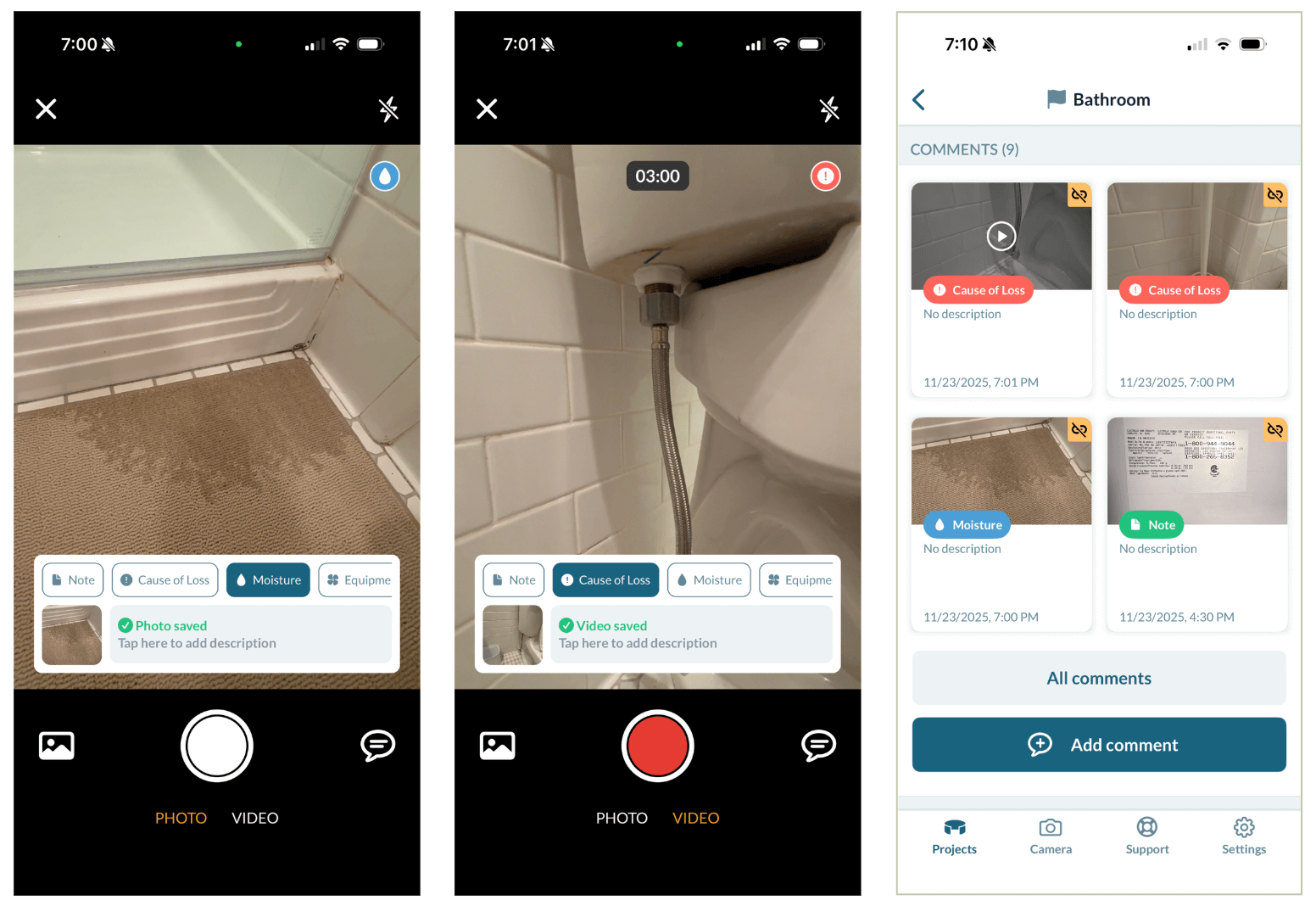
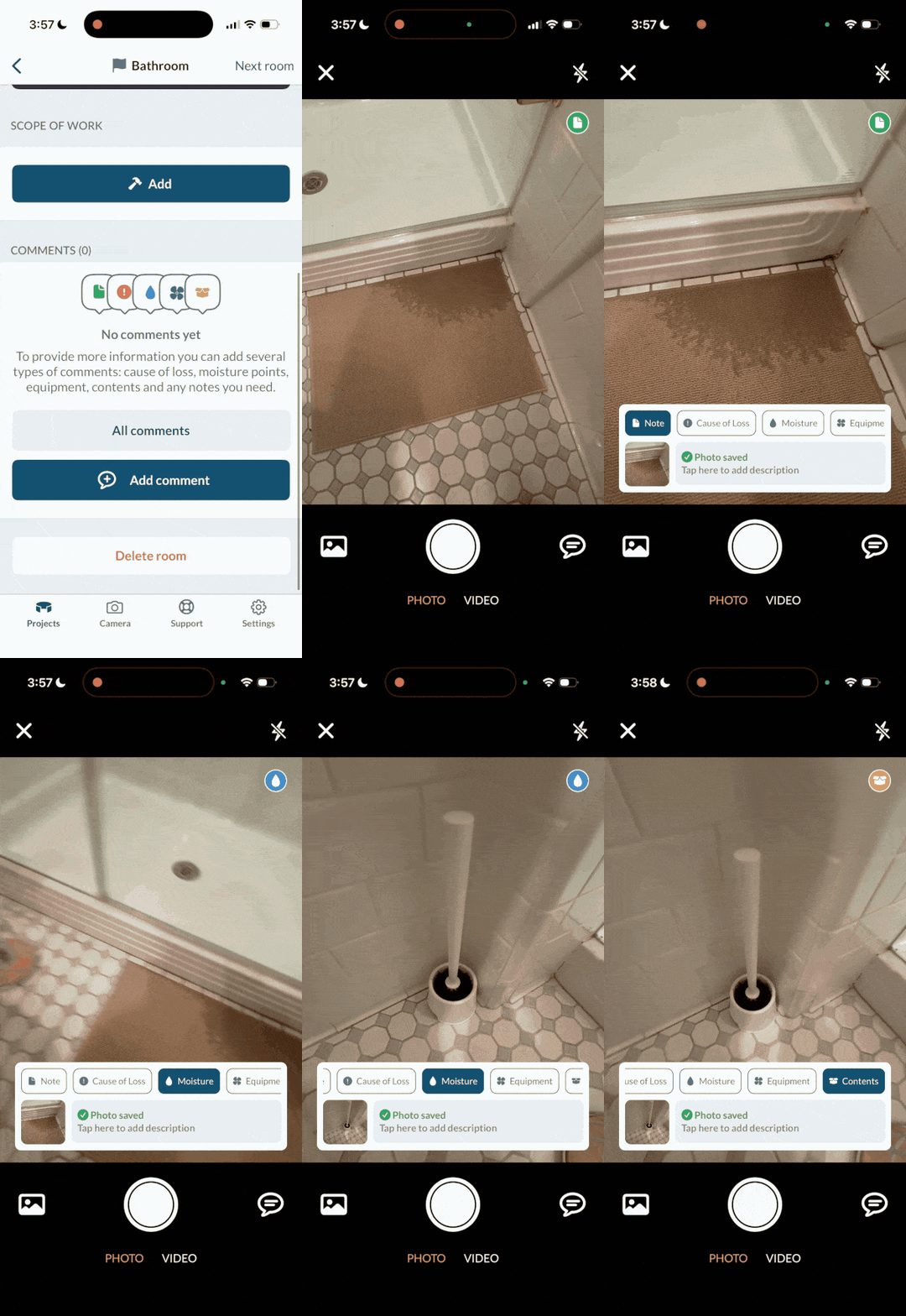
- Add photo comments one after the other without re-selecting comment categories each time, perfect for capturing multiple moisture readings or close-ups in a row
- Photo comments no longer need to be placed directly on a 360°, letting you capture details faster while still anchoring them to the correct room
- Sharper close-up photos make moisture readings, meter screens, and damage details easy to read from the office and reports
- Automatic photo organization in the Portal now labels photos by room so everything ends up in the right place without manual sorting.
For DocuSketch customers, that means:
- No more stopping after every photo to choose a category, it remembers
- No more downloading photos later to rename them one-by-one, they’re automatically labeled
- No more placing comments on a 360°, but will still be tied to the room automatically
- No more guessing which room a photo came from, they’re automatically organized by room
- No more unclear close-ups that force re-visits or slow estimating, photo quality has improved in reports

Photo Comments That Work Across the Entire Job
With these improvements, photo comments become faster to capture, easier to locate, and far more valuable across your entire workflow, from field documentation all the way to an accurate estimate.
Photos captured in DocuSketch also play a key role in:
- 360º Documentation: Use photo comments to add context that a 360° alone can’t capture such as moisture readings, labels, close-ups, and conditions in tight or dark areas
- Sketching & Estimating: Room-labeled photos help validate measurements, clarify scope, and strengthen your ESX/FML files
- Reports: Automatic room-based organization helps you build cleaner, more professional reports, without extra sorting or renaming
- Pre-Existing Conditions: Protect your crew by documenting additional interior and exterior conditions on the jobsite beyond the 360
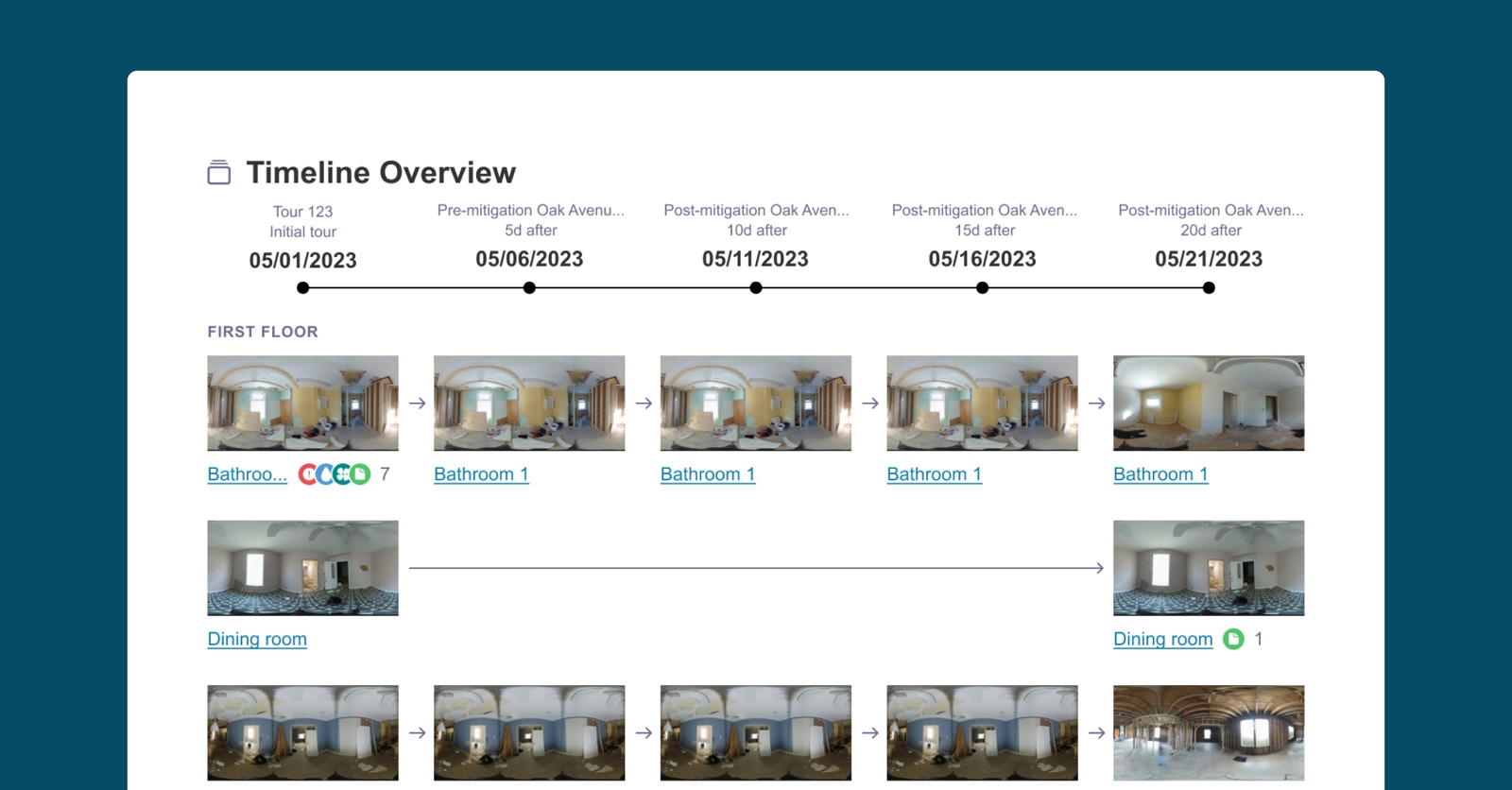
- Progress Tracking: Capture sequential photos to show work completed across mitigation, drying, demo, and rebuild
Whether you’re capturing moisture readings, documenting pre-existing damage, adding detail to your 360ºs, or building reports, these improvements help you move quicker and produce higher-quality documentation with less effort. It’s a smoother, reliable way to capture the details that matter, and a strong step forward in making DocuSketch even more powerful for your team.
New to DocuSketch?
Discover how DocuSketch helps restoration teams document jobs faster and more accurately. Contact us to learn more.
Already using DocuSketch?
Explore the new photo commenting experience and see how to use it on your next job. Visit this help article.
At DocuSketch, we’re always improving the tools restoration teams rely on every day. Today, we’re releasing a faster, flexible photo commenting experience designed to help capture critical details across mitigation, restoration, estimating, and reconstruction in far less time.
These updates are now live in the DocuSketch iOS app.
What’s New
We redesigned the photo commenting workflow around how restoration teams actually document a job, whether capturing pre-existing damage or detailed close-ups of affected areas, with updates that improve both the iOS (iPhone) app and Web Portal experience.
Here’s what’s changed:
- Add photo comments one after the other without re-selecting comment categories each time, perfect for capturing multiple moisture readings or close-ups in a row
- Photo comments no longer need to be placed directly on a 360°, letting you capture details faster while still anchoring them to the correct room
- Sharper close-up photos make moisture readings, meter screens, and damage details easy to read from the office and reports
- Automatic photo organization in the Portal now labels photos by room so everything ends up in the right place without manual sorting.
For DocuSketch customers, that means:
- No more stopping after every photo to choose a category, it remembers
- No more downloading photos later to rename them one-by-one, they’re automatically labeled
- No more placing comments on a 360°, but will still be tied to the room automatically
- No more guessing which room a photo came from, they’re automatically organized by room
- No more unclear close-ups that force re-visits or slow estimating, photo quality has improved in reports
Photo Comments That Work Across the Entire Job
With these improvements, photo comments become faster to capture, easier to locate, and far more valuable across your entire workflow, from field documentation all the way to an accurate estimate.
Photos captured in DocuSketch also play a key role in:
- 360º Documentation: Use photo comments to add context that a 360° alone can’t capture such as moisture readings, labels, close-ups, and conditions in tight or dark areas
- Sketching & Estimating: Room-labeled photos help validate measurements, clarify scope, and strengthen your ESX/FML files
- Reports: Automatic room-based organization helps you build cleaner, more professional reports, without extra sorting or renaming
- Pre-Existing Conditions: Protect your crew by documenting additional interior and exterior conditions on the jobsite beyond the 360
- Progress Tracking: Capture sequential photos to show work completed across mitigation, drying, demo, and rebuild
Whether you’re capturing moisture readings, documenting pre-existing damage, adding detail to your 360ºs, or building reports, these improvements help you move quicker and produce higher-quality documentation with less effort. It’s a smoother, reliable way to capture the details that matter, and a strong step forward in making DocuSketch even more powerful for your team.
New to DocuSketch?
Discover how DocuSketch helps restoration teams document jobs faster and more accurately. Contact us to learn more.
Already using DocuSketch?
Explore the new photo commenting experience and see how to use it on your next job. Visit this help article.

Related Articles






.png)