Win the Work: Webinar Replay + Top Questions Answered

5 min read
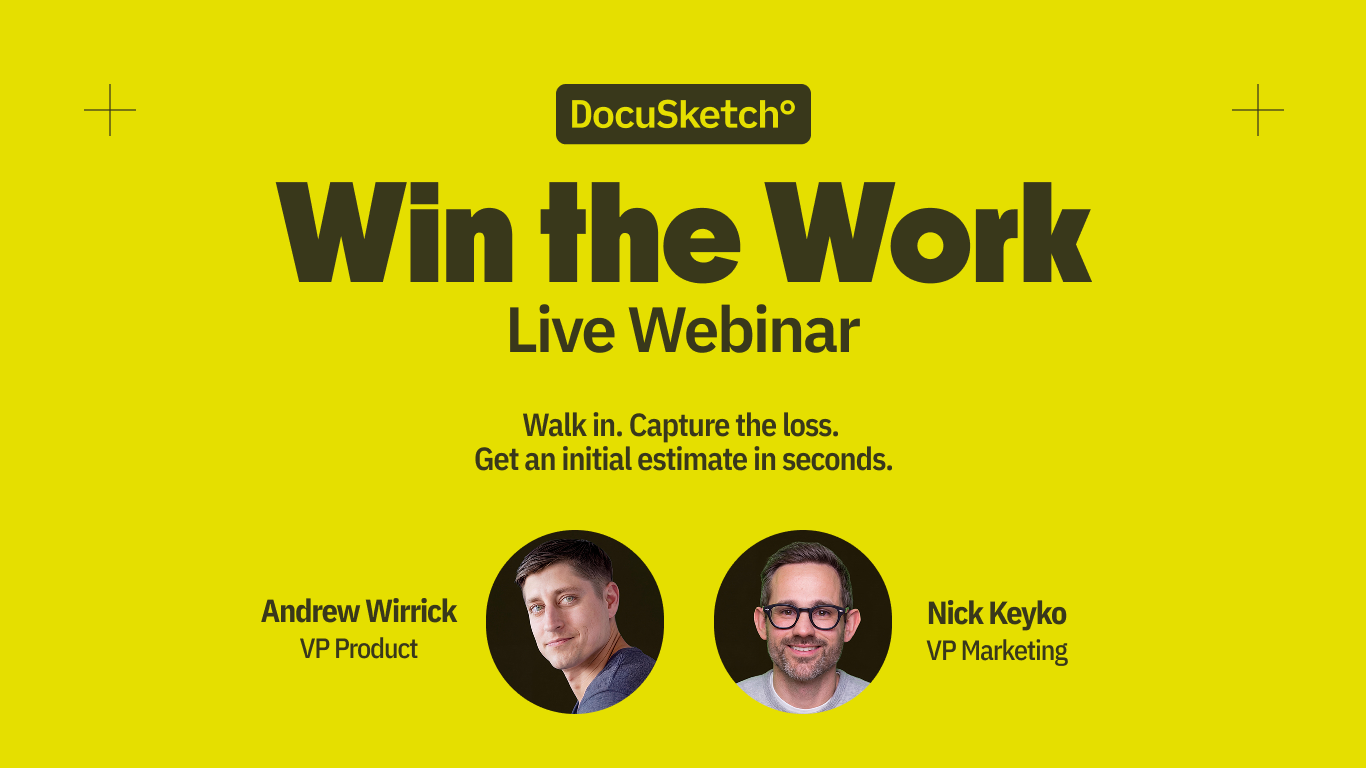
We recently hosted a live webinar showing how DocuSketch helps restoration teams Win the Work on their first visit, before they leave the property.
Instant Sketch, Scope Walkthrough, Initial Estimate, and Work Authorization take you from arriving on-site to a signed, priced proposal in one visit, no waiting required.
What we covered:
- Create an Instant Sketch, map affected areas, and drop IICRC-recommended equipment, on-site in minutes
- Narrate the loss with Scope Walkthrough, catch gaps in the moment, and end with a completed scope
- Generate a defensible Initial Estimate, built from sketch and scope data, with the chance to review every line item
- Turn the estimate into a proposal, get it signed on-site, and Win the Work
If you missed it, you can watch the full replay below:
More than 1,000 people registered for the webinar, and the questions kept coming. Below are the ones we heard most, but if yours isn't here, please reach out!
Pricing & Packaging
"How much does this new functionality cost?"
Instant Sketch: under $30/sketch (free if you also order an Enhanced Sketch on the same project). Initial Mitigation Estimate: under $30/estimate, includes scope walkthroughs (you can record as many as needed) and the scope report. Combined (Instant Sketch + Initial Estimate): $60/job.
Integrations
"Can we export to Xactimate and Cotality, with editable line items?"
Upon Instant Sketch and Instant Estimate release, only Xactimate files are supported with editable line items. However, editable Cotality (FML) files are still available via our Enhanced Sketches.
"Does this integrate with third-party tools like Mitigate or DryBook?"
Tools like these are widely used throughout restoration workflows, and we're looking at integrations across that broader landscape. Right now, our focus is getting the core Instant Sketch, Scope Walkthrough, and Initial Estimate experience out the door, but this is an area we continue to explore.
Hardware & Accuracy
"What LiDAR-capable devices are supported?"
All iPhone Pro models from the 12 Pro onward have LiDAR, as do all iPad Pro models from 2020 onward.
"How accurate are Instant LiDAR Sketches?"
Reliable enough for mitigation work and to generate an on-site, defensible Initial Estimate. LiDAR technology can struggle with stairwells, tall ceilings, and glass walls. For those cases, or any job where accuracy is non-negotiable, a DocuSketch Enhanced Sketch covers it. Between the two, DocuSketch can handle 100% of your jobs.
"Can moisture mapping and equipment placement also be added to an Enhanced Sketch?"
Yes, once an Enhanced Sketch has been delivered, it's possible to map affected areas, place equipment, and do anything else you can do on an Instant Sketch, except editing the actual room dimensions.
Job Types & Roadmap
"Will Instant Sketch and Initial Estimates support job types beyond mitigation, like reconstruction, large loss, or time and materials work?"
We're launching with mitigation functionality, but broader job type support is on the roadmap. Enhanced Sketches and Managed Estimating already handle any job type today, including reconstruction, large loss, and time and materials work.
Language Support
"Will Scope Walkthroughs support multiple languages?"
Yes, at this time we support English and Spanish. French is on the roadmap. Scope Walkthroughs also recognize industry terminology, so you can say, for example, "dehu" instead of "dehumidifier" and it'll understand exactly what you mean.
Customization & Compliance
"Can voice-scope follow-up questions and line items be customized per company/carrier?"
Company/carrier customization applies to Instant Estimate, admins can set company profiles and line-item rules that get applied and checked before an estimate is finalized. Whether that same customization extends to the Scope Walkthrough level hasn't been confirmed.
"Will state-specific authorization forms and narrative scope reports (cause, actions taken) be built in?"
Authorization templates can be customized per office, including state-specific terms, but you'll need to provide that legal language yourself, it's not built in by default. Narrative-style reporting (cause, actions taken) isn't part of this release.
Estimating Logic
"How does DocuSketch decide which line items go into an estimate?"
Three configurable standards: Documented (only what was explicitly scoped), Standard (adds office/company and carrier guidelines), and Expanded (adds high-probability line items without direct evidence yet). Every line item also carries a confidence score, so you can see why it's there and what to double-check before it goes to Xactimate.
"Is there a fully managed, expert-assisted estimating option, not just self-serve?"
Yes, DocuSketch's existing Managed Estimating service (in-house expert estimators) is still available and can be combined with the new Instant Estimate functionality for a complete end-to-end solution.
Workflow in the Field
"Will this new functionality work offline?"
Yes, you can capture 360° photos, LiDAR scans, and Scope Walkthrough recordings without a connection. Processing that capture, including follow-up questions on your scope walkthrough, generating your scope of work, or your estimate, requires an internet/cellular connection.
"Do I still need to complete a 360º Tour?"
Yes, especially if you're ordering an Enhanced Sketch (it's built from 360° imagery) or you don't have a LiDAR-capable device on hand. It's also better for reconstruction or large, complex jobs where precision matters. For LiDAR-equipped users on straightforward mitigation jobs, Instant Sketch can stand on its own, but the 360 tour still isn't replaced, it remains standard documentation regardless.
"How fast is the full process, from arriving on-site to a signed proposal?"
During the live demo (a real kitchen job), capture through a signed, priced proposal took about 13 minutes.
Self-Pay Work Authorization
"Is there a self-pay/direct sale proposal and e-signature workflow?"
Yes. Once an estimate is priced in Xactimate, it flows back into DocuSketch to build a proposal, with configurable pricing adjustments, then available for e-signature, on tablet, mobile, or via email link. Legal language, letterhead, and terms are fully customizable to your company.
Access & Rollout
"How do we get access, beta test, or get onboarded, and when does this fully go live?"
We'll begin rolling out new functionality in October 2026. To be one of the first to know when it's available, visit docusketch.com/whats-new.
We recently hosted a live webinar showing how DocuSketch helps restoration teams Win the Work on their first visit, before they leave the property.
Instant Sketch, Scope Walkthrough, Initial Estimate, and Work Authorization take you from arriving on-site to a signed, priced proposal in one visit, no waiting required.
What we covered:
- Create an Instant Sketch, map affected areas, and drop IICRC-recommended equipment, on-site in minutes
- Narrate the loss with Scope Walkthrough, catch gaps in the moment, and end with a completed scope
- Generate a defensible Initial Estimate, built from sketch and scope data, with the chance to review every line item
- Turn the estimate into a proposal, get it signed on-site, and Win the Work
If you missed it, you can watch the full replay below:
More than 1,000 people registered for the webinar, and the questions kept coming. Below are the ones we heard most, but if yours isn't here, please reach out!
Pricing & Packaging
"How much does this new functionality cost?"
Instant Sketch: under $30/sketch (free if you also order an Enhanced Sketch on the same project). Initial Mitigation Estimate: under $30/estimate, includes scope walkthroughs (you can record as many as needed) and the scope report. Combined (Instant Sketch + Initial Estimate): $60/job.
Integrations
"Can we export to Xactimate and Cotality, with editable line items?"
Upon Instant Sketch and Instant Estimate release, only Xactimate files are supported with editable line items. However, editable Cotality (FML) files are still available via our Enhanced Sketches.
"Does this integrate with third-party tools like Mitigate or DryBook?"
Tools like these are widely used throughout restoration workflows, and we're looking at integrations across that broader landscape. Right now, our focus is getting the core Instant Sketch, Scope Walkthrough, and Initial Estimate experience out the door, but this is an area we continue to explore.
Hardware & Accuracy
"What LiDAR-capable devices are supported?"
All iPhone Pro models from the 12 Pro onward have LiDAR, as do all iPad Pro models from 2020 onward.
"How accurate are Instant LiDAR Sketches?"
Reliable enough for mitigation work and to generate an on-site, defensible Initial Estimate. LiDAR technology can struggle with stairwells, tall ceilings, and glass walls. For those cases, or any job where accuracy is non-negotiable, a DocuSketch Enhanced Sketch covers it. Between the two, DocuSketch can handle 100% of your jobs.
"Can moisture mapping and equipment placement also be added to an Enhanced Sketch?"
Yes, once an Enhanced Sketch has been delivered, it's possible to map affected areas, place equipment, and do anything else you can do on an Instant Sketch, except editing the actual room dimensions.
Job Types & Roadmap
"Will Instant Sketch and Initial Estimates support job types beyond mitigation, like reconstruction, large loss, or time and materials work?"
We're launching with mitigation functionality, but broader job type support is on the roadmap. Enhanced Sketches and Managed Estimating already handle any job type today, including reconstruction, large loss, and time and materials work.
Language Support
"Will Scope Walkthroughs support multiple languages?"
Yes, at this time we support English and Spanish. French is on the roadmap. Scope Walkthroughs also recognize industry terminology, so you can say, for example, "dehu" instead of "dehumidifier" and it'll understand exactly what you mean.
Customization & Compliance
"Can voice-scope follow-up questions and line items be customized per company/carrier?"
Company/carrier customization applies to Instant Estimate, admins can set company profiles and line-item rules that get applied and checked before an estimate is finalized. Whether that same customization extends to the Scope Walkthrough level hasn't been confirmed.
"Will state-specific authorization forms and narrative scope reports (cause, actions taken) be built in?"
Authorization templates can be customized per office, including state-specific terms, but you'll need to provide that legal language yourself, it's not built in by default. Narrative-style reporting (cause, actions taken) isn't part of this release.
Estimating Logic
"How does DocuSketch decide which line items go into an estimate?"
Three configurable standards: Documented (only what was explicitly scoped), Standard (adds office/company and carrier guidelines), and Expanded (adds high-probability line items without direct evidence yet). Every line item also carries a confidence score, so you can see why it's there and what to double-check before it goes to Xactimate.
"Is there a fully managed, expert-assisted estimating option, not just self-serve?"
Yes, DocuSketch's existing Managed Estimating service (in-house expert estimators) is still available and can be combined with the new Instant Estimate functionality for a complete end-to-end solution.
Workflow in the Field
"Will this new functionality work offline?"
Yes, you can capture 360° photos, LiDAR scans, and Scope Walkthrough recordings without a connection. Processing that capture, including follow-up questions on your scope walkthrough, generating your scope of work, or your estimate, requires an internet/cellular connection.
"Do I still need to complete a 360º Tour?"
Yes, especially if you're ordering an Enhanced Sketch (it's built from 360° imagery) or you don't have a LiDAR-capable device on hand. It's also better for reconstruction or large, complex jobs where precision matters. For LiDAR-equipped users on straightforward mitigation jobs, Instant Sketch can stand on its own, but the 360 tour still isn't replaced, it remains standard documentation regardless.
"How fast is the full process, from arriving on-site to a signed proposal?"
During the live demo (a real kitchen job), capture through a signed, priced proposal took about 13 minutes.
Self-Pay Work Authorization
"Is there a self-pay/direct sale proposal and e-signature workflow?"
Yes. Once an estimate is priced in Xactimate, it flows back into DocuSketch to build a proposal, with configurable pricing adjustments, then available for e-signature, on tablet, mobile, or via email link. Legal language, letterhead, and terms are fully customizable to your company.
Access & Rollout
"How do we get access, beta test, or get onboarded, and when does this fully go live?"
We'll begin rolling out new functionality in October 2026. To be one of the first to know when it's available, visit docusketch.com/whats-new.

Related Articles




.png)