How to Measure & Operationalize Local SEO Marketing for Restoration Contractors


5 min read
Local Search Engine Optimization (SEO) is one of those strategies that looks straightforward until you've been doing it for six months and don’t know where to go from there. The tactics aren't complicated, but the execution usually falls apart somewhere between setting it up and not knowing where to take it next.
If you want to learn how to set it up, check out our guide on How to Do Local SEO Marketing for Restoration Contractors. It covers the foundational setup: Google Business Profile optimization, service pages, reviews, and citations (your business listings across online directories). If you haven't read it, start there.
Once the foundation is in place, the work shifts to keeping it active and understanding whether it's actually producing results. That means building content creation into your existing job workflow, and knowing which numbers to watch—and which to ignore.
Create a Marketing Process for Local SEO
Local SEO is not set-it-and-forget-it. Search engines tend to favor active, frequently updated profiles and websites.
The simplest way to sustain local SEO activity is to build content creation into work you're already doing. Every job can produce: one to three publishable visuals, a short job summary (city, service, outcome) suitable for a Google Business Profile (GBP) post or service page update, and a review request trigger.
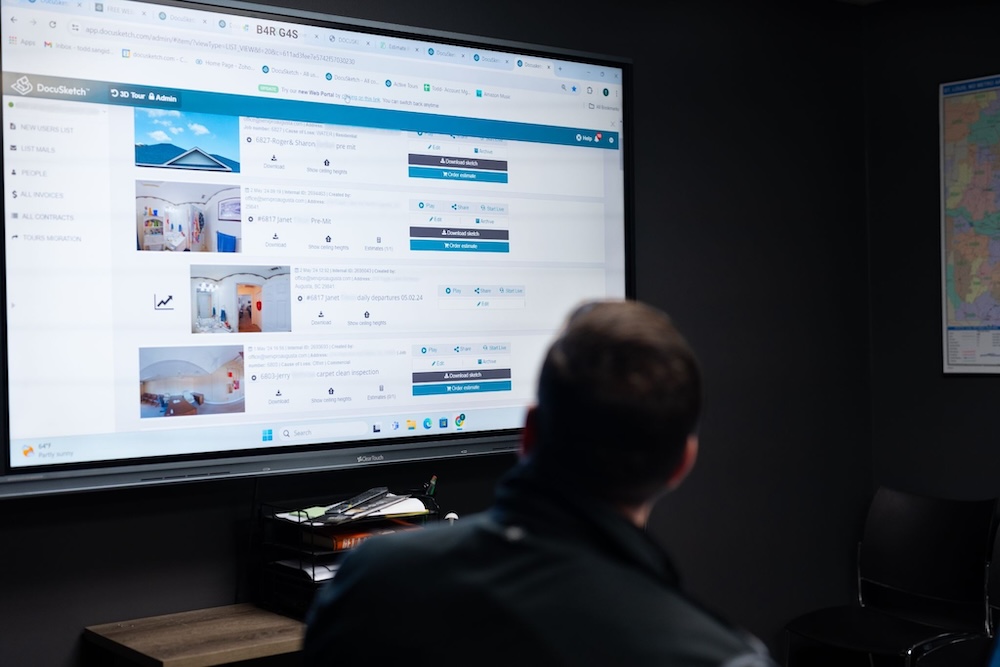
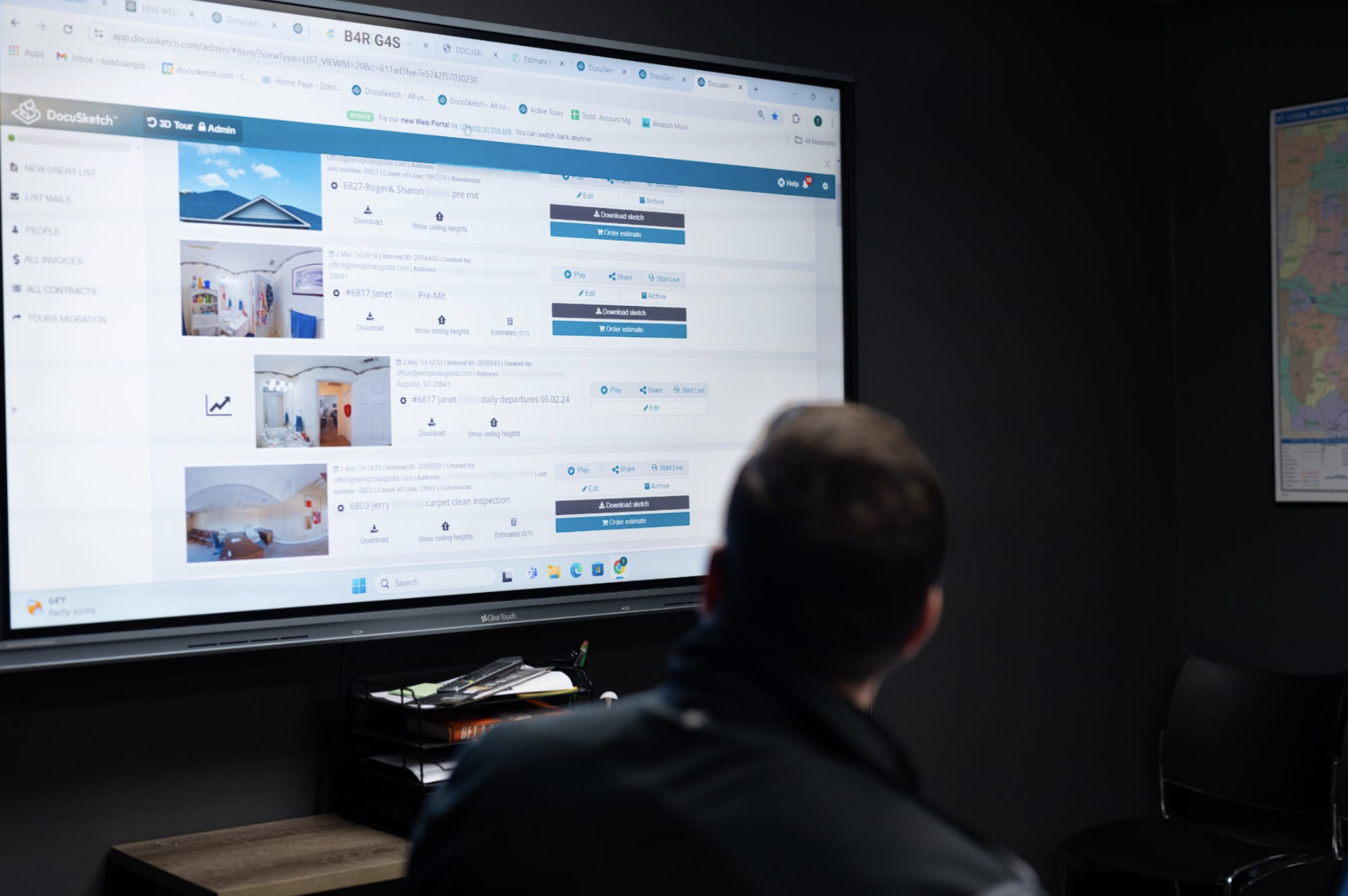
A standardized documentation process reduces the time between completing a job and turning it into a marketing asset. DocuSketch's 360° documentation workflow gives teams a consistent way to capture job records that can be pulled directly for Google Business Profile posts, service page updates, and case studies—without chasing photos across phones or rebuilding the file from scratch.
Once you have your documentation process in place and your local SEO foundation set up, there are three processes worth doing consistently to keep your efforts moving:
- Posting on your Google Business Profile
- Requesting reviews
- Monitoring performance monthly
#1 How Often to Post to Your Google Business Profile—and What to Post
Your Google Business Profile is likely the first thing a potential customer sees after searching for your services. It's also where word-of-mouth referrals go to verify you're legitimate before they call, which makes it one of the highest-value pieces of your digital presence.
Posting to Google Business Profile once and leaving it alone is a common way to lose momentum on your marketing efforts. Posting activity can signal an active, relevant business to Google.
A posting cadence you can consider is one post per week or one per job if you're completing multiple jobs in a given week. You can pull images directly from your job documentation as the post content to keep this a lightweight task.
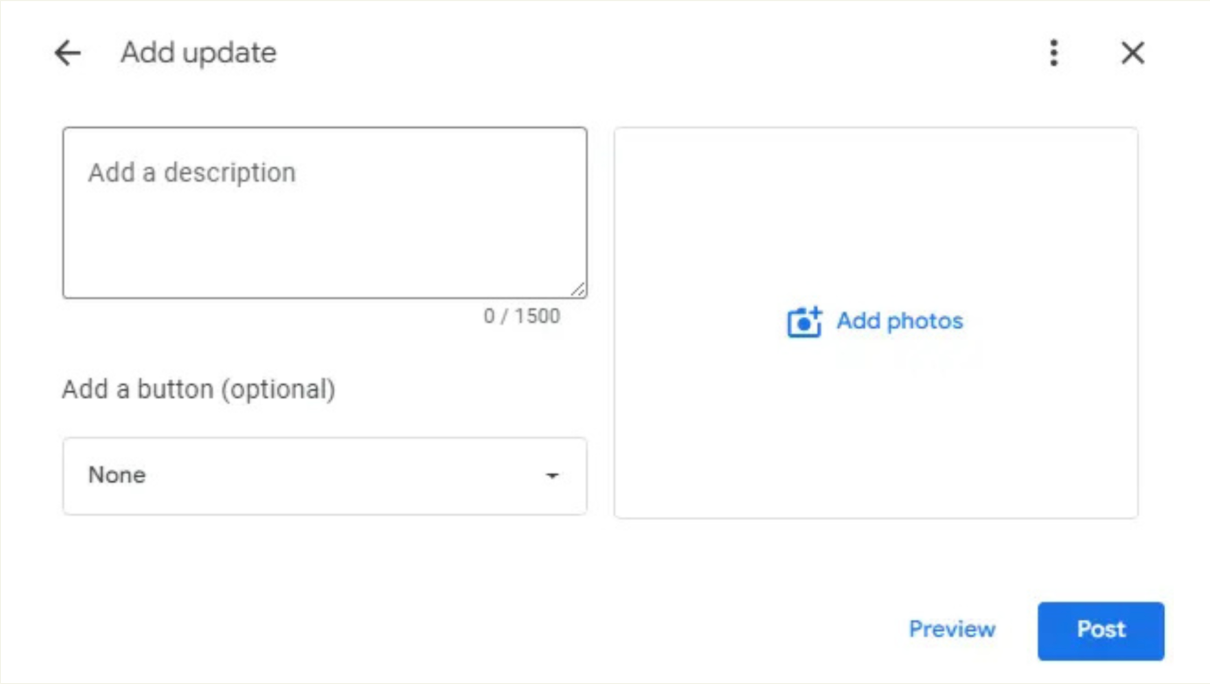
Effective Google Business Profile posts tend to be short and specific. A few formats that work well for restoration contractors:
- Job updates: "Completed a water damage restoration in [city]. Here's what the process looked like." Include a photo and two to three sentences on the scope of work.
- Seasonal or weather-related reminders: Brief, timely posts around freeze warnings, storm season, or high-humidity months that flag common damage types and what homeowners should watch for.
- Service spotlights: One service per post, written for the area you want to rank in. "We handle mold remediation in [city and surrounding neighborhoods]" paired with a brief description of your process.
The posts don't need to be long. They need to be consistent and tied to specific services and locations.
#2 Build a Review Request Process
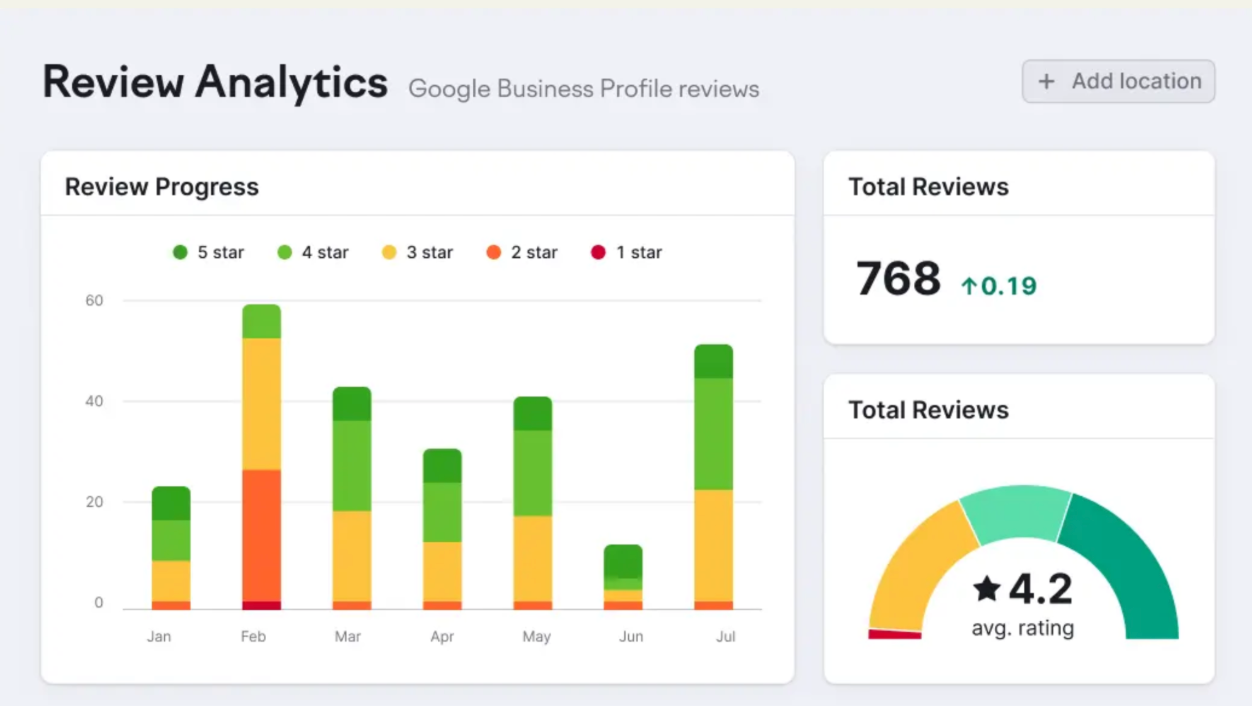
Review volume is widely considered one of the strongest signals in local SEO, and it's also one of the easiest to let lapse. Most contractors who aren't collecting reviews consistently have a process problem. The review request goes out when someone remembers, which means it often goes out too late or not at all.
A reliable review system has three components: a trigger, a delivery method, and a fallback.
The trigger is the moment in your job workflow when the ask goes out. For most restoration jobs, that's at or shortly after job completion—when the customer has seen the finished work and the experience is still fresh.
The delivery method is how the request reaches them. A text message with a direct link to your Google Business Profile review page is a great way to encourage action right away. Keep the message short: thank them for the opportunity, ask for a review, and include the link.
The fallback is a second ask, sent three to five days later, for customers who didn't respond to the first. One follow-up is reasonable and typically lifts response rates without feeling aggressive.
What this looks like operationally: the person closing out the job file sends the text. If your documentation workflow already ends with a job close-out step, the review request fits there naturally. The ask becomes part of finishing the job, not an afterthought.
#3 A Simple Monthly Reporting Rhythm
Tracking the right metrics can help if you're reviewing them regularly. A monthly check-in is a good cadence: frequent enough to catch problems early, infrequent enough that the numbers have had time to move.
Foundation: Your Google Business Profile Dashboard
Before tracking anything else, this is where to begin. Your Google Business Profile dashboard gives you three numbers that matter most in the early months: calls, direction requests, and website clicks. They're available directly under the "Performance" tab—no additional tools required.
These three metrics tell you whether people who find your listing are actually doing something. If visibility is up but these numbers aren't moving, that's your signal to look at the listing itself: hours, photos, call-to-action clarity.
Start here. Check it monthly. Once this feels routine, layer in the metrics below.
Advanced Tracking: Deeper Metrics for Growing Operations
Once your GBP baseline is established, these metrics give you a fuller picture of what's working and where to focus:
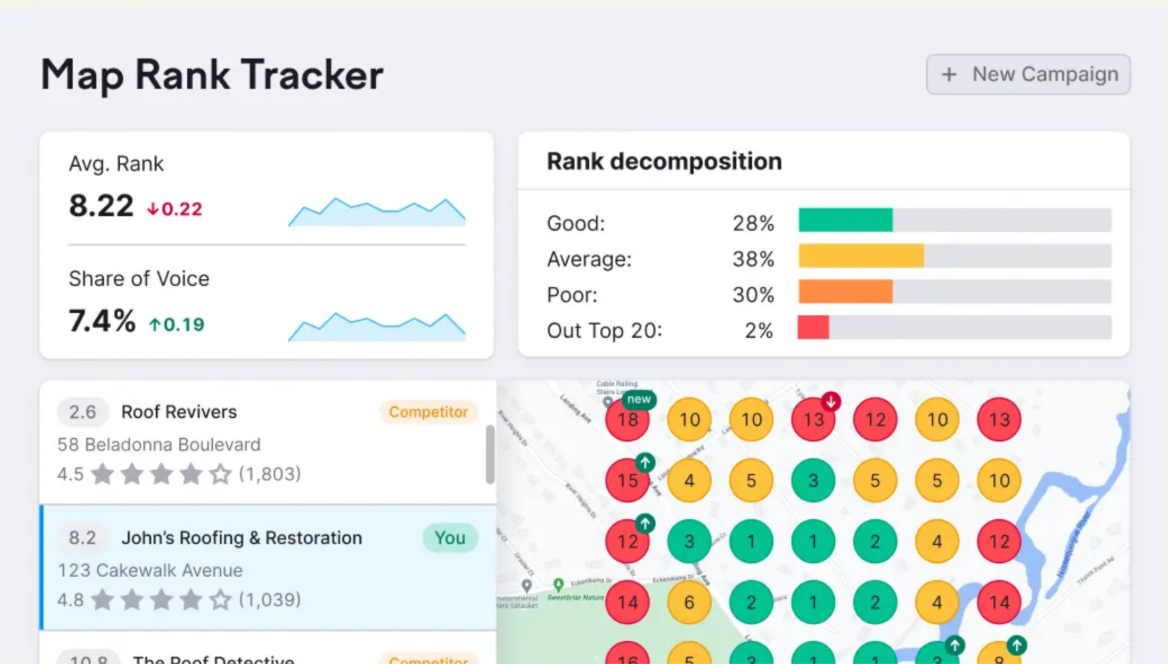
- Map Pack position by service and area → The Map Pack is the block of three local business listings Google displays above the regular search results. Tools like BrightLocal or Google Search Console can surface this by location.
- Organic calls and form submissions tied to specific service pages → Trackable through Google Analytics, with call tracking set up through a tool like CallRail.
- Review volume and recency → How many new reviews you're collecting each month and how your average rating trends over time.
- Page traffic to service and location pages → Which pages are driving visits, and are those visits converting to calls or form submissions?
If you want to learn more, Google's own guide Get Started with Search Console is a straightforward starting point.
Each monthly review has one job: identify the one or two things worth addressing before the next month starts.
What to Do With Your Monthly Review Data
These metrics don't tell you much in isolation. They tell you something when you watch them together over 60 to 90 days. Here's how to read the most common patterns:
Map Pack position improving, but incoming calls are flat. The visibility is there, but people are not booking services. Review your listing to see if you can improve your call to action, if there are missing hours, or if your phone number is hard to find on the page.
Service page traffic up, but form submissions aren't moving. The page is getting found, but something on the page is losing people. Check your call to action placement and see if you need to move it higher up the page. You can also review whether the content on your page matches what someone in that area is actually searching for.
Review volume dropping off. The review request process may have broken down somewhere in operations. Check in with your team to see where the ask for a review is supposed to happen and whether it's actually happening consistently.
Calls declining despite consistent posting. The Google Business Profile posting frequency is fine, but content relevance may not be. Make sure posts are location-specific and tied to actual services.
Putting it All Into Practice
Most of the work described in this article doesn't require new tools or a marketing hire. It requires attaching a few consistent habits to work you're already doing: closing out job files with photos, sending a review request at completion, spending 30 minutes at the end of each month on your numbers.
The contractors who get the most out of local SEO are making it repeatable. Creating a process can turn every job into a marketing opportunity, ensure a review request goes out without anyone having to remember, and surface problems through a monthly check-in before they compound.
When you build those habits and track the right metrics, visibility follows.
For a broader look at how this work connects to long-term business growth, our guide to growing your restoration business covers the full picture.
Local Search Engine Optimization (SEO) is one of those strategies that looks straightforward until you've been doing it for six months and don’t know where to go from there. The tactics aren't complicated, but the execution usually falls apart somewhere between setting it up and not knowing where to take it next.
If you want to learn how to set it up, check out our guide on How to Do Local SEO Marketing for Restoration Contractors. It covers the foundational setup: Google Business Profile optimization, service pages, reviews, and citations (your business listings across online directories). If you haven't read it, start there.
Once the foundation is in place, the work shifts to keeping it active and understanding whether it's actually producing results. That means building content creation into your existing job workflow, and knowing which numbers to watch—and which to ignore.
Create a Marketing Process for Local SEO
Local SEO is not set-it-and-forget-it. Search engines tend to favor active, frequently updated profiles and websites.
The simplest way to sustain local SEO activity is to build content creation into work you're already doing. Every job can produce: one to three publishable visuals, a short job summary (city, service, outcome) suitable for a Google Business Profile (GBP) post or service page update, and a review request trigger.
A standardized documentation process reduces the time between completing a job and turning it into a marketing asset. DocuSketch's 360° documentation workflow gives teams a consistent way to capture job records that can be pulled directly for Google Business Profile posts, service page updates, and case studies—without chasing photos across phones or rebuilding the file from scratch.
Once you have your documentation process in place and your local SEO foundation set up, there are three processes worth doing consistently to keep your efforts moving:
- Posting on your Google Business Profile
- Requesting reviews
- Monitoring performance monthly
#1 How Often to Post to Your Google Business Profile—and What to Post
Your Google Business Profile is likely the first thing a potential customer sees after searching for your services. It's also where word-of-mouth referrals go to verify you're legitimate before they call, which makes it one of the highest-value pieces of your digital presence.
Posting to Google Business Profile once and leaving it alone is a common way to lose momentum on your marketing efforts. Posting activity can signal an active, relevant business to Google.
A posting cadence you can consider is one post per week or one per job if you're completing multiple jobs in a given week. You can pull images directly from your job documentation as the post content to keep this a lightweight task.
Effective Google Business Profile posts tend to be short and specific. A few formats that work well for restoration contractors:
- Job updates: "Completed a water damage restoration in [city]. Here's what the process looked like." Include a photo and two to three sentences on the scope of work.
- Seasonal or weather-related reminders: Brief, timely posts around freeze warnings, storm season, or high-humidity months that flag common damage types and what homeowners should watch for.
- Service spotlights: One service per post, written for the area you want to rank in. "We handle mold remediation in [city and surrounding neighborhoods]" paired with a brief description of your process.
The posts don't need to be long. They need to be consistent and tied to specific services and locations.
#2 Build a Review Request Process
Review volume is widely considered one of the strongest signals in local SEO, and it's also one of the easiest to let lapse. Most contractors who aren't collecting reviews consistently have a process problem. The review request goes out when someone remembers, which means it often goes out too late or not at all.
A reliable review system has three components: a trigger, a delivery method, and a fallback.
The trigger is the moment in your job workflow when the ask goes out. For most restoration jobs, that's at or shortly after job completion—when the customer has seen the finished work and the experience is still fresh.
The delivery method is how the request reaches them. A text message with a direct link to your Google Business Profile review page is a great way to encourage action right away. Keep the message short: thank them for the opportunity, ask for a review, and include the link.
The fallback is a second ask, sent three to five days later, for customers who didn't respond to the first. One follow-up is reasonable and typically lifts response rates without feeling aggressive.
What this looks like operationally: the person closing out the job file sends the text. If your documentation workflow already ends with a job close-out step, the review request fits there naturally. The ask becomes part of finishing the job, not an afterthought.
#3 A Simple Monthly Reporting Rhythm
Tracking the right metrics can help if you're reviewing them regularly. A monthly check-in is a good cadence: frequent enough to catch problems early, infrequent enough that the numbers have had time to move.
Foundation: Your Google Business Profile Dashboard
Before tracking anything else, this is where to begin. Your Google Business Profile dashboard gives you three numbers that matter most in the early months: calls, direction requests, and website clicks. They're available directly under the "Performance" tab—no additional tools required.
These three metrics tell you whether people who find your listing are actually doing something. If visibility is up but these numbers aren't moving, that's your signal to look at the listing itself: hours, photos, call-to-action clarity.
Start here. Check it monthly. Once this feels routine, layer in the metrics below.
Advanced Tracking: Deeper Metrics for Growing Operations
Once your GBP baseline is established, these metrics give you a fuller picture of what's working and where to focus:
- Map Pack position by service and area → The Map Pack is the block of three local business listings Google displays above the regular search results. Tools like BrightLocal or Google Search Console can surface this by location.
- Organic calls and form submissions tied to specific service pages → Trackable through Google Analytics, with call tracking set up through a tool like CallRail.
- Review volume and recency → How many new reviews you're collecting each month and how your average rating trends over time.
- Page traffic to service and location pages → Which pages are driving visits, and are those visits converting to calls or form submissions?
If you want to learn more, Google's own guide Get Started with Search Console is a straightforward starting point.
Each monthly review has one job: identify the one or two things worth addressing before the next month starts.
What to Do With Your Monthly Review Data
These metrics don't tell you much in isolation. They tell you something when you watch them together over 60 to 90 days. Here's how to read the most common patterns:
Map Pack position improving, but incoming calls are flat. The visibility is there, but people are not booking services. Review your listing to see if you can improve your call to action, if there are missing hours, or if your phone number is hard to find on the page.
Service page traffic up, but form submissions aren't moving. The page is getting found, but something on the page is losing people. Check your call to action placement and see if you need to move it higher up the page. You can also review whether the content on your page matches what someone in that area is actually searching for.
Review volume dropping off. The review request process may have broken down somewhere in operations. Check in with your team to see where the ask for a review is supposed to happen and whether it's actually happening consistently.
Calls declining despite consistent posting. The Google Business Profile posting frequency is fine, but content relevance may not be. Make sure posts are location-specific and tied to actual services.
Putting it All Into Practice
Most of the work described in this article doesn't require new tools or a marketing hire. It requires attaching a few consistent habits to work you're already doing: closing out job files with photos, sending a review request at completion, spending 30 minutes at the end of each month on your numbers.
The contractors who get the most out of local SEO are making it repeatable. Creating a process can turn every job into a marketing opportunity, ensure a review request goes out without anyone having to remember, and surface problems through a monthly check-in before they compound.
When you build those habits and track the right metrics, visibility follows.
For a broader look at how this work connects to long-term business growth, our guide to growing your restoration business covers the full picture.

Related Articles