Xactimate Estimating Service Guide for Restoration Business Owners

At some point, as a restoration business owner, you may find yourself asking: why does estimating take so long?
You have jobs on the board, technicians in the field, and adjusters waiting for numbers. But somewhere in between, estimates become the thing that slows everything else down. Someone is sitting at a desk for hours, a job stalls waiting for approval, and you start wondering whether there's a better way to handle this.
There is. Outsourced Xactimate estimating services have become a real operational tool for restoration companies of all sizes, not just large franchises. But like any service you bring into your business, knowing what to look for, what to expect, and how to avoid bad providers makes all the difference. That's what this guide is for.
If you're already familiar with DocuSketch Estimating, this guide will help you put that knowledge in context as you evaluate your options.
Why Restoration Estimating Becomes a Bottleneck and What It Costs You
Estimating is one of the most technically demanding tasks in a restoration business. Xactimate has around 20,000 line items. Price lists update regularly by region. Carriers have preferences that aren't always documented everywhere.
A missed line item doesn't stay isolated to one job. If you repeat the mistake across your work, estimating can quietly become the thing that slows everything else down. The difference shows up in payment timelines. The average restorer waits around 60 days to get paid.
What an Xactimate Estimating Service Actually Does and What You Should Receive
Before you evaluate providers, it helps to understand what you should actually be getting. Estimating services involve more than someone simply writing up line items. The reality is more specific than that.
Core Outputs and Deliverables
A quality Xactimate estimating service should deliver:
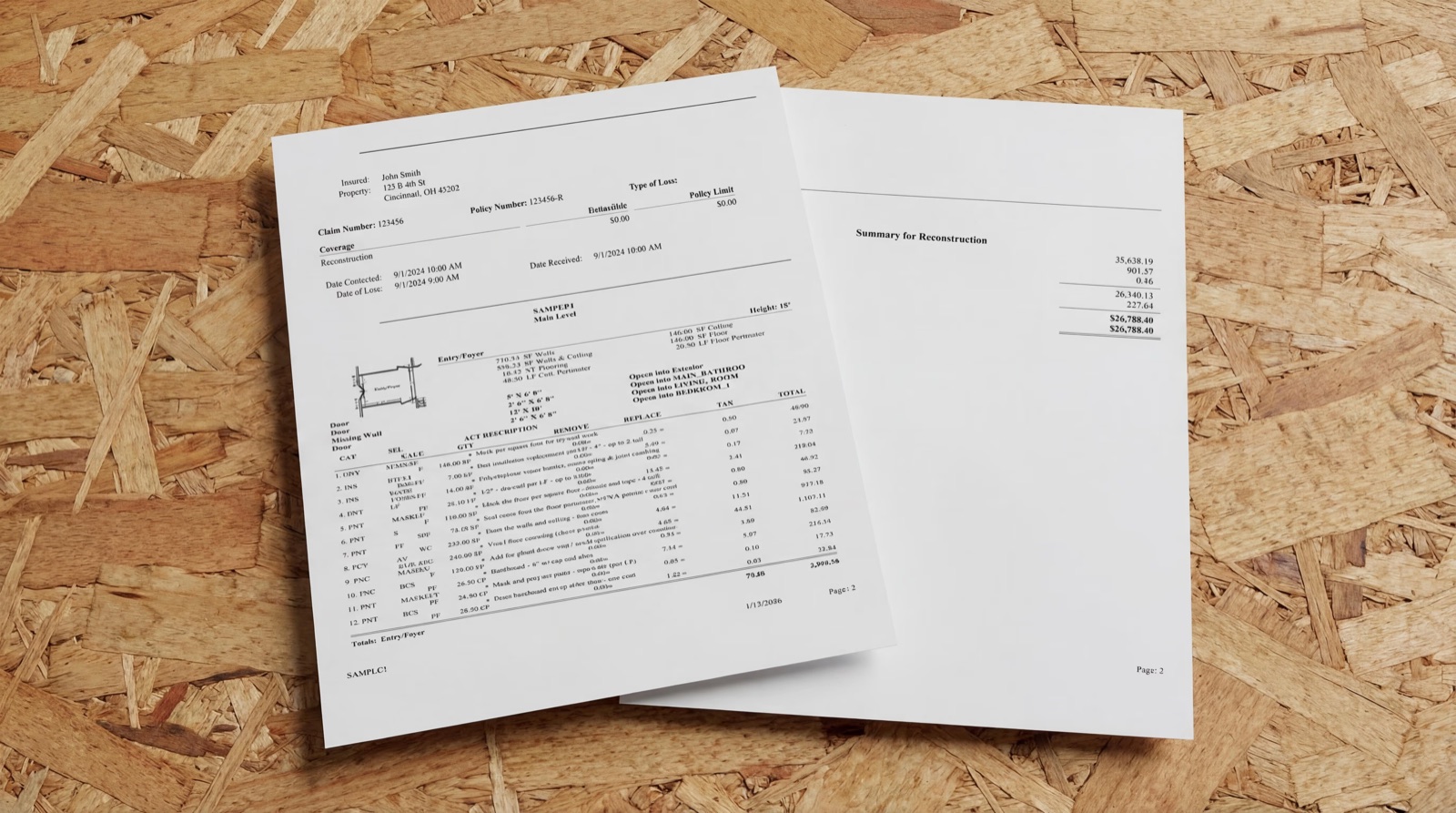
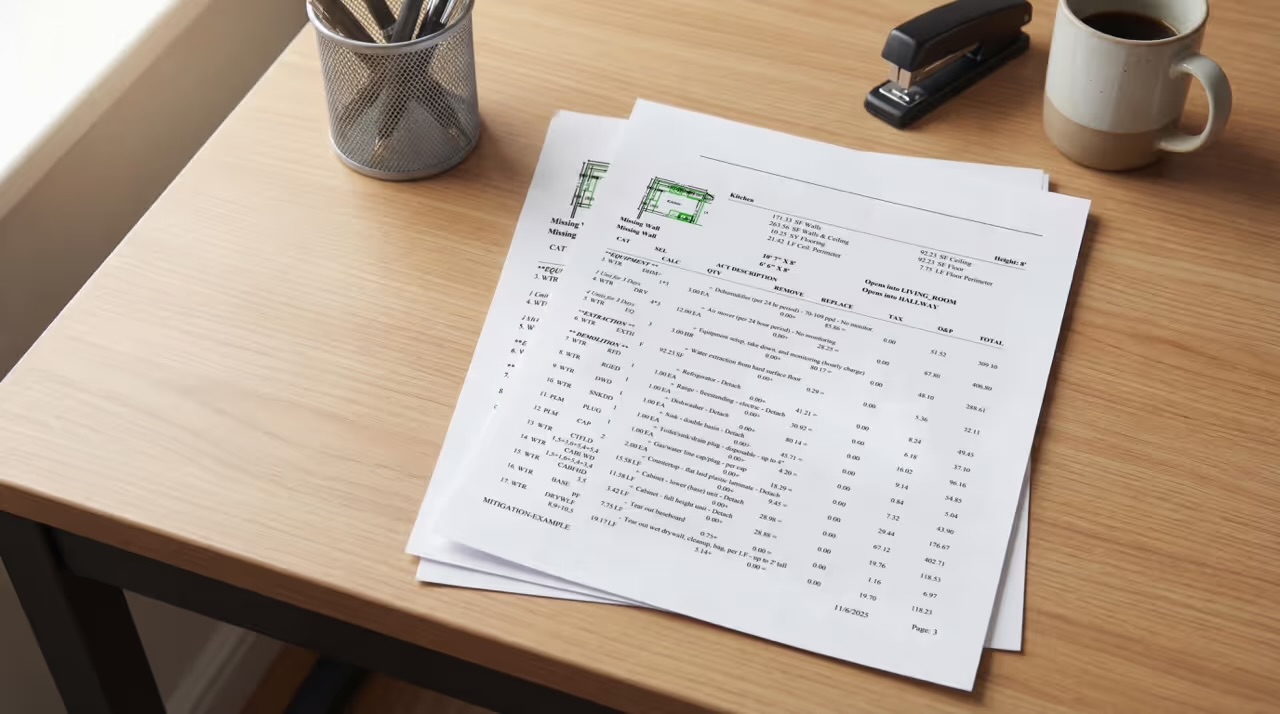
An ESX file. The ESX (Xactimate Sketch Export) file is the format that plugs directly into Xactimate for editing. You should always receive a file you can open, review, and work with in Xactimate. A PDF summary alone doesn't let you make changes without rebuilding the estimate from scratch.
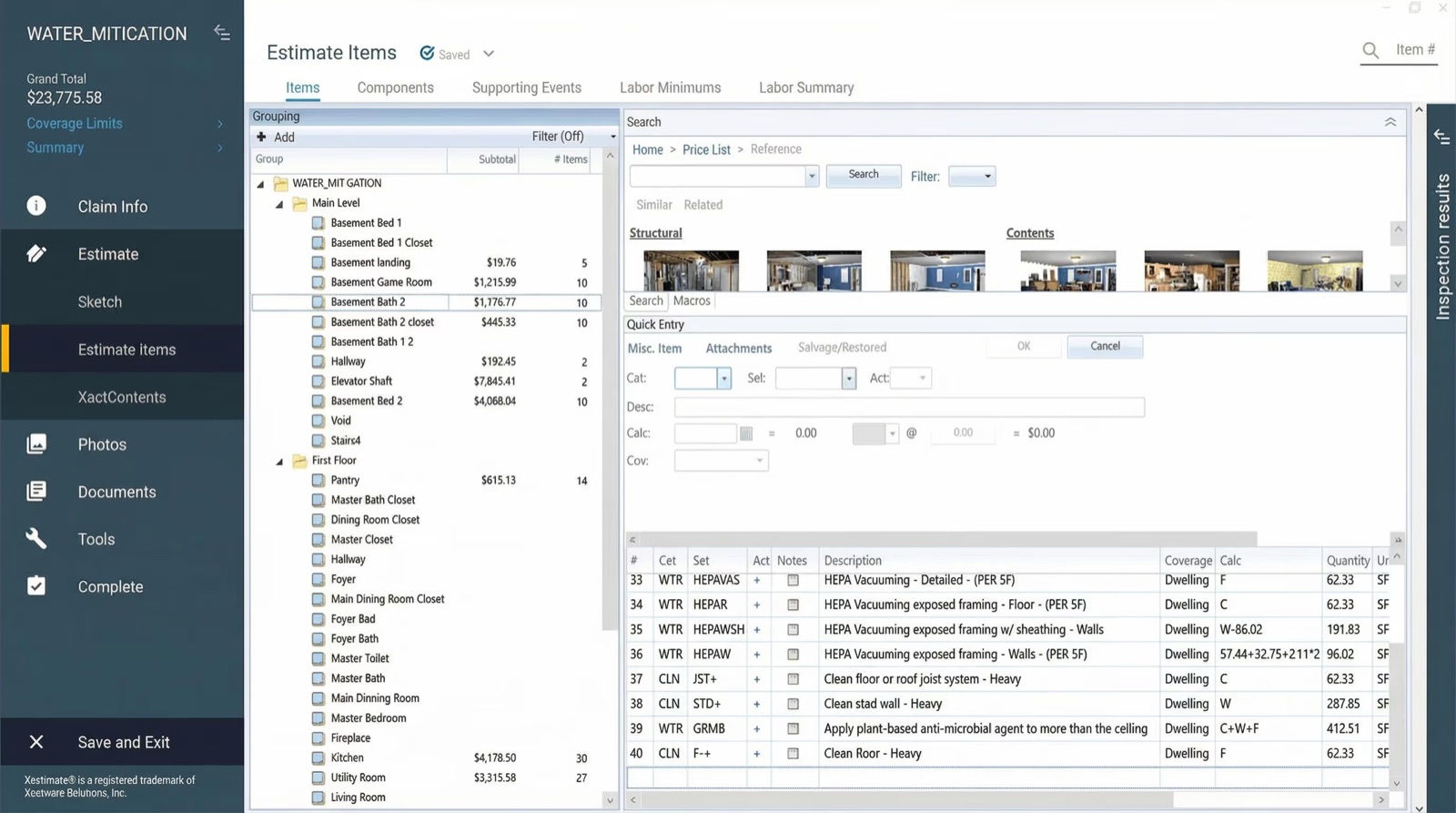
Completed line items with correct category and selector codes. Good estimators know their Xactimate category codes. WTR for water, DRY for drywall, and so on. Each line item carries a selector code that identifies exactly what task or material is being billed. If those codes are wrong, the estimate can get kicked back by a carrier or TPA (third-party administrator).
Correct regional pricing. Xactimate's price lists are regional. The format is State/Region + Version + Date, for example, OHCO8X_APR24 represents Columbus, Ohio, version 8X, April 2024. Using an outdated or incorrect price list can result in underpayment or carrier rejection. A good provider will confirm which price list applies to your job before submitting.
Overhead and Profit (O&P) applied appropriately. O&P is an additional percentage added to the estimate to account for general business costs and profit. On a managed repair program, carriers sometimes resist O&P. On reconstruction work, it's typically expected. Your estimating service should know when and how to apply it.
Typical Workflow (From Intake to Delivery)
Here's what a standard outsourced estimating workflow looks like:
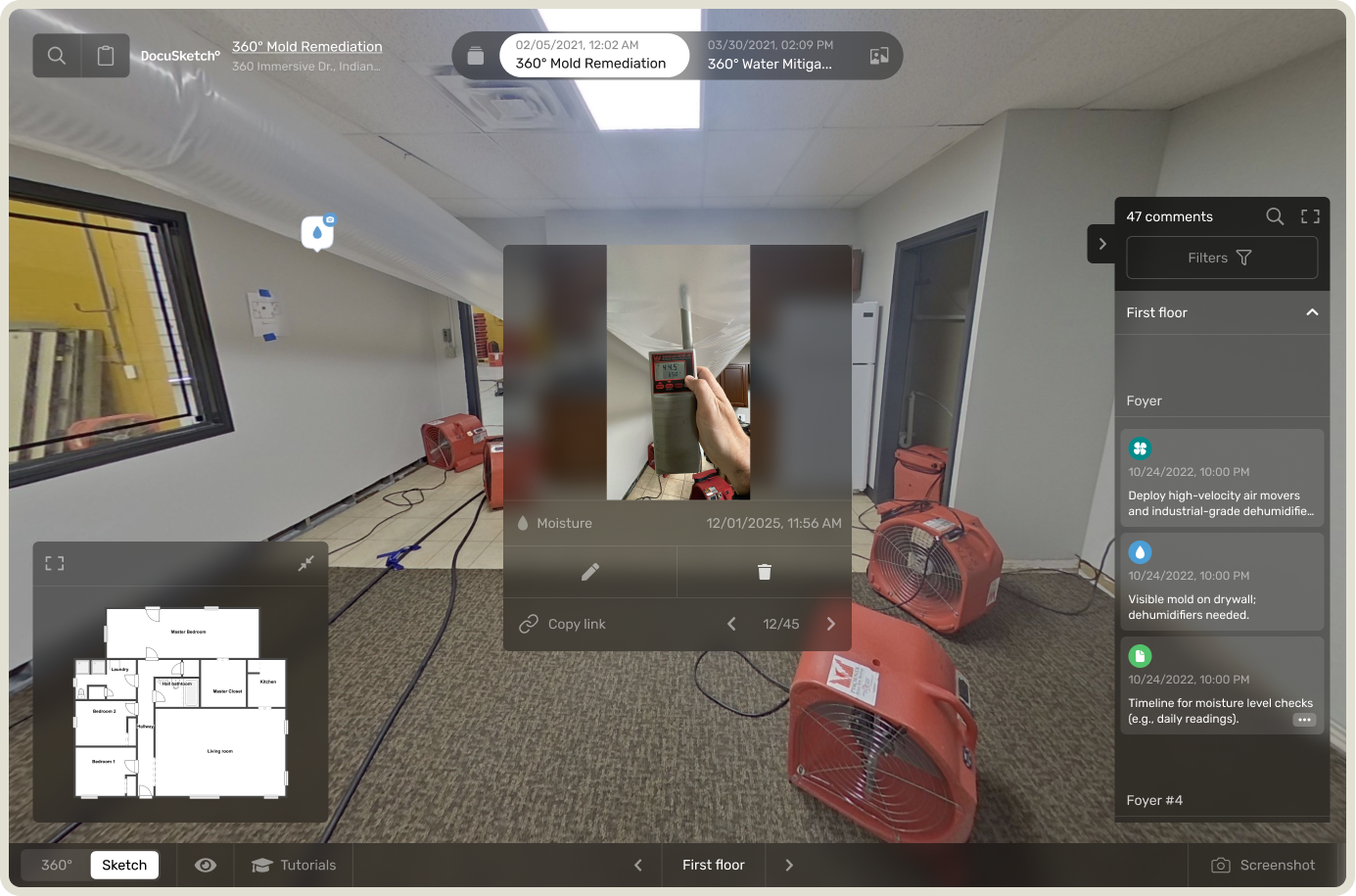
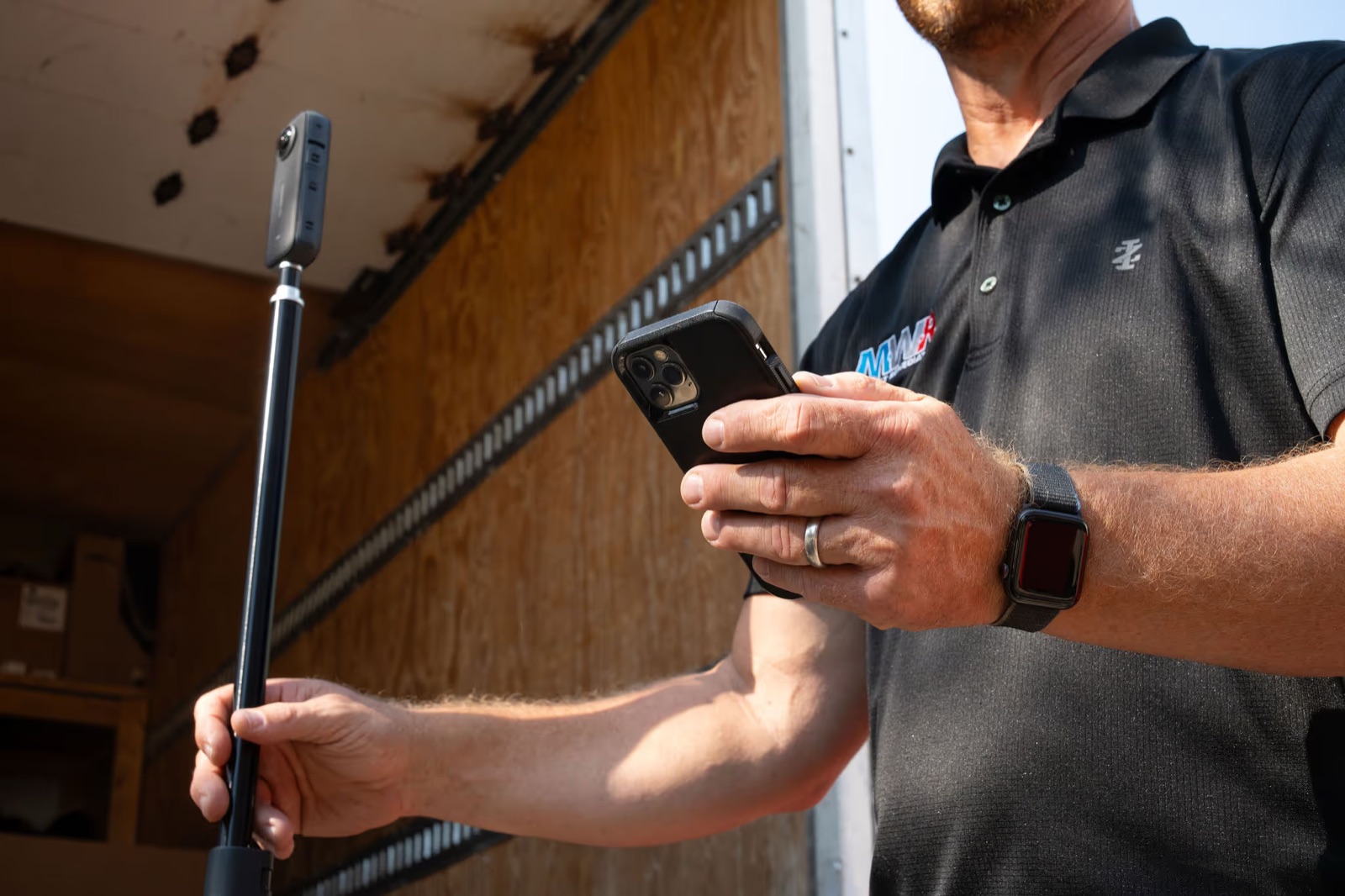
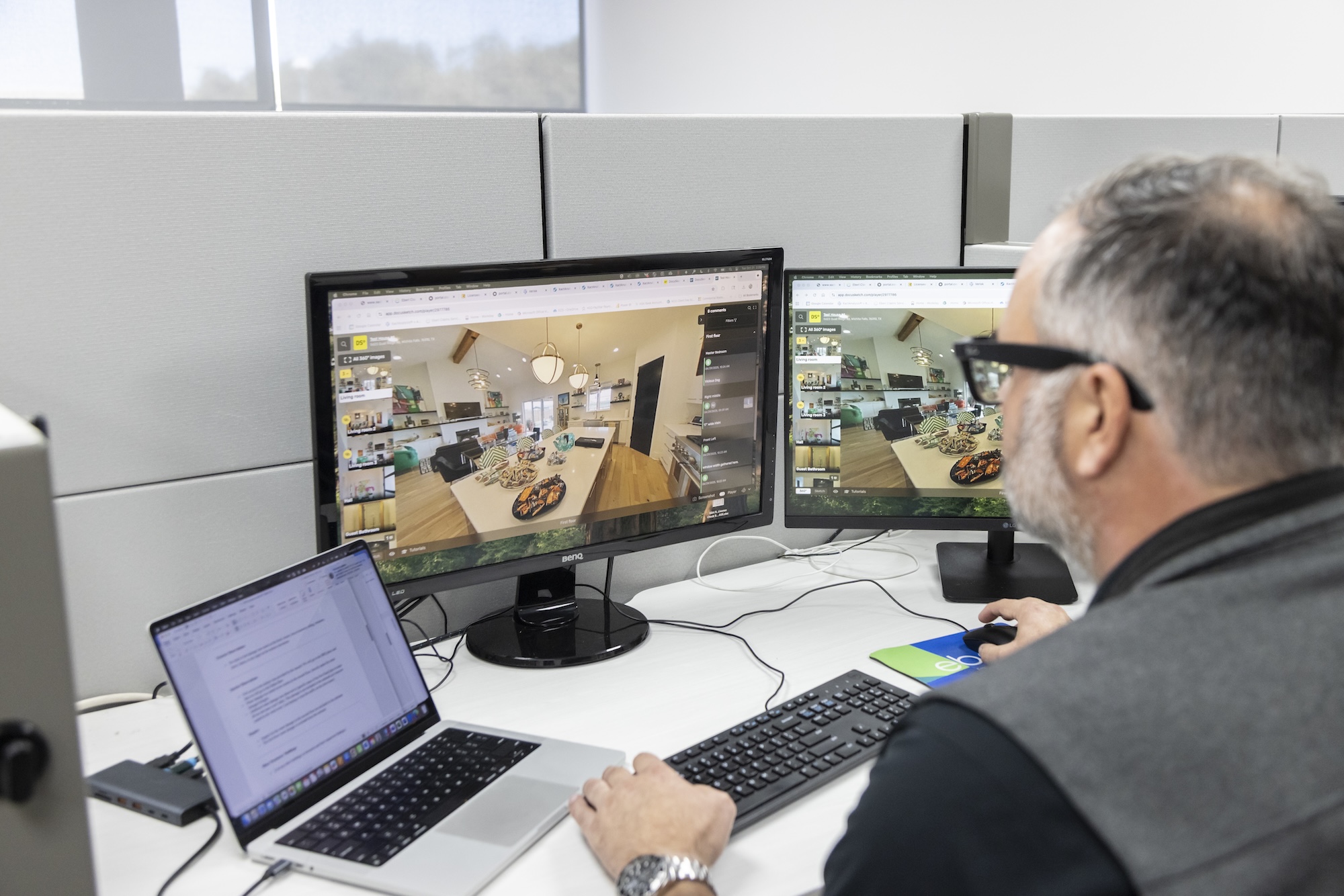
- You capture the loss. This usually means a site visit, documentation of the damage, and measurements. If you're creating a 360° documentation, you're capturing a visual record of every room that estimators can reference later.
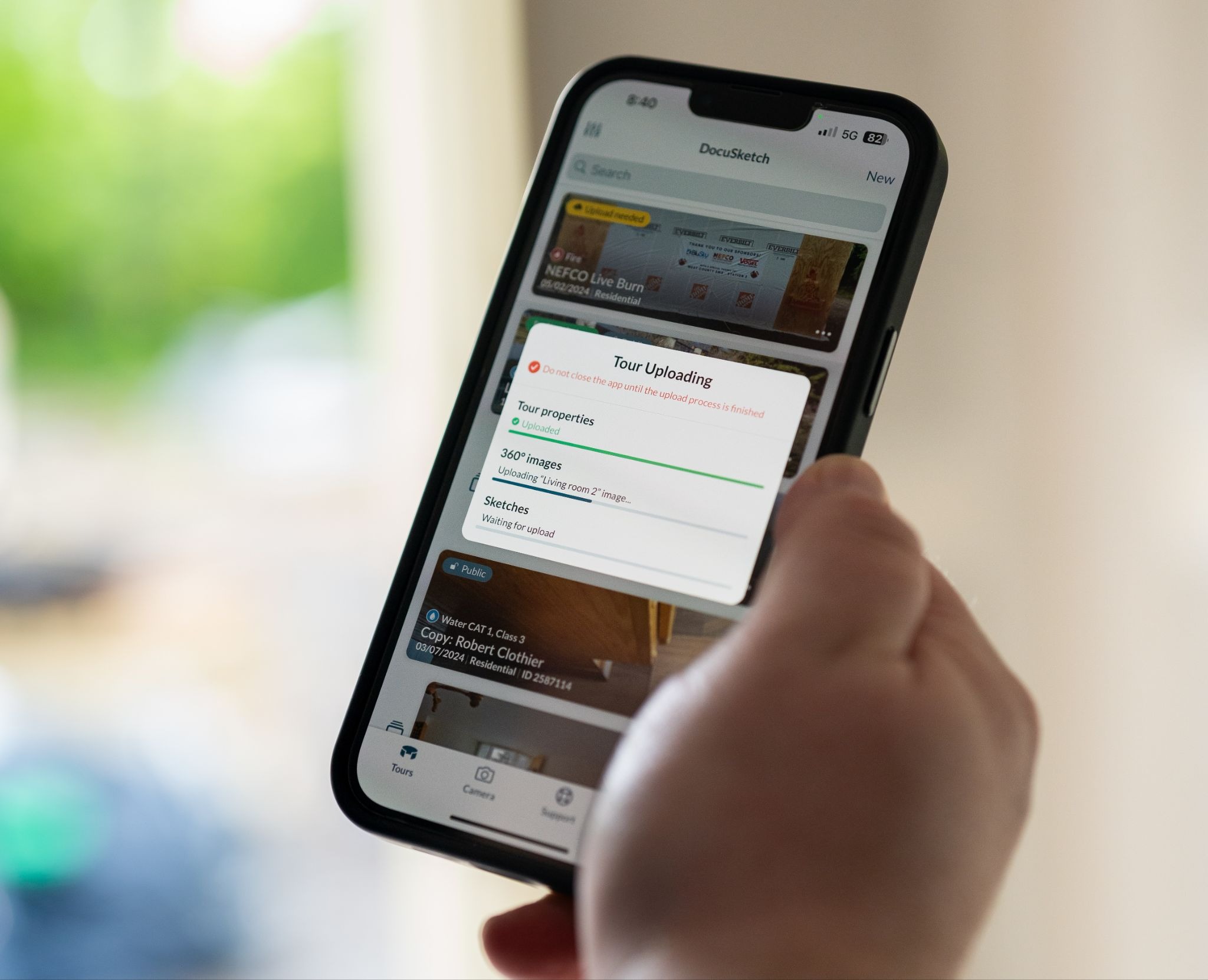
- You submit the job. Depending on the provider, you upload your documentation, photos, scope notes, and any carrier-specific instructions through a portal or shared system.
- The estimator works the file. They build the estimate in Xactimate based on what was documented and scoped.
- The estimate goes through review. Good providers have a QA step before delivery. This might involve a senior estimator reviewing the work or, in some cases, a compliance review to check for carrier-specific requirements.
- You receive the estimate. Typically as an ESX or XML file you can open in Xactimate, along with any supporting documentation.
- Revisions happen as needed. When an adjuster pushes back or you need to supplement, you communicate directly with the estimating team to make changes.
DocuSketch Estimating delivers a claim-ready estimate within 48 hours, with a direct channel to the estimating team for revisions and questions—built to cut down the back-and-forth that slows other providers down.
What the Provider Needs from You to Estimate Accurately
The completeness of what you provide directly determines the quality of what you get back. Estimators can only write what they can see or verify. To get a strong estimate, you'll want to provide:
- Measurements and room dimensions (or a sketch)
- 360° documentation of the damage
- A scope of work, or at minimum a description of what happened and what was affected
- The applicable carrier or TPA so the estimator can apply any specific requirements
- The correct regional price list, if you know it
The more gaps in your documentation, the more assumptions the estimator has to make—and assumptions create revision cycles.
Outsourcing vs. In-House Estimating: Which Model Fits Your Business?
This is the question most owners circle back to eventually. There's no universal answer, but there is a framework that makes the decision clearer.
In-house estimating makes sense when:
- You have a dedicated, experienced estimator with deep Xactimate knowledge
- Your volume is consistent enough to keep them fully productive
- You do a specific, narrow type of work where carrier preferences are predictable and known
- You have the budget and systems to train and retain that person long-term
Outsourced estimating makes sense when:
- Estimating is creating a bottleneck in your operations
- Your project managers are writing estimates when they should be managing jobs
- You're handling a mix of loss types (water, fire, mold, reconstruction) that require different expertise
- You want to scale job volume without proportionally increasing headcount
- You're going through a CAT (catastrophe) event and need to process claims faster than your team can manage
The scalability point matters more than most owners initially expect. When a storm rolls through your market and you have ten new claims in a week, your in-house estimator is your constraint. An outsourced service absorbs that volume without you needing to hire, train, or manage additional staff. You get the capacity you need, when you need it, without adding permanent overhead.
If your estimator is also functioning as a project manager, office coordinator, or catch-all, you're almost certainly paying more per estimate than you realize. Just not in a way that shows up clearly on a single line of your P&L.
The Six Areas to Look for in a Good Estimating Service
Not all estimating services are equal. The quality of an estimate affects whether you get paid in full, how long that takes, and how often you're stuck going back and forth with an adjuster. Evaluating providers on these six areas will tell you most of what you need to know.
Turnaround time. There's no single published industry standard here, but a provider who can't give you a clear, consistent turnaround, or who regularly misses the one they quote, will affect your work flow. Good providers state their turnaround plainly and stand behind it.
Formats delivered. Confirm they deliver ESX files (for Xactimate) or FML files (for Cotality Symbility). PDF-only delivery is a red flag: without an editable file, every revision means more back-and-forth, and you lose the ability to supplement in Xactimate directly.
QA process. Ask how estimates are reviewed before delivery. Is there a second estimator who checks the work? Is there review for carrier-specific requirements? Good providers can describe their QA process specifically. A vague answer like "we review everything," with no detail on who reviews or what they check, tells you nothing useful.
Communication and revisions. When an adjuster questions a line item or requests changes, how do you reach the estimating team? A direct channel beats an email queue. If getting a line item changed takes 48+ hours, your adjuster relationships will suffer.
Scope of coverage. Some services only handle water losses. Others cover water, fire, mold, reconstruction, contents, and more. If your business does a mix of work, a provider who can handle all of it saves you from managing multiple vendors.
Experience with carriers and TPAs. Carrier programs have specific documentation and line item preferences. A provider with no carrier-specific knowledge, who treats every estimate identically, is going to create friction on managed repair work.
One more signal worth watching across all six areas: does the provider push back when your documentation has gaps? A good estimating service tells you when it needs more information rather than making assumptions that create problems downstream. A provider that will write an estimate from minimal information, without asking for scope details, measurements, or photos, is telling you something about the quality you'll get back.
Questions to Ask Before You Hire
Use these before committing to any estimating service:
- What is your standard turnaround time, and what happens if you miss it?
- What file formats do you deliver? Can I receive ESX or Cotality files?
- What is your QA process before an estimate is sent to me?
- Do you have a dedicated estimator assigned to my account, or does my work go into a general queue?
- How do I request revisions, and what is your typical revision turnaround?
- Do you have experience with [name your carrier/TPA programs]?
- What loss types do you cover? (Water, fire, mold, reconstruction, contents?)
- How is pricing determined? Per estimate, subscription, or credits?
- What documentation do you need from me to write a complete estimate?
- Can I see a sample estimate you've produced for a similar loss type?
Sketching and Pricing: The Two Places Where Estimates Win or Lose
Understanding what goes into a well-built estimate helps you evaluate the ones you receive. For a deeper look at the structure of Xactimate estimates, DocuSketch's post on how to write an Xactimate estimate covers the process in detail. You can also see a water damage estimate guide and sample that walks through what a complete estimate looks like for a real loss type.
Sketching and Measurements: Where Estimates Often Get Stuck
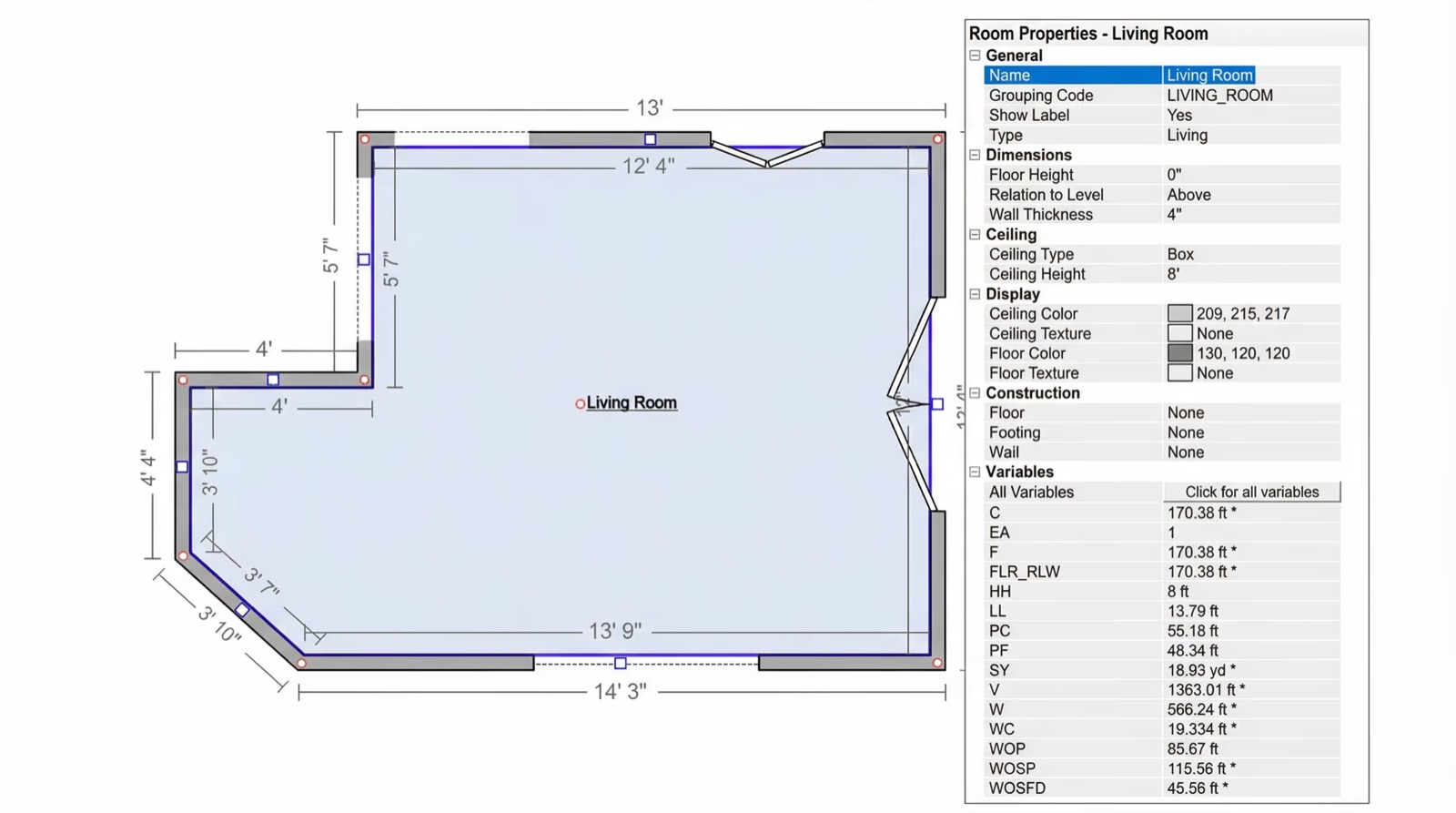
The sketch is foundational. An estimate is only as accurate as the measurements it's built on, and measurements are only as accurate as the sketch.
This is where a lot of estimate revision cycles start. An adjuster questions the square footage. A carrier pushes back on a room count. The scope doesn't match the photos. These issues can trace back to a sketch that was done quickly, manually, or inconsistently.
Why clean room sketches reduce revisions. A clean sketch gives every reviewer—the adjuster, the TPA, the carrier—a shared reference point. When the floor plan is accurate and the dimensions are verifiable, the conversation about scope becomes much easier to close. DocuSketch sketches are delivered as ESX files (Xactimate-compatible) and include room dimensions, plumbing fixtures, cabinets, ceilings, counters, attics, stairs, and more. Standard delivery is up to 5 hours.
Common sketching mistakes that create scope gaps. Sketches built from memory or rough measurements often miss room complexity (closets, bump-outs, utility spaces, areas behind equipment). Those gaps translate directly into missed line items in the estimate. If you're not sure whether your current sketching process is creating these gaps, DocuSketch's guide to how to sketch a room in Xactimate is a useful reference.
Valuation and Pricing Logic: What Owners Should Understand
Even if you're outsourcing the estimate writing, understanding how pricing works in Xactimate protects you in conversations with adjusters.
Why the price list version matters. Xactimate uses regional pricing databases that update regularly. If an estimate uses an outdated price list, the line item values may not reflect current local costs, meaning you're potentially leaving money on the table before the negotiation even starts. Always confirm the price list version with your estimating provider and verify it matches the current period for your region.
Xactimate includes a valuation tool that helps estimators confirm that pricing and scope are consistent with what the market reflects for a given loss type. For a full breakdown of how Xactimate's valuation tool works and what it means for estimate accuracy, check out our post on it here: Xactimate's Valuation Tool.
DocuSketch Estimating includes a review through an internal compliance tool that checks estimates against carrier-specific requirements before delivery. This step is designed to reduce the frequency of carrier pushback and catch line items that may not meet TPA or carrier program standards.
Is Outsourced Estimating Right for Your Business?
If you've made it through this guide, you have a clear framework for evaluating Xactimate estimating services: what they should deliver, how to vet providers, and what signals to watch for.
The contractors who get the most from outsourced estimating tend to share a few characteristics. They have enough volume that estimating is already creating a consistent drag on operations. They're trying to scale without adding headcount. And they're willing to improve how they document losses so that the estimates they receive are based on solid information.
If that describes where your business is, the next step is simple: run a few estimates through a provider and compare the output to what you're currently producing in-house. The quality of the estimate, the turnaround, and the communication during revisions will tell you most of what you need to know.
DocuSketch is built specifically for restoration contractors. Estimates are delivered within 24–48 hours, in both Xactimate® and Cotality® formats, and cover water, fire, mold, reconstruction, contents, and more. If you want to see what that looks like in practice, reach out to the team to book a demo.
At some point, as a restoration business owner, you may find yourself asking: why does estimating take so long?
You have jobs on the board, technicians in the field, and adjusters waiting for numbers. But somewhere in between, estimates become the thing that slows everything else down. Someone is sitting at a desk for hours, a job stalls waiting for approval, and you start wondering whether there's a better way to handle this.
There is. Outsourced Xactimate estimating services have become a real operational tool for restoration companies of all sizes, not just large franchises. But like any service you bring into your business, knowing what to look for, what to expect, and how to avoid bad providers makes all the difference. That's what this guide is for.
If you're already familiar with DocuSketch Estimating, this guide will help you put that knowledge in context as you evaluate your options.
Why Restoration Estimating Becomes a Bottleneck and What It Costs You
Estimating is one of the most technically demanding tasks in a restoration business. Xactimate has around 20,000 line items. Price lists update regularly by region. Carriers have preferences that aren't always documented everywhere.
A missed line item doesn't stay isolated to one job. If you repeat the mistake across your work, estimating can quietly become the thing that slows everything else down. The difference shows up in payment timelines. The average restorer waits around 60 days to get paid.
What an Xactimate Estimating Service Actually Does and What You Should Receive
Before you evaluate providers, it helps to understand what you should actually be getting. Estimating services involve more than someone simply writing up line items. The reality is more specific than that.
Core Outputs and Deliverables
A quality Xactimate estimating service should deliver:
An ESX file. The ESX (Xactimate Sketch Export) file is the format that plugs directly into Xactimate for editing. You should always receive a file you can open, review, and work with in Xactimate. A PDF summary alone doesn't let you make changes without rebuilding the estimate from scratch.
Completed line items with correct category and selector codes. Good estimators know their Xactimate category codes. WTR for water, DRY for drywall, and so on. Each line item carries a selector code that identifies exactly what task or material is being billed. If those codes are wrong, the estimate can get kicked back by a carrier or TPA (third-party administrator).
Correct regional pricing. Xactimate's price lists are regional. The format is State/Region + Version + Date, for example, OHCO8X_APR24 represents Columbus, Ohio, version 8X, April 2024. Using an outdated or incorrect price list can result in underpayment or carrier rejection. A good provider will confirm which price list applies to your job before submitting.
Overhead and Profit (O&P) applied appropriately. O&P is an additional percentage added to the estimate to account for general business costs and profit. On a managed repair program, carriers sometimes resist O&P. On reconstruction work, it's typically expected. Your estimating service should know when and how to apply it.
Typical Workflow (From Intake to Delivery)
Here's what a standard outsourced estimating workflow looks like:
- You capture the loss. This usually means a site visit, documentation of the damage, and measurements. If you're creating a 360° documentation, you're capturing a visual record of every room that estimators can reference later.
- You submit the job. Depending on the provider, you upload your documentation, photos, scope notes, and any carrier-specific instructions through a portal or shared system.
- The estimator works the file. They build the estimate in Xactimate based on what was documented and scoped.
- The estimate goes through review. Good providers have a QA step before delivery. This might involve a senior estimator reviewing the work or, in some cases, a compliance review to check for carrier-specific requirements.
- You receive the estimate. Typically as an ESX or XML file you can open in Xactimate, along with any supporting documentation.
- Revisions happen as needed. When an adjuster pushes back or you need to supplement, you communicate directly with the estimating team to make changes.
DocuSketch Estimating delivers a claim-ready estimate within 48 hours, with a direct channel to the estimating team for revisions and questions—built to cut down the back-and-forth that slows other providers down.
What the Provider Needs from You to Estimate Accurately
The completeness of what you provide directly determines the quality of what you get back. Estimators can only write what they can see or verify. To get a strong estimate, you'll want to provide:
- Measurements and room dimensions (or a sketch)
- 360° documentation of the damage
- A scope of work, or at minimum a description of what happened and what was affected
- The applicable carrier or TPA so the estimator can apply any specific requirements
- The correct regional price list, if you know it
The more gaps in your documentation, the more assumptions the estimator has to make—and assumptions create revision cycles.
Outsourcing vs. In-House Estimating: Which Model Fits Your Business?
This is the question most owners circle back to eventually. There's no universal answer, but there is a framework that makes the decision clearer.
In-house estimating makes sense when:
- You have a dedicated, experienced estimator with deep Xactimate knowledge
- Your volume is consistent enough to keep them fully productive
- You do a specific, narrow type of work where carrier preferences are predictable and known
- You have the budget and systems to train and retain that person long-term
Outsourced estimating makes sense when:
- Estimating is creating a bottleneck in your operations
- Your project managers are writing estimates when they should be managing jobs
- You're handling a mix of loss types (water, fire, mold, reconstruction) that require different expertise
- You want to scale job volume without proportionally increasing headcount
- You're going through a CAT (catastrophe) event and need to process claims faster than your team can manage
The scalability point matters more than most owners initially expect. When a storm rolls through your market and you have ten new claims in a week, your in-house estimator is your constraint. An outsourced service absorbs that volume without you needing to hire, train, or manage additional staff. You get the capacity you need, when you need it, without adding permanent overhead.
If your estimator is also functioning as a project manager, office coordinator, or catch-all, you're almost certainly paying more per estimate than you realize. Just not in a way that shows up clearly on a single line of your P&L.
The Six Areas to Look for in a Good Estimating Service
Not all estimating services are equal. The quality of an estimate affects whether you get paid in full, how long that takes, and how often you're stuck going back and forth with an adjuster. Evaluating providers on these six areas will tell you most of what you need to know.
Turnaround time. There's no single published industry standard here, but a provider who can't give you a clear, consistent turnaround, or who regularly misses the one they quote, will affect your work flow. Good providers state their turnaround plainly and stand behind it.
Formats delivered. Confirm they deliver ESX files (for Xactimate) or FML files (for Cotality Symbility). PDF-only delivery is a red flag: without an editable file, every revision means more back-and-forth, and you lose the ability to supplement in Xactimate directly.
QA process. Ask how estimates are reviewed before delivery. Is there a second estimator who checks the work? Is there review for carrier-specific requirements? Good providers can describe their QA process specifically. A vague answer like "we review everything," with no detail on who reviews or what they check, tells you nothing useful.
Communication and revisions. When an adjuster questions a line item or requests changes, how do you reach the estimating team? A direct channel beats an email queue. If getting a line item changed takes 48+ hours, your adjuster relationships will suffer.
Scope of coverage. Some services only handle water losses. Others cover water, fire, mold, reconstruction, contents, and more. If your business does a mix of work, a provider who can handle all of it saves you from managing multiple vendors.
Experience with carriers and TPAs. Carrier programs have specific documentation and line item preferences. A provider with no carrier-specific knowledge, who treats every estimate identically, is going to create friction on managed repair work.
One more signal worth watching across all six areas: does the provider push back when your documentation has gaps? A good estimating service tells you when it needs more information rather than making assumptions that create problems downstream. A provider that will write an estimate from minimal information, without asking for scope details, measurements, or photos, is telling you something about the quality you'll get back.
Questions to Ask Before You Hire
Use these before committing to any estimating service:
- What is your standard turnaround time, and what happens if you miss it?
- What file formats do you deliver? Can I receive ESX or Cotality files?
- What is your QA process before an estimate is sent to me?
- Do you have a dedicated estimator assigned to my account, or does my work go into a general queue?
- How do I request revisions, and what is your typical revision turnaround?
- Do you have experience with [name your carrier/TPA programs]?
- What loss types do you cover? (Water, fire, mold, reconstruction, contents?)
- How is pricing determined? Per estimate, subscription, or credits?
- What documentation do you need from me to write a complete estimate?
- Can I see a sample estimate you've produced for a similar loss type?
Sketching and Pricing: The Two Places Where Estimates Win or Lose
Understanding what goes into a well-built estimate helps you evaluate the ones you receive. For a deeper look at the structure of Xactimate estimates, DocuSketch's post on how to write an Xactimate estimate covers the process in detail. You can also see a water damage estimate guide and sample that walks through what a complete estimate looks like for a real loss type.
Sketching and Measurements: Where Estimates Often Get Stuck
The sketch is foundational. An estimate is only as accurate as the measurements it's built on, and measurements are only as accurate as the sketch.
This is where a lot of estimate revision cycles start. An adjuster questions the square footage. A carrier pushes back on a room count. The scope doesn't match the photos. These issues can trace back to a sketch that was done quickly, manually, or inconsistently.
Why clean room sketches reduce revisions. A clean sketch gives every reviewer—the adjuster, the TPA, the carrier—a shared reference point. When the floor plan is accurate and the dimensions are verifiable, the conversation about scope becomes much easier to close. DocuSketch sketches are delivered as ESX files (Xactimate-compatible) and include room dimensions, plumbing fixtures, cabinets, ceilings, counters, attics, stairs, and more. Standard delivery is up to 5 hours.
Common sketching mistakes that create scope gaps. Sketches built from memory or rough measurements often miss room complexity (closets, bump-outs, utility spaces, areas behind equipment). Those gaps translate directly into missed line items in the estimate. If you're not sure whether your current sketching process is creating these gaps, DocuSketch's guide to how to sketch a room in Xactimate is a useful reference.
Valuation and Pricing Logic: What Owners Should Understand
Even if you're outsourcing the estimate writing, understanding how pricing works in Xactimate protects you in conversations with adjusters.
Why the price list version matters. Xactimate uses regional pricing databases that update regularly. If an estimate uses an outdated price list, the line item values may not reflect current local costs, meaning you're potentially leaving money on the table before the negotiation even starts. Always confirm the price list version with your estimating provider and verify it matches the current period for your region.
Xactimate includes a valuation tool that helps estimators confirm that pricing and scope are consistent with what the market reflects for a given loss type. For a full breakdown of how Xactimate's valuation tool works and what it means for estimate accuracy, check out our post on it here: Xactimate's Valuation Tool.
DocuSketch Estimating includes a review through an internal compliance tool that checks estimates against carrier-specific requirements before delivery. This step is designed to reduce the frequency of carrier pushback and catch line items that may not meet TPA or carrier program standards.
Is Outsourced Estimating Right for Your Business?
If you've made it through this guide, you have a clear framework for evaluating Xactimate estimating services: what they should deliver, how to vet providers, and what signals to watch for.
The contractors who get the most from outsourced estimating tend to share a few characteristics. They have enough volume that estimating is already creating a consistent drag on operations. They're trying to scale without adding headcount. And they're willing to improve how they document losses so that the estimates they receive are based on solid information.
If that describes where your business is, the next step is simple: run a few estimates through a provider and compare the output to what you're currently producing in-house. The quality of the estimate, the turnaround, and the communication during revisions will tell you most of what you need to know.
DocuSketch is built specifically for restoration contractors. Estimates are delivered within 24–48 hours, in both Xactimate® and Cotality® formats, and cover water, fire, mold, reconstruction, contents, and more. If you want to see what that looks like in practice, reach out to the team to book a demo.

Related Articles




%20(1).jpg)