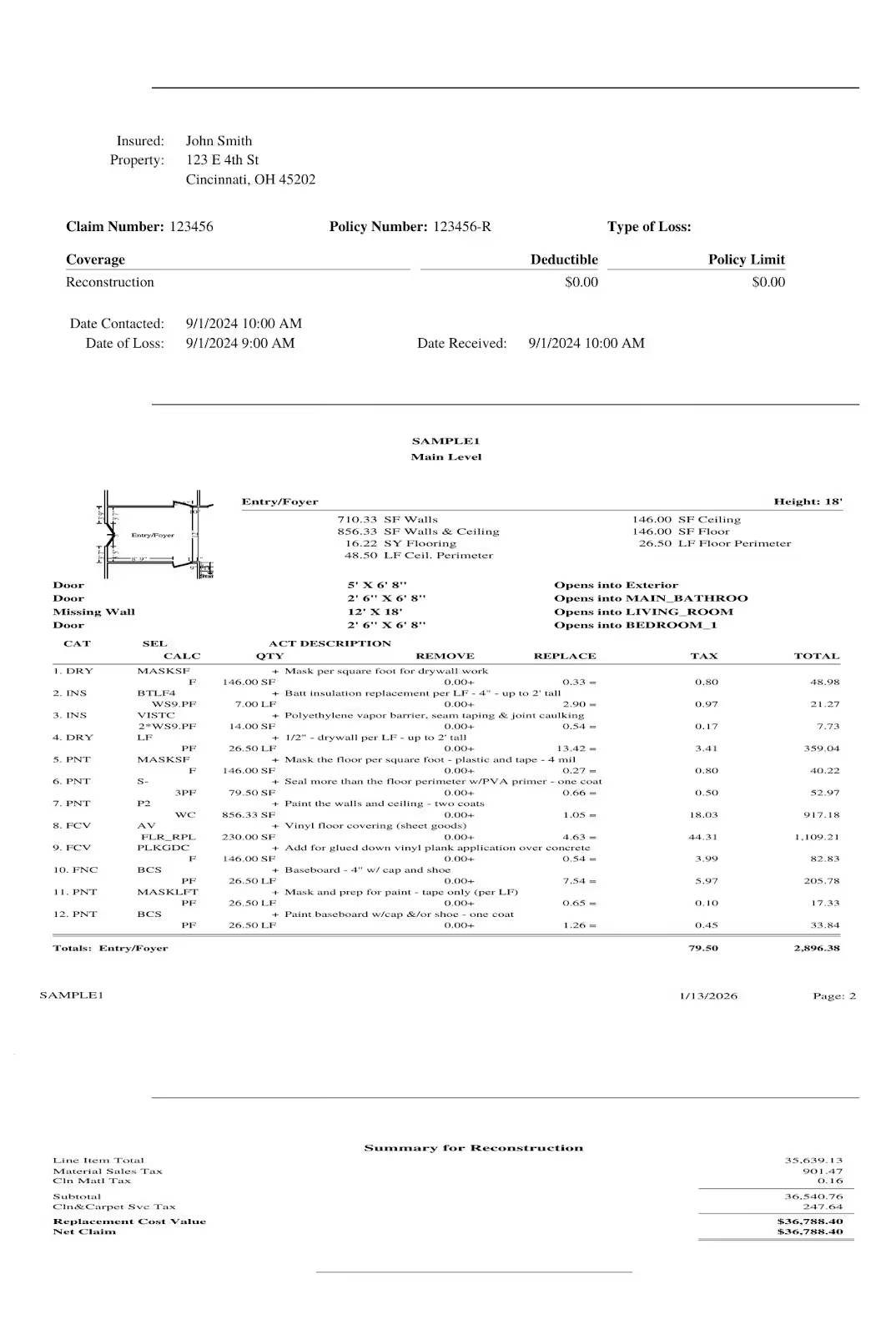
Xactimate Estimate Sample
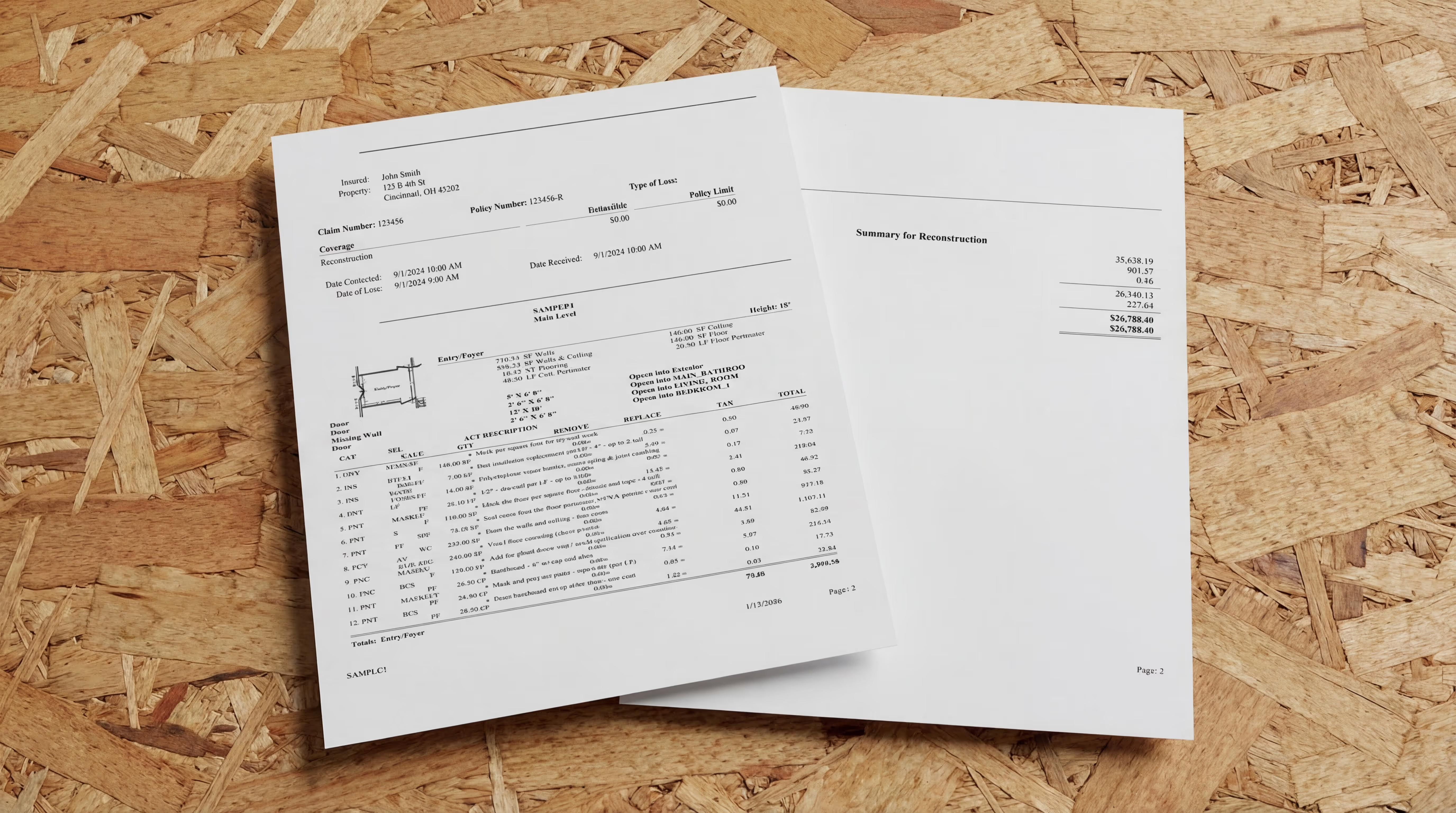

An Xactimate estimate is more than numbers on a screen. It's the document that translates fieldwork into payment, turning photos, measurements, and scope decisions into a format insurance carriers understand and trust. When it's complete and accurate, approvals move faster, disputes disappear, and your team gets paid for the work they actually performed.
If you're learning to read or write Xactimate estimates, seeing a complete example helps you understand what separates a strong estimate from one that gets questioned. Every section plays a role in the story: the sketch defines the space, the line items detail the work, and the documentation proves it was necessary.
In this guide, we'll walk you through what makes a complete Xactimate estimate, why accuracy directly impacts your cash flow, and what components you should include every time to avoid revision requests.
READ MORE: How to read an Xactimate estimate
What Is an Xactimate Estimate?
An Xactimate estimate is a detailed breakdown of restoration work created in Xactimate software, the platform used by approximately 80% of insurance carriers in North America. It's the common language between contractors, adjusters, and carriers, turning your fieldwork into a format everyone in the claims process can understand and approve.
When you submit an Xactimate estimate, you're not just listing prices. You're building a defensible case for why specific work was necessary, what materials you used, and how your pricing aligns with regional standards.
Who Uses Xactimate Estimates?
Restoration contractors use them to document damage, define scope, and price every aspect of mitigation and reconstruction work.
Insurance adjusters review them to evaluate whether the scope is reasonable and the pricing matches their expectations.
Third-party administrators (TPAs) require them as part of preferred contractor agreements and program work.
Property owners receive them to understand what's happening to their home and how much it will cost.
Why Xactimate Is the Standard
Xactimate became the industry standard because it provides consistency. Instead of every contractor using their own pricing format, everyone speaks the same language:
- Standardized line items with category and selector codes that define specific tasks
- Regional price lists that reflect local labor and material costs
- Sketches that establish room dimensions and work areas
- Documentation that proves what was damaged and what was done
If you're doing insurance work, you need to know how to create Xactimate estimates. It's the format carriers expect, and learning to use it correctly is one of the fastest ways to speed up approvals and get paid without disputes.
Why Accurate Estimates Matter in Restoration Work
The quality of your estimate determines how fast you get paid and whether you're compensated for all the work you actually perform. Small mistakes or missing details don't just slow down the process, they cost you money.
Faster Approvals Mean Better Cash Flow
When your estimate is complete and follows carrier protocols, adjusters can approve it quickly. But when line items are missing, documentation is thin, or codes are wrong, approvals stall. You'll get emails asking for clarification, revision requests that take hours to address, and payment delays that can stretch from days to months.
Contractors who provide thorough documentation and carrier-compliant estimates have seen payment in as little as 8 days, compared to the industry average of 60 days. That difference is cash flow.
Fewer Disputes Protect Your Margins
Insurance adjusters question line items they don't understand or can't verify. Your estimate should include:
- Accurate category and selector codes that match industry standards
- Clear documentation supporting every line item you included
- Regional pricing that aligns with the carrier's price list
- Scope descriptions that explain what you did and why
This level of detail prevents invoice reductions, rejected estimates, and the back-and-forth that eats into your profit margins.
For instance, if you remove drywall to two feet high but don't document moisture readings that justify that height, you'll likely face questions. But if your estimate includes moisture mapping and drying logs that show exactly why removal was necessary to that level, the adjuster can approve it without hesitation.
READ MORE: How to build a water damage drying log
Aligning with Carrier Expectations Builds Trust
Each carrier has preferences for how they want estimates structured. Some prefer certain line item codes, while others have specific rules about when overhead and profit (O&P) can be added. Understanding these nuances makes you a preferred contractor and helps you avoid unnecessary disputes.
Tools like Xactimate's valuation tool help restoration contractors align their pricing with carrier expectations and ensure their estimates meet industry standards.
Building relationships with adjusters can prevent many estimate disputes. Every reviewer at major carriers and TPAs has a phone number listed in XactAnalysis. Calling to discuss questions shows you're willing to work toward approval, rather than exchanging bullet points that can feel adversarial, even if that’s not the intention.
What Should Be Included in an Xactimate Estimate
A complete Xactimate estimate contains several essential components. Missing any of these can result in rejected estimates, disputed invoices, or delays in payment. Here's what every estimate needs:
1. Job Information and Site Details
Start with the administrative foundation that connects your estimate to the claim file:
- Client information (property owner name, insurance carrier, claim number)
- Site location (full property address)
- Date of loss and date of inspection
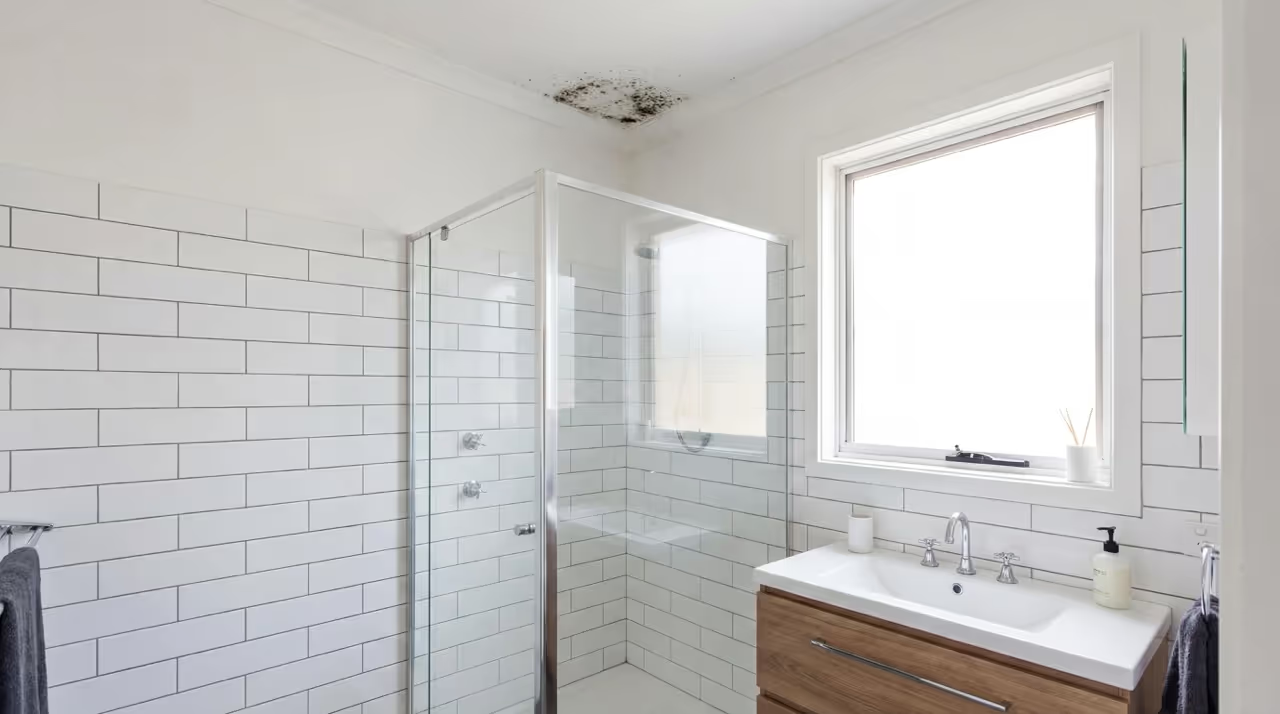
- Project type (water damage, fire damage, mold remediation, reconstruction)
- Adjuster details (name, contact information, carrier)
This information ensures your estimate gets routed correctly through the claims process and tied to the right claim number. Without it, your estimate may sit in someone's inbox waiting for clarification before it even gets reviewed.
2. Sketch of the Affected Structure
Your sketch is the foundation of your entire estimate. It defines the physical space, establishes measurements, and determines quantities for many line items.
A proper Xactimate sketch includes:
- Accurate room dimensions (length, width, ceiling height)
- Clear room labels that match how you've organized your line items
- Structural elements (walls, doors, windows, stairs, fixtures)
- Affected vs. unaffected areas clearly marked
For instance, if you're estimating a kitchen water loss, your sketch should show the exact room dimensions, cabinet locations, and which walls were affected. This level of detail determines how many square feet of drywall removal you can bill for and ensures your quantities match what adjusters expect to see.
Your sketch determines the quantities for numerous line items, so accuracy here prevents disputes later. Learn more about how to sketch a room in Xactimate to ensure your measurements are correct and your sketch exports properly in ESX or FML format.
3. Detailed Scope of Work
The scope of work is your narrative. It explains what happened, what needs to be done, and why your approach is necessary. This section provides context that line items alone can't convey.
A strong scope of work includes:
- Description of the damage (what happened and how far it spread)
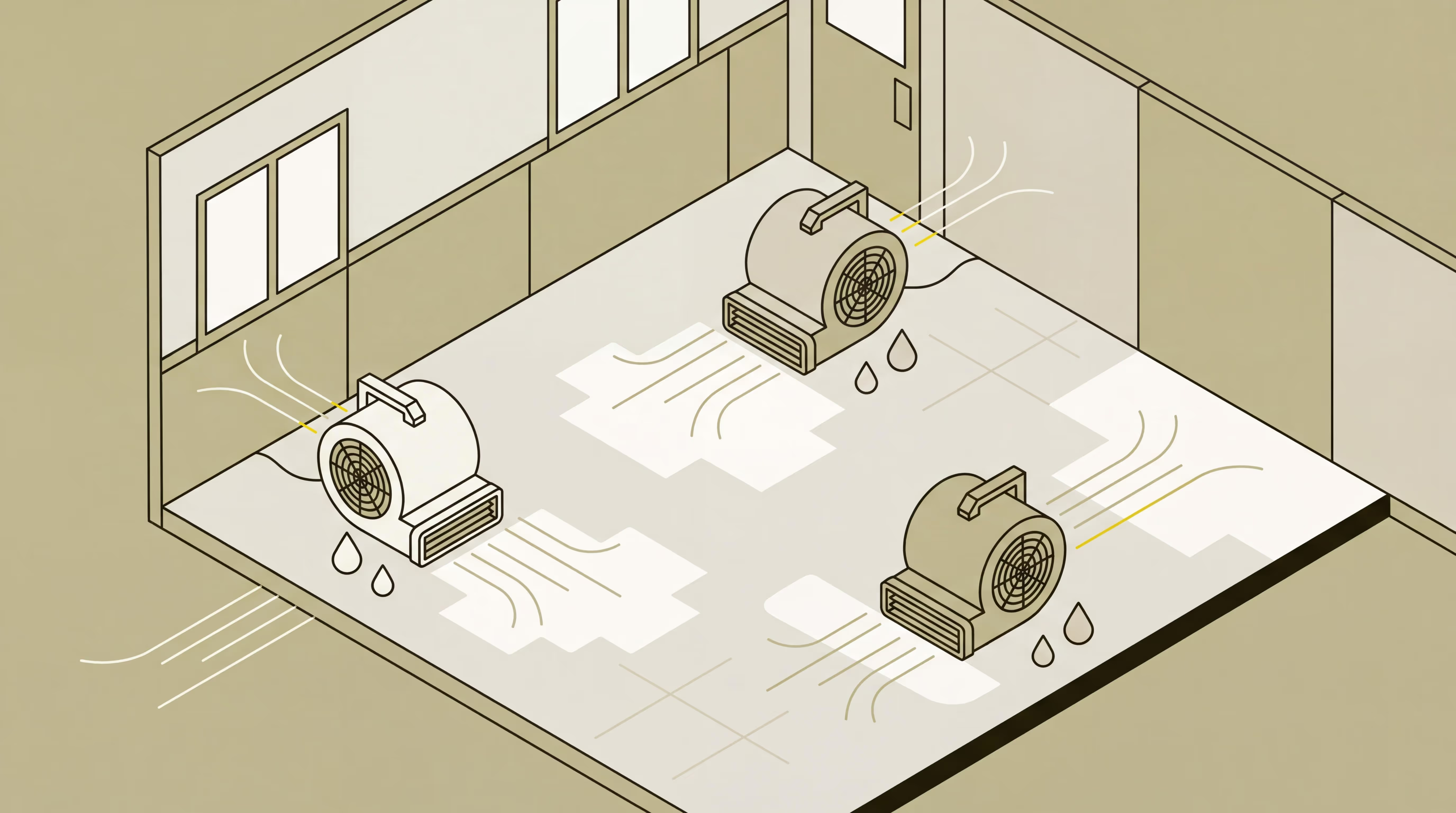
- Mitigation steps required (extraction, drying, equipment setup)
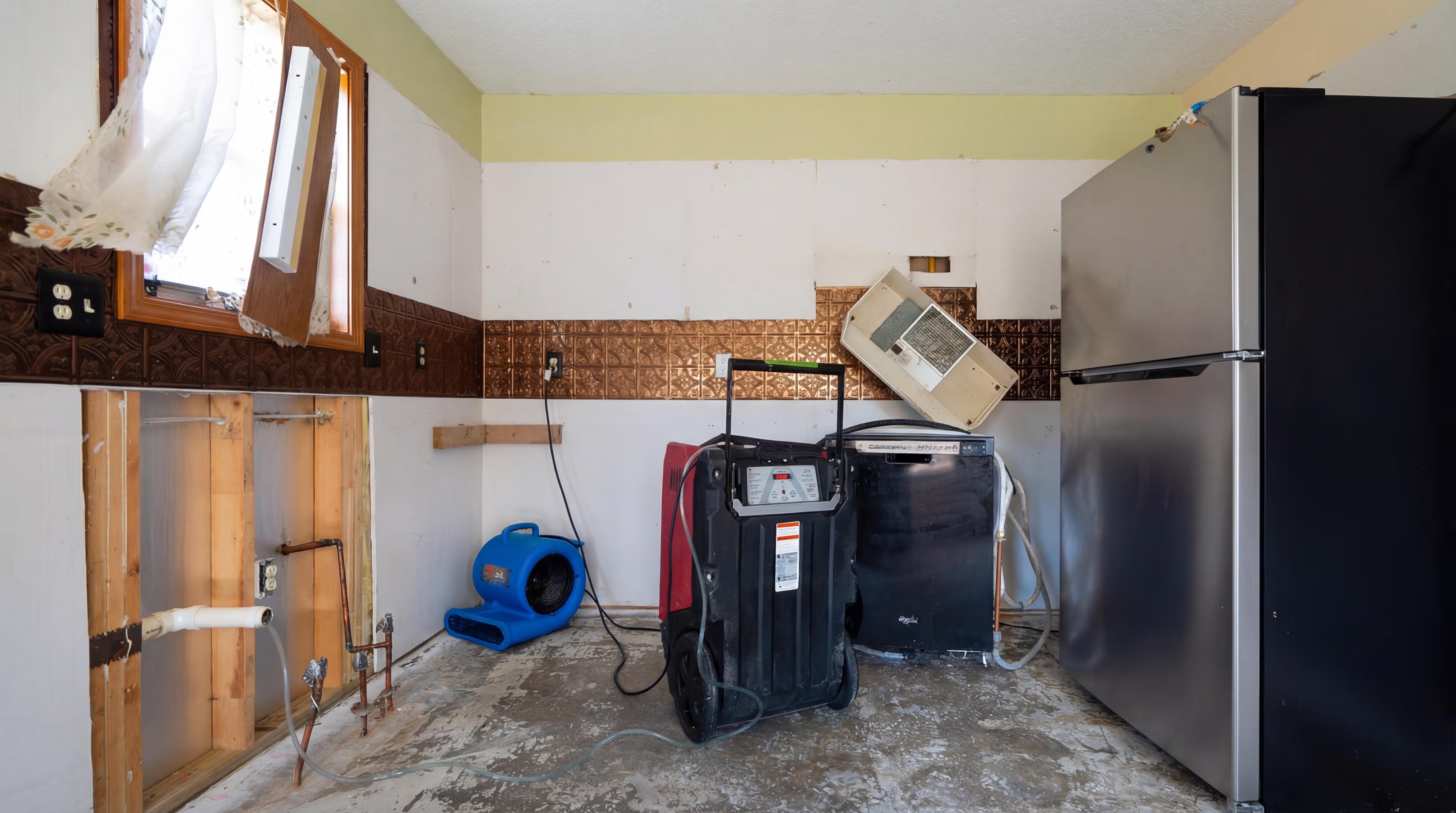
- Demolition needs (what must be removed and why)
- Reconstruction work (what will be rebuilt or replaced)
- Special conditions (confined space, after-hours access, Category 2 or 3 water)
For example: "Category 2 water from a washing machine supply line affected the laundry room, adjacent hallway, and master bedroom. Standing water was extracted, and affected drywall was removed to 24 inches to facilitate drying. Dehumidifiers and air movers were placed for 3 days of monitored drying."
That description tells a clear story that justifies every line item that follows. Adjusters use this section to understand your project and validate that your approach makes sense.
For a detailed guide on structuring your scope, see how to write an Xactimate estimate.
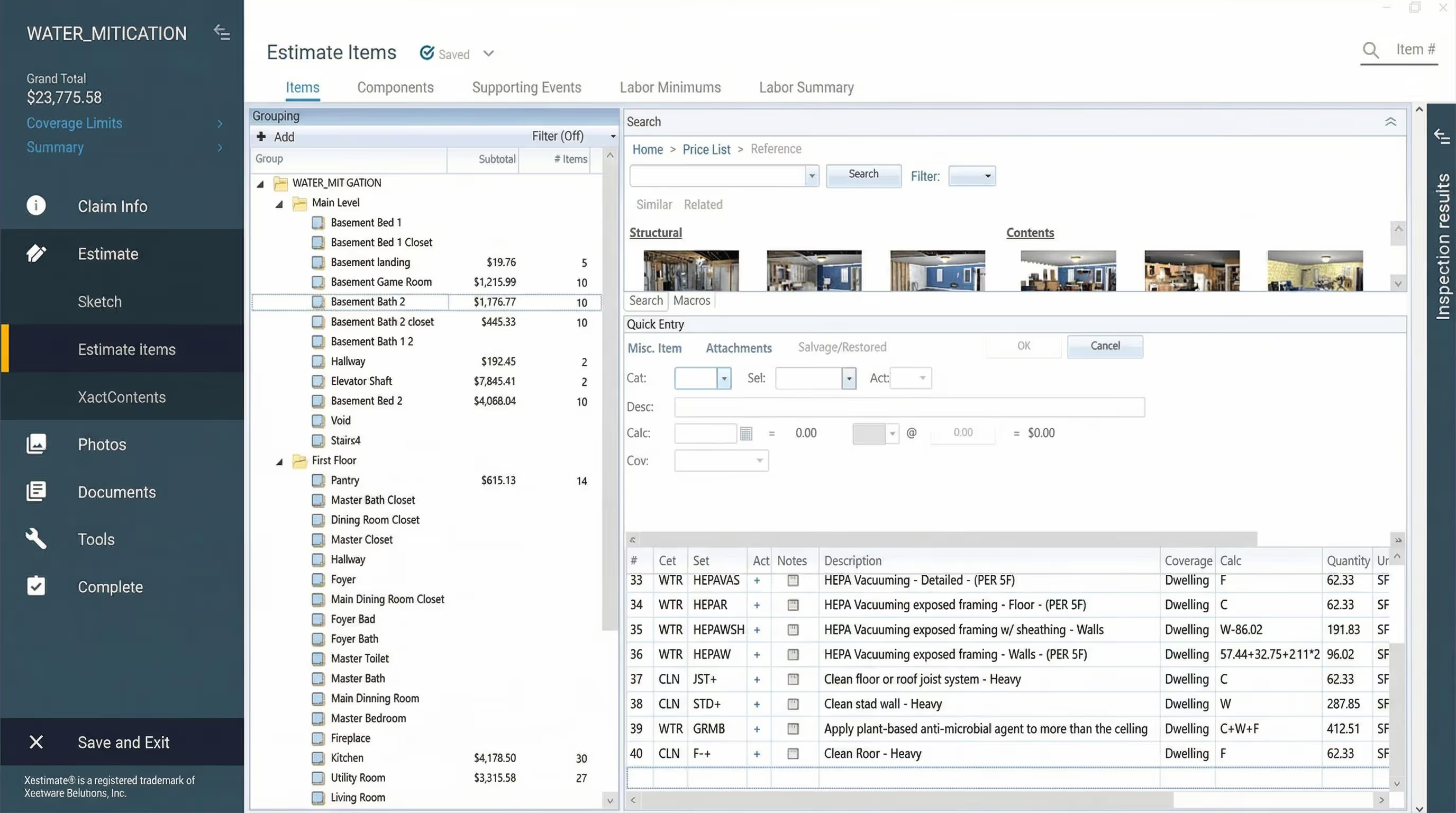
4. Complete Line-Item Breakdowns
Line items are the core of your estimate. Each line represents a specific task, material, or service, organized by Xactimate's category and selector code system.
Your line-item breakdown should cover:
Labor
- Mitigation labor (water extraction, demolition, equipment monitoring)
- Reconstruction labor (drywall installation, painting, flooring replacement)
- Specialized labor (mold remediation, contents pack-out and storage)
Equipment
- Drying equipment (dehumidifiers, air movers, air scrubbers)
- Equipment setup and monitoring hours
- Specialized equipment (injection drying systems, thermal imaging cameras, moisture meters)
Materials
- Building materials (drywall, insulation, flooring, paint)
- Cleaning supplies and antimicrobial treatments
- Replacement fixtures, trim, and finishes
Each line item needs:
- Correct category code (e.g., WTR for water damage, FIR for fire, MLD for mold)
- Appropriate selector code (e.g., WTREXT for water extraction, WTRDEM for water-related demolition)
- Accurate quantity based on your sketch measurements
- Unit cost from the correct regional price list
- Applicable modifiers (Category 1/2/3 water, after-hours rates, confined space, minimum charges)
Don't forget complementary items. These are the small tasks that happen during every job but often get left out of estimates:
- Capping water lines after removing fixtures
- Plugging sinks and drains to prevent odors
- Detaching countertops before removing cabinets
- Protecting floors in unaffected areas
- Setting up containment barriers
These tasks take time and labor, and if you don't include them, you're paying your crew for work you're not billing for. Listing them shows adjusters you've captured the full scope and ensures you're compensated for everything your team actually does on-site.
For example, demo debris removal is a commonly missed line item, even experienced estimators forget it occasionally.
The bigger risk is trades you don't estimate regularly. Foundation work, concrete repairs, or specialty tasks that come up once or twice a year are where contractors miss the most line items. If you're estimating work outside your daily scope—like formwork, backfilling, or specialized aggregates—consider using technology like DocuSketch's free Estimate Grader to catch what you might have missed before submitting to carriers.
5. Photos and Visual Documentation
Photos are your proof. They document the damage, justify your scope, and protect you from disputes about what was or wasn't necessary.
Every Xactimate estimate should include:
- Initial damage photos showing the full extent of the loss
- In-progress photos documenting demo, drying equipment placement, and mitigation stages
- Moisture readings and drying logs proving your drying process was necessary and effective
- Post-completion photos showing the work was performed correctly
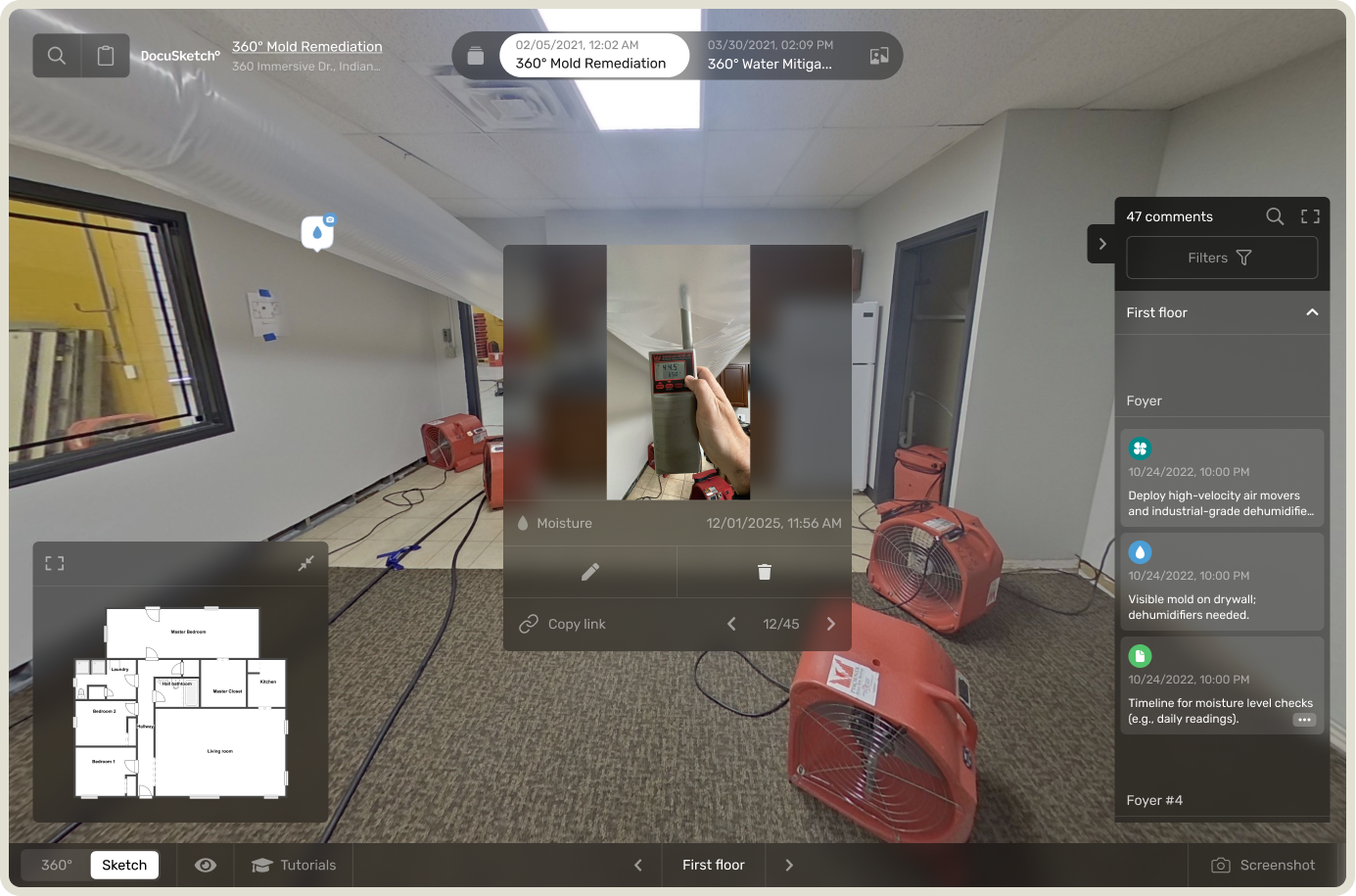
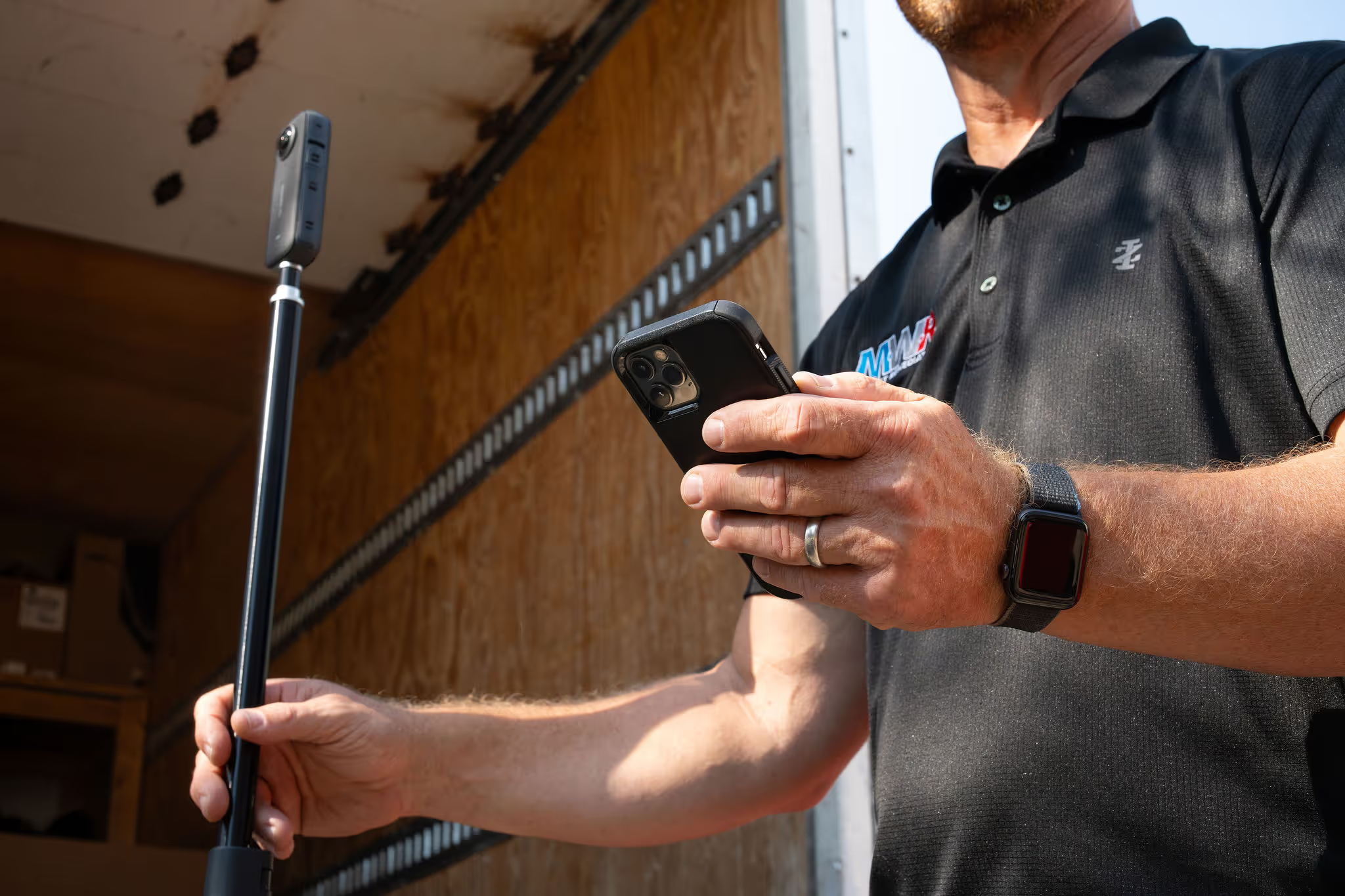
DocuSketch's 360° documentation provides comprehensive visual records that are faster to capture and harder to dispute than traditional smartphone photos scattered across multiple devices. The timeline feature allows you to track project progress chronologically, showing before, during, and after conditions in a single organized view—making it easy for adjusters to see exactly what work was performed and why.
6. Xactimate-Compliant Pricing
Xactimate's pricing database includes regional price lists that reflect local labor and material costs. Using the correct price list for your area ensures your estimate aligns with what carriers expect to pay in your market.
Price lists are formatted as: State/Region + Version + Date
Example: OHCO8X_APR24 = Columbus, Ohio, 8X version, April 2024
Always verify:
- You're using the most current price list for your region (Xactimate doesn't auto-select this)
- Your pricing matches what the carrier has approved for your area
- Overhead & Profit (O&P) is included where applicable (typically 10-20% overhead, 10% profit)
Using the wrong price list can make your estimate appear inflated or underpriced, which triggers review delays and questions from adjusters.
Common Errors in Xactimate Estimates
Even experienced contractors make mistakes that delay payment or lead to disputes. Here are the most critical errors to avoid:
Missing Complementary Items
This is the most common mistake. You remove cabinets but forget to bill for detaching the countertop. You demo drywall but don't include debris removal. You install equipment but forget monitoring hours.
These tasks happen on every job. When they're left out of your estimate, you're paying your crew for work you're not billing for.
How to avoid it: Review your scope line by line and ask, "What else had to happen for this task to be complete?" Think about the waterfall effect: every task leads to follow-up tasks. Removing cabinets means detaching countertops, disconnecting plumbing, and capping water lines. Include all of it.
Using the Wrong Category or Selector Codes
Using DEM GEN (general demolition) when you should use WTRDEM (water-related demolition) might seem like a small detail, but it signals to adjusters that you don't understand Xactimate's structure. These errors trigger reviews and revision requests.
How to avoid it: Learn the most common category codes for your work type (WTR, FIR, MLD, DEM, etc.) and use Xactimate's search function to find the right selector codes rather than guessing.
Each carrier has preferences for how specific work should be estimated. Two carriers often won't estimate the same flooring or roofing scope identically. Learning carrier-specific requirements prevents revision requests.
Not Documenting Material Details
Calling everything "baseboard" without specifying MDF vs. pine, or listing "drywall" without noting ½ inch vs. ⅝ inch thickness, creates confusion when prices don't match expectations.
For instance, MDF baseboards cost significantly less than finger-joint pine. If you write the estimate for pine but the property has MDF, your pricing will appear inflated. These discrepancies raise questions and slow down approvals.
How to avoid it: Note material types, dimensions, and finishes while you're on-site. Take close-up photos of materials so you can reference them later when building your estimate. Details matter.
Using the Wrong Regional Price List
This mistake makes your entire estimate suspect. If your labor rates don't match local standards, adjusters will question everything—even if your scope is perfect.
Xactimate doesn't auto-select your regional price list, so it's easy to accidentally use the wrong one. Price lists are formatted as State/Region + Version + Date (e.g., OHCO8X_APR24 for Columbus, Ohio).
How to avoid it: Double-check your price list selection before exporting your estimate. Make it a habit to verify this at the start of every estimate, and confirm it matches what the carrier expects for your area.
Before exporting, verify your O&P is correct for the carrier and your price list matches their regional expectations. These basic checks prevent immediate rejections.
Skipping Peer Review Before Submission
Many contractors submit estimates directly to carriers after a quick internal review, only to receive extensive revision requests. When you upload an estimate after just verifying basic elements like O&P and price list, you're likely to get feedback on requirements you missed.
There's no quick checklist that catches everything. Every carrier has different requirements, and even experienced estimators miss details when working alone. Some carriers want specific category codes for certain work types. Others have preferences for how flooring or roofing should be estimated. These carrier-specific quirks aren't obvious unless you've written hundreds of estimates for that particular carrier.
How to avoid it: Build a peer review process into your workflow. This could be another estimator in your company who reviews each estimate before submission. For a quick check, DocuSketch's free Estimate Grader can identify potential issues against carrier-specific requirements before you submit—helping you catch what you might have missed.
How DocuSketch Simplifies the Xactimate Estimating Process
Creating accurate, carrier-compliant Xactimate estimates takes expertise, time, and attention to detail. For many restoration contractors, the estimating process becomes a bottleneck that limits how many jobs they can take on and how quickly they get paid.
DocuSketch removes that bottleneck with professional estimating services that deliver faster cycle times, higher estimate quality, and better documentation.
1. 360° Capture for Instant, Defensible Documentation
DocuSketch's 360° documentation gives you verifiable proof of a property's condition from day one. Every surface, fixture, and affected area is captured in immersive tours that provide complete visual records.
For contractors, that means fewer missed details and no need to revisit the site for forgotten photos. For carriers, it provides immediate visibility into the loss without requiring additional documentation.
2. Professional Sketch Creation
DocuSketch generates detailed floor plans from your 360° documentation, that integrate seamlessly with Xactimate and Symbility. Every dimension matches the real property layout, ensuring your quantities are accurate and defensible.
3. Expert Estimating
DocuSketch Estimating combines industry-leading technology with expert estimators to deliver accurate, carrier-compliant estimates that reduce delays, revisions, and help claims close faster.
4. Faster Approvals and Fewer Disputes
When your documentation, sketches, and pricing line up perfectly, approvals follow quickly. Adjusters can see exactly what you saw on-site, reducing the need for questions, emails, and revisions.
That transparency speeds up payment cycles and strengthens trust with both carriers and homeowners. Contractors using DocuSketch have seen payment timelines drop from the industry average of 60 days to as little as 8 days on well-documented claims.
Ready to streamline your estimating process? Learn more about DocuSketch Estimating and see how we help contractors get paid faster and maximize every claim.
GO FURTHER: Walk through a full water damage estimate guide and sample ➔ or explore how to use Xactimate estimating services to outsource your restoration estimating ➔.
An Xactimate estimate is more than numbers on a screen. It's the document that translates fieldwork into payment, turning photos, measurements, and scope decisions into a format insurance carriers understand and trust. When it's complete and accurate, approvals move faster, disputes disappear, and your team gets paid for the work they actually performed.
If you're learning to read or write Xactimate estimates, seeing a complete example helps you understand what separates a strong estimate from one that gets questioned. Every section plays a role in the story: the sketch defines the space, the line items detail the work, and the documentation proves it was necessary.
In this guide, we'll walk you through what makes a complete Xactimate estimate, why accuracy directly impacts your cash flow, and what components you should include every time to avoid revision requests.
READ MORE: How to read an Xactimate estimate
What Is an Xactimate Estimate?
An Xactimate estimate is a detailed breakdown of restoration work created in Xactimate software, the platform used by approximately 80% of insurance carriers in North America. It's the common language between contractors, adjusters, and carriers, turning your fieldwork into a format everyone in the claims process can understand and approve.
When you submit an Xactimate estimate, you're not just listing prices. You're building a defensible case for why specific work was necessary, what materials you used, and how your pricing aligns with regional standards.
Who Uses Xactimate Estimates?
Restoration contractors use them to document damage, define scope, and price every aspect of mitigation and reconstruction work.
Insurance adjusters review them to evaluate whether the scope is reasonable and the pricing matches their expectations.
Third-party administrators (TPAs) require them as part of preferred contractor agreements and program work.
Property owners receive them to understand what's happening to their home and how much it will cost.
Why Xactimate Is the Standard
Xactimate became the industry standard because it provides consistency. Instead of every contractor using their own pricing format, everyone speaks the same language:
- Standardized line items with category and selector codes that define specific tasks
- Regional price lists that reflect local labor and material costs
- Sketches that establish room dimensions and work areas
- Documentation that proves what was damaged and what was done
If you're doing insurance work, you need to know how to create Xactimate estimates. It's the format carriers expect, and learning to use it correctly is one of the fastest ways to speed up approvals and get paid without disputes.
Why Accurate Estimates Matter in Restoration Work
The quality of your estimate determines how fast you get paid and whether you're compensated for all the work you actually perform. Small mistakes or missing details don't just slow down the process, they cost you money.
Faster Approvals Mean Better Cash Flow
When your estimate is complete and follows carrier protocols, adjusters can approve it quickly. But when line items are missing, documentation is thin, or codes are wrong, approvals stall. You'll get emails asking for clarification, revision requests that take hours to address, and payment delays that can stretch from days to months.
Contractors who provide thorough documentation and carrier-compliant estimates have seen payment in as little as 8 days, compared to the industry average of 60 days. That difference is cash flow.
Fewer Disputes Protect Your Margins
Insurance adjusters question line items they don't understand or can't verify. Your estimate should include:
- Accurate category and selector codes that match industry standards
- Clear documentation supporting every line item you included
- Regional pricing that aligns with the carrier's price list
- Scope descriptions that explain what you did and why
This level of detail prevents invoice reductions, rejected estimates, and the back-and-forth that eats into your profit margins.
For instance, if you remove drywall to two feet high but don't document moisture readings that justify that height, you'll likely face questions. But if your estimate includes moisture mapping and drying logs that show exactly why removal was necessary to that level, the adjuster can approve it without hesitation.
READ MORE: How to build a water damage drying log
Aligning with Carrier Expectations Builds Trust
Each carrier has preferences for how they want estimates structured. Some prefer certain line item codes, while others have specific rules about when overhead and profit (O&P) can be added. Understanding these nuances makes you a preferred contractor and helps you avoid unnecessary disputes.
Tools like Xactimate's valuation tool help restoration contractors align their pricing with carrier expectations and ensure their estimates meet industry standards.
Building relationships with adjusters can prevent many estimate disputes. Every reviewer at major carriers and TPAs has a phone number listed in XactAnalysis. Calling to discuss questions shows you're willing to work toward approval, rather than exchanging bullet points that can feel adversarial, even if that’s not the intention.
What Should Be Included in an Xactimate Estimate
A complete Xactimate estimate contains several essential components. Missing any of these can result in rejected estimates, disputed invoices, or delays in payment. Here's what every estimate needs:
1. Job Information and Site Details
Start with the administrative foundation that connects your estimate to the claim file:
- Client information (property owner name, insurance carrier, claim number)
- Site location (full property address)
- Date of loss and date of inspection
- Project type (water damage, fire damage, mold remediation, reconstruction)
- Adjuster details (name, contact information, carrier)
This information ensures your estimate gets routed correctly through the claims process and tied to the right claim number. Without it, your estimate may sit in someone's inbox waiting for clarification before it even gets reviewed.
2. Sketch of the Affected Structure
Your sketch is the foundation of your entire estimate. It defines the physical space, establishes measurements, and determines quantities for many line items.
A proper Xactimate sketch includes:
- Accurate room dimensions (length, width, ceiling height)
- Clear room labels that match how you've organized your line items
- Structural elements (walls, doors, windows, stairs, fixtures)
- Affected vs. unaffected areas clearly marked
For instance, if you're estimating a kitchen water loss, your sketch should show the exact room dimensions, cabinet locations, and which walls were affected. This level of detail determines how many square feet of drywall removal you can bill for and ensures your quantities match what adjusters expect to see.
Your sketch determines the quantities for numerous line items, so accuracy here prevents disputes later. Learn more about how to sketch a room in Xactimate to ensure your measurements are correct and your sketch exports properly in ESX or FML format.
3. Detailed Scope of Work
The scope of work is your narrative. It explains what happened, what needs to be done, and why your approach is necessary. This section provides context that line items alone can't convey.
A strong scope of work includes:
- Description of the damage (what happened and how far it spread)
- Mitigation steps required (extraction, drying, equipment setup)
- Demolition needs (what must be removed and why)
- Reconstruction work (what will be rebuilt or replaced)
- Special conditions (confined space, after-hours access, Category 2 or 3 water)
For example: "Category 2 water from a washing machine supply line affected the laundry room, adjacent hallway, and master bedroom. Standing water was extracted, and affected drywall was removed to 24 inches to facilitate drying. Dehumidifiers and air movers were placed for 3 days of monitored drying."
That description tells a clear story that justifies every line item that follows. Adjusters use this section to understand your project and validate that your approach makes sense.
For a detailed guide on structuring your scope, see how to write an Xactimate estimate.
4. Complete Line-Item Breakdowns
Line items are the core of your estimate. Each line represents a specific task, material, or service, organized by Xactimate's category and selector code system.
Your line-item breakdown should cover:
Labor
- Mitigation labor (water extraction, demolition, equipment monitoring)
- Reconstruction labor (drywall installation, painting, flooring replacement)
- Specialized labor (mold remediation, contents pack-out and storage)
Equipment
- Drying equipment (dehumidifiers, air movers, air scrubbers)
- Equipment setup and monitoring hours
- Specialized equipment (injection drying systems, thermal imaging cameras, moisture meters)
Materials
- Building materials (drywall, insulation, flooring, paint)
- Cleaning supplies and antimicrobial treatments
- Replacement fixtures, trim, and finishes
Each line item needs:
- Correct category code (e.g., WTR for water damage, FIR for fire, MLD for mold)
- Appropriate selector code (e.g., WTREXT for water extraction, WTRDEM for water-related demolition)
- Accurate quantity based on your sketch measurements
- Unit cost from the correct regional price list
- Applicable modifiers (Category 1/2/3 water, after-hours rates, confined space, minimum charges)
Don't forget complementary items. These are the small tasks that happen during every job but often get left out of estimates:
- Capping water lines after removing fixtures
- Plugging sinks and drains to prevent odors
- Detaching countertops before removing cabinets
- Protecting floors in unaffected areas
- Setting up containment barriers
These tasks take time and labor, and if you don't include them, you're paying your crew for work you're not billing for. Listing them shows adjusters you've captured the full scope and ensures you're compensated for everything your team actually does on-site.
For example, demo debris removal is a commonly missed line item, even experienced estimators forget it occasionally.
The bigger risk is trades you don't estimate regularly. Foundation work, concrete repairs, or specialty tasks that come up once or twice a year are where contractors miss the most line items. If you're estimating work outside your daily scope—like formwork, backfilling, or specialized aggregates—consider using technology like DocuSketch's free Estimate Grader to catch what you might have missed before submitting to carriers.
5. Photos and Visual Documentation
Photos are your proof. They document the damage, justify your scope, and protect you from disputes about what was or wasn't necessary.
Every Xactimate estimate should include:
- Initial damage photos showing the full extent of the loss
- In-progress photos documenting demo, drying equipment placement, and mitigation stages
- Moisture readings and drying logs proving your drying process was necessary and effective
- Post-completion photos showing the work was performed correctly
DocuSketch's 360° documentation provides comprehensive visual records that are faster to capture and harder to dispute than traditional smartphone photos scattered across multiple devices. The timeline feature allows you to track project progress chronologically, showing before, during, and after conditions in a single organized view—making it easy for adjusters to see exactly what work was performed and why.
6. Xactimate-Compliant Pricing
Xactimate's pricing database includes regional price lists that reflect local labor and material costs. Using the correct price list for your area ensures your estimate aligns with what carriers expect to pay in your market.
Price lists are formatted as: State/Region + Version + Date
Example: OHCO8X_APR24 = Columbus, Ohio, 8X version, April 2024
Always verify:
- You're using the most current price list for your region (Xactimate doesn't auto-select this)
- Your pricing matches what the carrier has approved for your area
- Overhead & Profit (O&P) is included where applicable (typically 10-20% overhead, 10% profit)
Using the wrong price list can make your estimate appear inflated or underpriced, which triggers review delays and questions from adjusters.
Common Errors in Xactimate Estimates
Even experienced contractors make mistakes that delay payment or lead to disputes. Here are the most critical errors to avoid:
Missing Complementary Items
This is the most common mistake. You remove cabinets but forget to bill for detaching the countertop. You demo drywall but don't include debris removal. You install equipment but forget monitoring hours.
These tasks happen on every job. When they're left out of your estimate, you're paying your crew for work you're not billing for.
How to avoid it: Review your scope line by line and ask, "What else had to happen for this task to be complete?" Think about the waterfall effect: every task leads to follow-up tasks. Removing cabinets means detaching countertops, disconnecting plumbing, and capping water lines. Include all of it.
Using the Wrong Category or Selector Codes
Using DEM GEN (general demolition) when you should use WTRDEM (water-related demolition) might seem like a small detail, but it signals to adjusters that you don't understand Xactimate's structure. These errors trigger reviews and revision requests.
How to avoid it: Learn the most common category codes for your work type (WTR, FIR, MLD, DEM, etc.) and use Xactimate's search function to find the right selector codes rather than guessing.
Each carrier has preferences for how specific work should be estimated. Two carriers often won't estimate the same flooring or roofing scope identically. Learning carrier-specific requirements prevents revision requests.
Not Documenting Material Details
Calling everything "baseboard" without specifying MDF vs. pine, or listing "drywall" without noting ½ inch vs. ⅝ inch thickness, creates confusion when prices don't match expectations.
For instance, MDF baseboards cost significantly less than finger-joint pine. If you write the estimate for pine but the property has MDF, your pricing will appear inflated. These discrepancies raise questions and slow down approvals.
How to avoid it: Note material types, dimensions, and finishes while you're on-site. Take close-up photos of materials so you can reference them later when building your estimate. Details matter.
Using the Wrong Regional Price List
This mistake makes your entire estimate suspect. If your labor rates don't match local standards, adjusters will question everything—even if your scope is perfect.
Xactimate doesn't auto-select your regional price list, so it's easy to accidentally use the wrong one. Price lists are formatted as State/Region + Version + Date (e.g., OHCO8X_APR24 for Columbus, Ohio).
How to avoid it: Double-check your price list selection before exporting your estimate. Make it a habit to verify this at the start of every estimate, and confirm it matches what the carrier expects for your area.
Before exporting, verify your O&P is correct for the carrier and your price list matches their regional expectations. These basic checks prevent immediate rejections.
Skipping Peer Review Before Submission
Many contractors submit estimates directly to carriers after a quick internal review, only to receive extensive revision requests. When you upload an estimate after just verifying basic elements like O&P and price list, you're likely to get feedback on requirements you missed.
There's no quick checklist that catches everything. Every carrier has different requirements, and even experienced estimators miss details when working alone. Some carriers want specific category codes for certain work types. Others have preferences for how flooring or roofing should be estimated. These carrier-specific quirks aren't obvious unless you've written hundreds of estimates for that particular carrier.
How to avoid it: Build a peer review process into your workflow. This could be another estimator in your company who reviews each estimate before submission. For a quick check, DocuSketch's free Estimate Grader can identify potential issues against carrier-specific requirements before you submit—helping you catch what you might have missed.
How DocuSketch Simplifies the Xactimate Estimating Process
Creating accurate, carrier-compliant Xactimate estimates takes expertise, time, and attention to detail. For many restoration contractors, the estimating process becomes a bottleneck that limits how many jobs they can take on and how quickly they get paid.
DocuSketch removes that bottleneck with professional estimating services that deliver faster cycle times, higher estimate quality, and better documentation.
1. 360° Capture for Instant, Defensible Documentation
DocuSketch's 360° documentation gives you verifiable proof of a property's condition from day one. Every surface, fixture, and affected area is captured in immersive tours that provide complete visual records.
For contractors, that means fewer missed details and no need to revisit the site for forgotten photos. For carriers, it provides immediate visibility into the loss without requiring additional documentation.
2. Professional Sketch Creation
DocuSketch generates detailed floor plans from your 360° documentation, that integrate seamlessly with Xactimate and Symbility. Every dimension matches the real property layout, ensuring your quantities are accurate and defensible.
3. Expert Estimating
DocuSketch Estimating combines industry-leading technology with expert estimators to deliver accurate, carrier-compliant estimates that reduce delays, revisions, and help claims close faster.
4. Faster Approvals and Fewer Disputes
When your documentation, sketches, and pricing line up perfectly, approvals follow quickly. Adjusters can see exactly what you saw on-site, reducing the need for questions, emails, and revisions.
That transparency speeds up payment cycles and strengthens trust with both carriers and homeowners. Contractors using DocuSketch have seen payment timelines drop from the industry average of 60 days to as little as 8 days on well-documented claims.
Ready to streamline your estimating process? Learn more about DocuSketch Estimating and see how we help contractors get paid faster and maximize every claim.
GO FURTHER: Walk through a full water damage estimate guide and sample ➔ or explore how to use Xactimate estimating services to outsource your restoration estimating ➔.

Related Articles






%20(1).jpg)