Storm Preparation for Restoration Contractors: Building Systems That Hold When Conditions Don't


5 min read
For restoration companies, winter storms are a stress test. Claim volume spikes fast. Response windows shrink. Operational cracks surface immediately. These events bring immediate consequences for homeowners and sudden, unpredictable surges in restoration demand.
The difference between companies that absorb volatility and those that scramble once phones start ringing comes down to preparation. Winter storms expose whether a company has built systems capable of scaling under pressure, leadership practices that protect teams during high-stress moments, and technical workflows that keep pace when volume surges.
This isn't theoretical. It's what restoration professionals who've weathered major catastrophe events have learned through experience. We can break winter storm readiness into three critical areas: process, leadership, and technology.
Process Comes First
I spoke with Todd Sangid, Enterprise Solutions Consultant at DocuSketch, about how restoration companies can prepare operationally for catastrophe events. Todd's focus is on building systems that scale under pressure.
Volume spikes expose process, not effort. When claim volume doubles or triples overnight, strong operations remain predictable. Weak operations become chaotic. The difference comes down to having a defined Emergency Response Plan (ERP) before the storm hits.
Todd emphasizes the questions every restoration leader needs to answer: “What's your emergency response plan? What systems and processes do you have in place throughout the holiday season?”
A strong ERP functions as a living operational framework that outlines exactly how a company responds when normal workflows break down.
Companies without defined ERPs make reactive decisions during surges, creating inconsistency that compounds as volume increases. Companies with strong ERPs have already predetermined priorities, resource allocation, and when to bring in external support.
ERP Checklist
- Define decision-making ownership and escalation paths. Identify who has authority to approve emergency responses, assign crews, and make spending decisions when managers aren't available. Document the escalation chain and thresholds for moving forward when approvals are delayed.
- Map job flow from initial call to completed estimate. Chart exactly how a loss moves through your system: who takes the initial call, dispatches crews, handles documentation, creates estimates, and communicates with adjusters. During surges, informal handoffs create dropped balls.
- Set documentation standards for high-volume periods. Define what constitutes sufficient documentation when time is compressed: minimum required photos, measurements that must be captured on first visit, and what can wait for follow-up.
- Establish communication protocols between field and office. Determine how field teams report status updates, how often they check in, and what triggers immediate escalation to management.
- Prioritize loss categories in advance. Decide before the storm which jobs take priority: commercial buildings that must reopen, multi-unit facilities, or high-value residential properties. Predetermined priorities eliminate debate and keep response consistent.
Leadership Is Revealed Under Pressure
Ben Justesen, Enterprise Solutions Consultant at DocuSketch, knows firsthand what it takes to lead teams through winter disasters. Having run his own restoration company for years, Ben learned that preparing smarter beats reacting harder when catastrophes strike.
Winter storms that strike unexpectedly intensify stress across every role in a restoration company. Preparation is how leaders support their teams during stressful work periods..
Storms aren't rare, but they create a specific kind of pressure that combines operational surge with personal sacrifice, pulling teams away from family time during moments that matter.
Ben learned this during Christmas 2022 when a cold front rolled into the Southeast. By Christmas Eve, he was running jobs for sixteen straight hours. By Christmas morning, he was asleep in a recliner while his kids opened presents. Then more calls came in. At that point, the company called everyone: field staff, office staff, new hires, senior techs. Some jobs could wait, but schools had to be stabilized over break to reopen on time.
The work becomes manageable when leaders focus on supporting the people who have to do it. You can't control when emergencies happen, but you can control how ready your team is when the phone rings.
Ben's Team Readiness Checklist
- Know your teams before the season starts. Build a clear list of primary on-call staff, backup teams, and emergency contacts. Communicate expectations early. Not communicating ahead of time hurts morale more than long hours.
- Plan for human needs, not just job needs. Have food, energy drinks, warm gear, breaks to call home, and time windows to reconnect with family. People can push through hard days if they feel seen and supported.
- Set a hard stop to the day. Establish a predetermined time when the team goes home, no matter what. Without this structure, people burn out before the week is halfway through because there's no clear endpoint to reset and recover.
- Line up outside support beforehand. Build relationships with temp labor services, equipment rental companies, and friendly competitors before you need them. "We had arrangements where I could call some competitors for help," he explains. "You can't do that without trust and relationships built ahead of time."
- Identify your leaders. Know before winter storms hit who can run point when work gets complicated and volume spikes. Not everyone on your team has the experience to manage a large loss or make quick decisions under pressure during stressful periods.
Ben's holiday readiness checklist covers additional winter preparation strategies, including managing emergency call systems, setting realistic team expectations, and creating contingency plans that protect both your operations and your people during catastrophe events.
Technology Enables Scale During Surges
Chris Tilkov, part of the leadership team at DocuSketch, came up through the restoration industry as a flood technician in Vancouver. His early adoption of Xactimate, back when it was still meeting resistance in British Columbia, taught him a critical lesson: the worst time to learn new technology is when you're already underwater with work.
During catastrophe events, remote estimating can help restoration companies scale by removing a critical bottleneck. When project managers need to stay in the field visiting multiple sites per day, outsourcing estimate creation keeps claims moving without pulling PMs off-site. But this scaling advantage only works if teams are ready to use remote estimating effectively before surge volume hits.
"Make sure that you're familiar with how to use the estimating service of your choice even before the catastrophe hits. Learning new processes during a catastrophe is a very bad idea." — Chris Tilkov
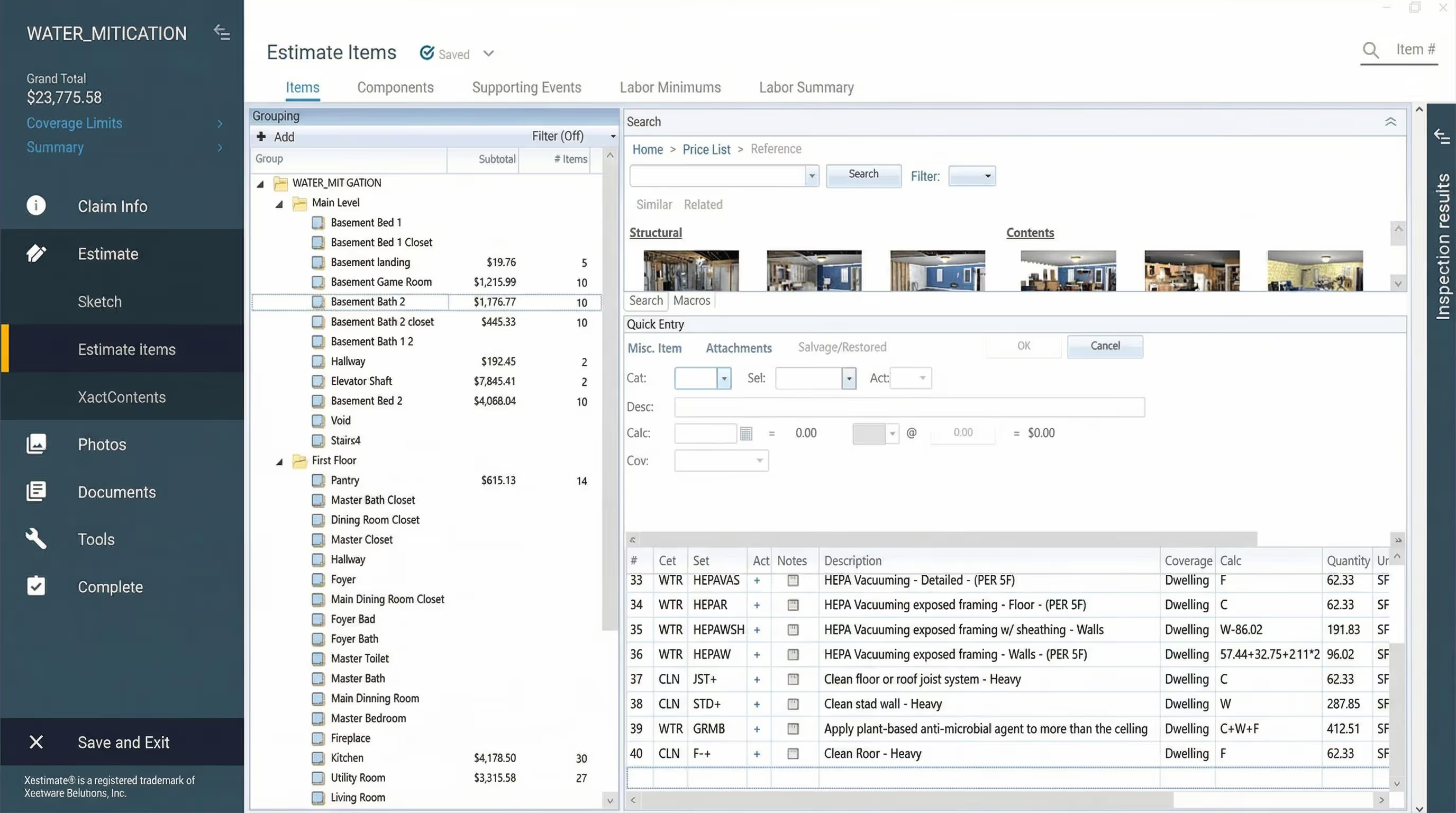
Many restoration companies that choose to use remote estimating for catastrophe events enter those events only partially onboarded to the estimating service. One person understands the workflow, but when surge volume hits and project managers each start seeing 10 claims a day, that single point of knowledge becomes a bottleneck. Time during a catastrophe is already precious. Learning workflows in real time means PMs spend time asking questions instead of being on-site.
Make sure your entire team knows how to use your estimating workflow before catastrophe volume hits.
Chris' Remote Estimating Readiness Checklist
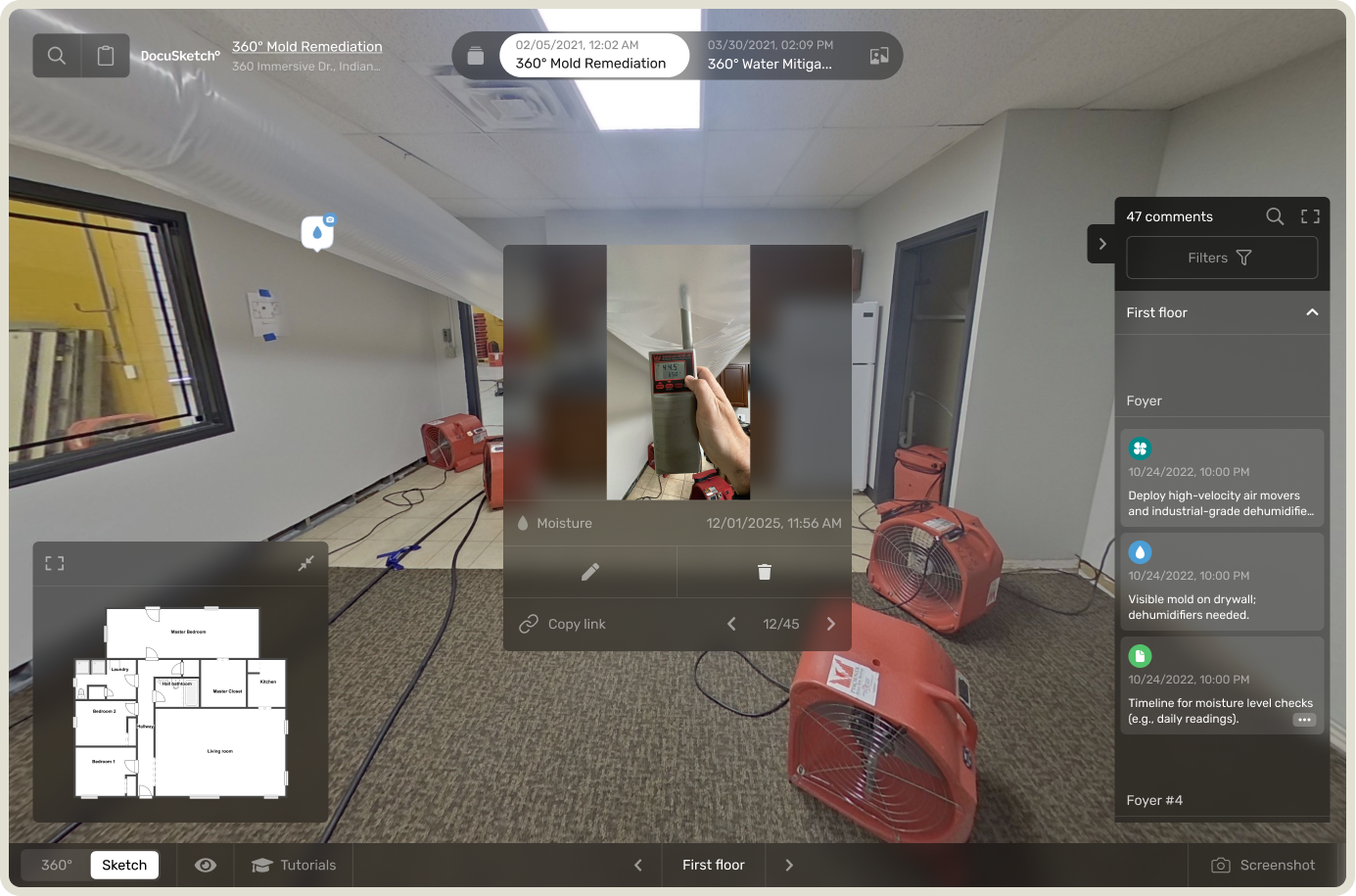
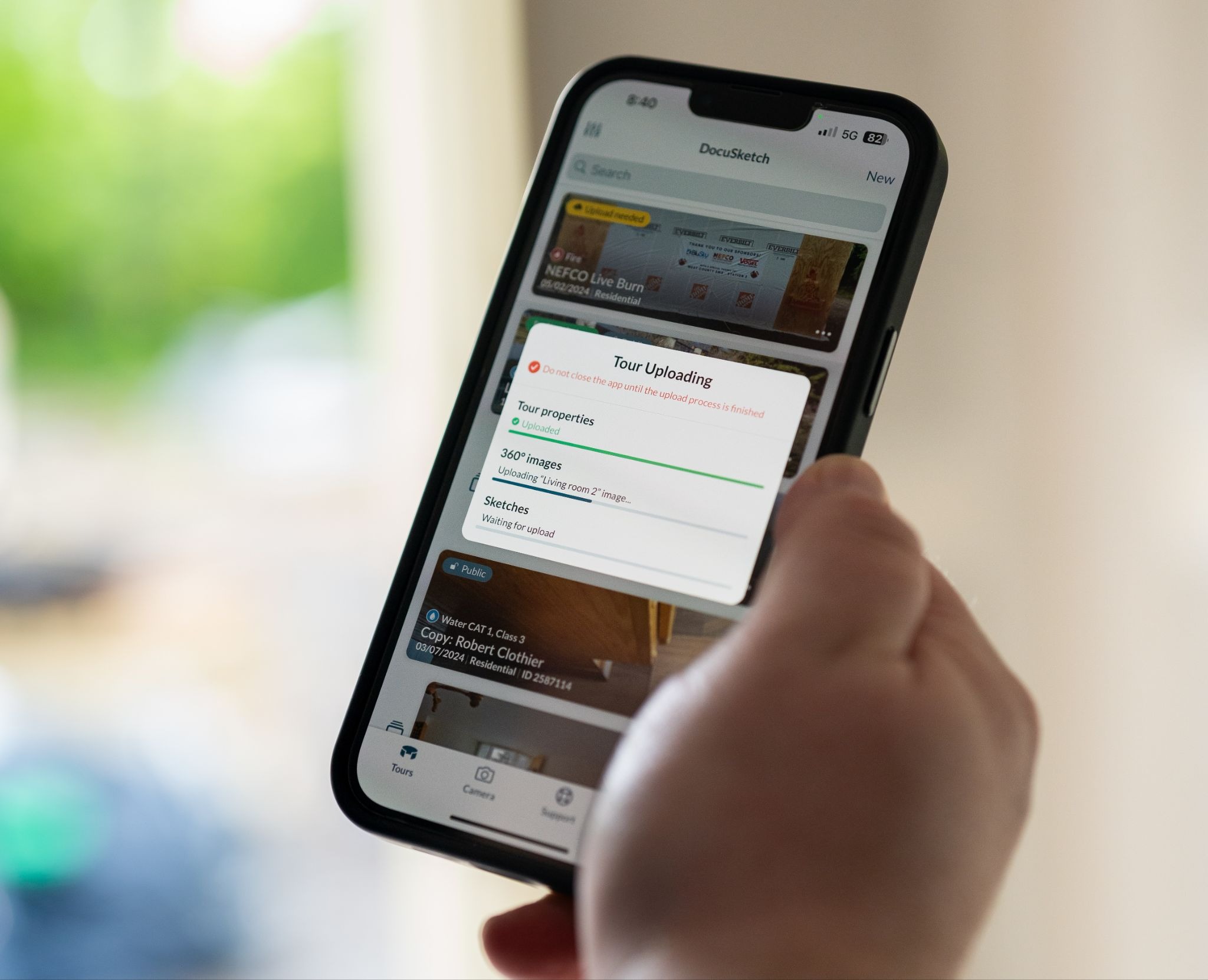
- Get every project manager through a complete workflow. Don't just demo the platform in a team meeting. Have each PM actually work through the full process: capturing scope, documenting with 360° capture, and submitting through your estimating service. They need to experience the full cycle under normal conditions before managing 10 active losses simultaneously.
- Establish communication standards so PMs know what level of detail estimators need. Define what constitutes a complete scope submission: How many 360° shots per room? What details need to be captured in notes? If estimators consistently ask the same follow-up questions, your submission standards need more definition.
- Test the workflow under normal conditions to identify friction points when there's time to adjust. Run several estimates through the system during slow periods and track where confusion happens. Work out process kinks now rather than discovering them when you're processing 50 estimates in three days.
- Know turnaround expectations and have backup communication channels in place. Understand standard delivery times for estimates and what "rush" processing looks like during catastrophes. Establish backup communication methods if your primary estimator contact is overwhelmed, as some contractors discovered during the 2022 Christmas freeze when normal channels were overloaded.
Preparation Beats Reaction
The contractors who weather winter storms successfully share three common traits: they've built operational systems that scale under pressure, they've prepared their teams for high-stress moments, and they've ensured their technical workflows can keep pace with surging volume.
You can't control when winter weather will strike your service area. But you can control whether your company is ready when it does. Build your ERP now. Prepare your teams for what surges require. Make sure everyone knows your estimating workflow before claims stack up.
Strengthen your operations before the next storm. DocuSketch helps restoration teams document faster, estimate more efficiently, and scale their operations through the streamlined workflows that keep crews in the field when storm volume hits.
For restoration companies, winter storms are a stress test. Claim volume spikes fast. Response windows shrink. Operational cracks surface immediately. These events bring immediate consequences for homeowners and sudden, unpredictable surges in restoration demand.
The difference between companies that absorb volatility and those that scramble once phones start ringing comes down to preparation. Winter storms expose whether a company has built systems capable of scaling under pressure, leadership practices that protect teams during high-stress moments, and technical workflows that keep pace when volume surges.
This isn't theoretical. It's what restoration professionals who've weathered major catastrophe events have learned through experience. We can break winter storm readiness into three critical areas: process, leadership, and technology.
Process Comes First
I spoke with Todd Sangid, Enterprise Solutions Consultant at DocuSketch, about how restoration companies can prepare operationally for catastrophe events. Todd's focus is on building systems that scale under pressure.
Volume spikes expose process, not effort. When claim volume doubles or triples overnight, strong operations remain predictable. Weak operations become chaotic. The difference comes down to having a defined Emergency Response Plan (ERP) before the storm hits.
Todd emphasizes the questions every restoration leader needs to answer: “What's your emergency response plan? What systems and processes do you have in place throughout the holiday season?”
A strong ERP functions as a living operational framework that outlines exactly how a company responds when normal workflows break down.
Companies without defined ERPs make reactive decisions during surges, creating inconsistency that compounds as volume increases. Companies with strong ERPs have already predetermined priorities, resource allocation, and when to bring in external support.
ERP Checklist
- Define decision-making ownership and escalation paths. Identify who has authority to approve emergency responses, assign crews, and make spending decisions when managers aren't available. Document the escalation chain and thresholds for moving forward when approvals are delayed.
- Map job flow from initial call to completed estimate. Chart exactly how a loss moves through your system: who takes the initial call, dispatches crews, handles documentation, creates estimates, and communicates with adjusters. During surges, informal handoffs create dropped balls.
- Set documentation standards for high-volume periods. Define what constitutes sufficient documentation when time is compressed: minimum required photos, measurements that must be captured on first visit, and what can wait for follow-up.
- Establish communication protocols between field and office. Determine how field teams report status updates, how often they check in, and what triggers immediate escalation to management.
- Prioritize loss categories in advance. Decide before the storm which jobs take priority: commercial buildings that must reopen, multi-unit facilities, or high-value residential properties. Predetermined priorities eliminate debate and keep response consistent.
Leadership Is Revealed Under Pressure
Ben Justesen, Enterprise Solutions Consultant at DocuSketch, knows firsthand what it takes to lead teams through winter disasters. Having run his own restoration company for years, Ben learned that preparing smarter beats reacting harder when catastrophes strike.
Winter storms that strike unexpectedly intensify stress across every role in a restoration company. Preparation is how leaders support their teams during stressful work periods..
Storms aren't rare, but they create a specific kind of pressure that combines operational surge with personal sacrifice, pulling teams away from family time during moments that matter.
Ben learned this during Christmas 2022 when a cold front rolled into the Southeast. By Christmas Eve, he was running jobs for sixteen straight hours. By Christmas morning, he was asleep in a recliner while his kids opened presents. Then more calls came in. At that point, the company called everyone: field staff, office staff, new hires, senior techs. Some jobs could wait, but schools had to be stabilized over break to reopen on time.
The work becomes manageable when leaders focus on supporting the people who have to do it. You can't control when emergencies happen, but you can control how ready your team is when the phone rings.
Ben's Team Readiness Checklist
- Know your teams before the season starts. Build a clear list of primary on-call staff, backup teams, and emergency contacts. Communicate expectations early. Not communicating ahead of time hurts morale more than long hours.
- Plan for human needs, not just job needs. Have food, energy drinks, warm gear, breaks to call home, and time windows to reconnect with family. People can push through hard days if they feel seen and supported.
- Set a hard stop to the day. Establish a predetermined time when the team goes home, no matter what. Without this structure, people burn out before the week is halfway through because there's no clear endpoint to reset and recover.
- Line up outside support beforehand. Build relationships with temp labor services, equipment rental companies, and friendly competitors before you need them. "We had arrangements where I could call some competitors for help," he explains. "You can't do that without trust and relationships built ahead of time."
- Identify your leaders. Know before winter storms hit who can run point when work gets complicated and volume spikes. Not everyone on your team has the experience to manage a large loss or make quick decisions under pressure during stressful periods.
Ben's holiday readiness checklist covers additional winter preparation strategies, including managing emergency call systems, setting realistic team expectations, and creating contingency plans that protect both your operations and your people during catastrophe events.
Technology Enables Scale During Surges
Chris Tilkov, part of the leadership team at DocuSketch, came up through the restoration industry as a flood technician in Vancouver. His early adoption of Xactimate, back when it was still meeting resistance in British Columbia, taught him a critical lesson: the worst time to learn new technology is when you're already underwater with work.
During catastrophe events, remote estimating can help restoration companies scale by removing a critical bottleneck. When project managers need to stay in the field visiting multiple sites per day, outsourcing estimate creation keeps claims moving without pulling PMs off-site. But this scaling advantage only works if teams are ready to use remote estimating effectively before surge volume hits.
"Make sure that you're familiar with how to use the estimating service of your choice even before the catastrophe hits. Learning new processes during a catastrophe is a very bad idea." — Chris Tilkov
Many restoration companies that choose to use remote estimating for catastrophe events enter those events only partially onboarded to the estimating service. One person understands the workflow, but when surge volume hits and project managers each start seeing 10 claims a day, that single point of knowledge becomes a bottleneck. Time during a catastrophe is already precious. Learning workflows in real time means PMs spend time asking questions instead of being on-site.
Make sure your entire team knows how to use your estimating workflow before catastrophe volume hits.
Chris' Remote Estimating Readiness Checklist
- Get every project manager through a complete workflow. Don't just demo the platform in a team meeting. Have each PM actually work through the full process: capturing scope, documenting with 360° capture, and submitting through your estimating service. They need to experience the full cycle under normal conditions before managing 10 active losses simultaneously.
- Establish communication standards so PMs know what level of detail estimators need. Define what constitutes a complete scope submission: How many 360° shots per room? What details need to be captured in notes? If estimators consistently ask the same follow-up questions, your submission standards need more definition.
- Test the workflow under normal conditions to identify friction points when there's time to adjust. Run several estimates through the system during slow periods and track where confusion happens. Work out process kinks now rather than discovering them when you're processing 50 estimates in three days.
- Know turnaround expectations and have backup communication channels in place. Understand standard delivery times for estimates and what "rush" processing looks like during catastrophes. Establish backup communication methods if your primary estimator contact is overwhelmed, as some contractors discovered during the 2022 Christmas freeze when normal channels were overloaded.
Preparation Beats Reaction
The contractors who weather winter storms successfully share three common traits: they've built operational systems that scale under pressure, they've prepared their teams for high-stress moments, and they've ensured their technical workflows can keep pace with surging volume.
You can't control when winter weather will strike your service area. But you can control whether your company is ready when it does. Build your ERP now. Prepare your teams for what surges require. Make sure everyone knows your estimating workflow before claims stack up.
Strengthen your operations before the next storm. DocuSketch helps restoration teams document faster, estimate more efficiently, and scale their operations through the streamlined workflows that keep crews in the field when storm volume hits.

Related Articles



%20(1).jpg)