A Complete Guide to Equipment Tracking for Restoration Businesses
%20(1).jpg)

5 min read
A customer walks into your office with an air mover you didn't know was missing. It's been sitting in their crawlspace for two years since your crew finished the job. How many other pieces of equipment are out there, forgotten on completed jobs or lost somewhere between the warehouse and the field?
Equipment loss is one of those problems restoration contractors know exists but don't always track closely until it starts affecting the bottom line. In conversations with restoration business owners, equipment shrinkage comes up repeatedly as a source of frustration. The replacement costs matter, but what it reveals matters more: gaps in operations, incomplete billing processes, and accountability issues across crews.
What Is Equipment and Asset Tracking in Restoration?
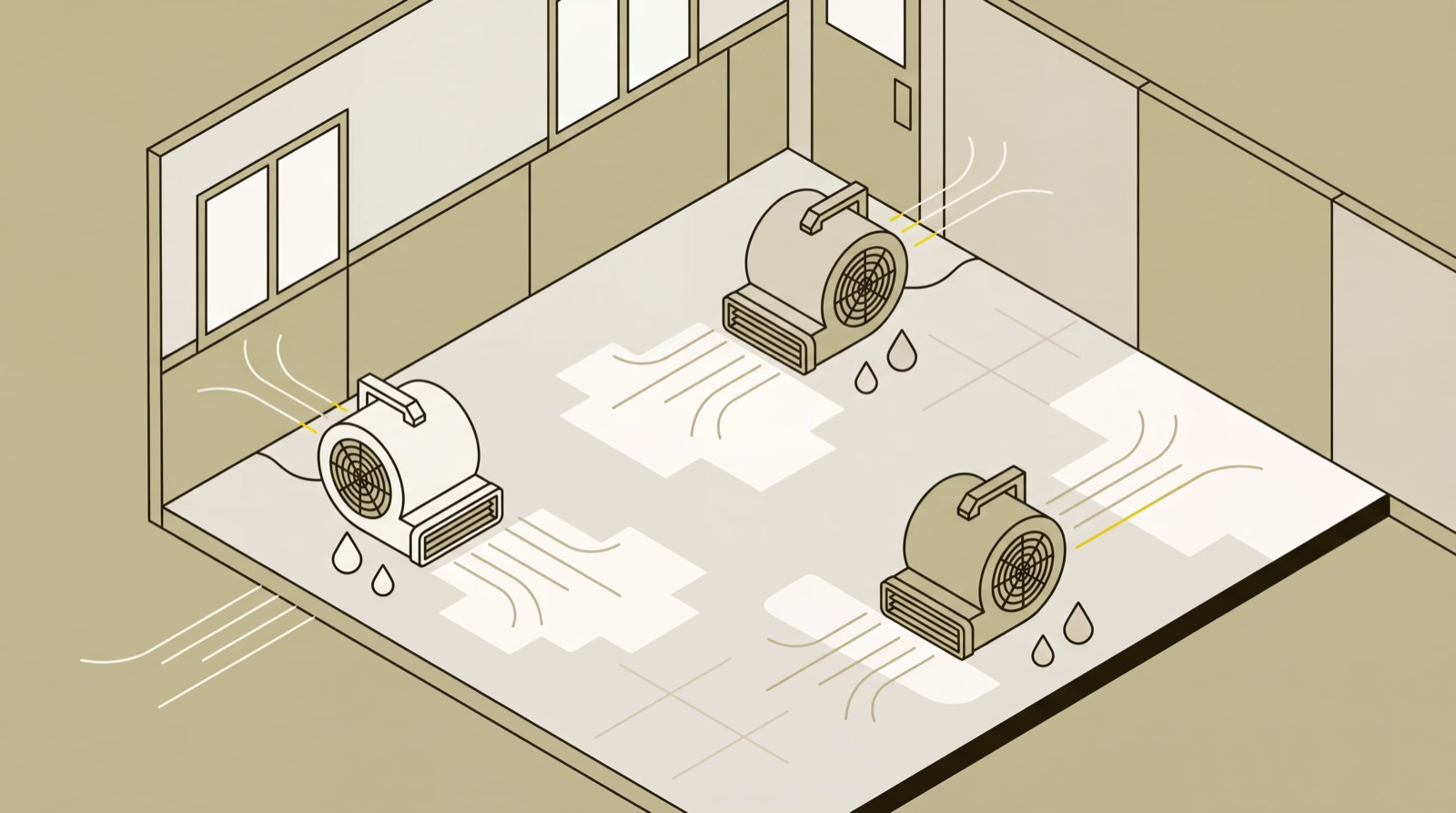
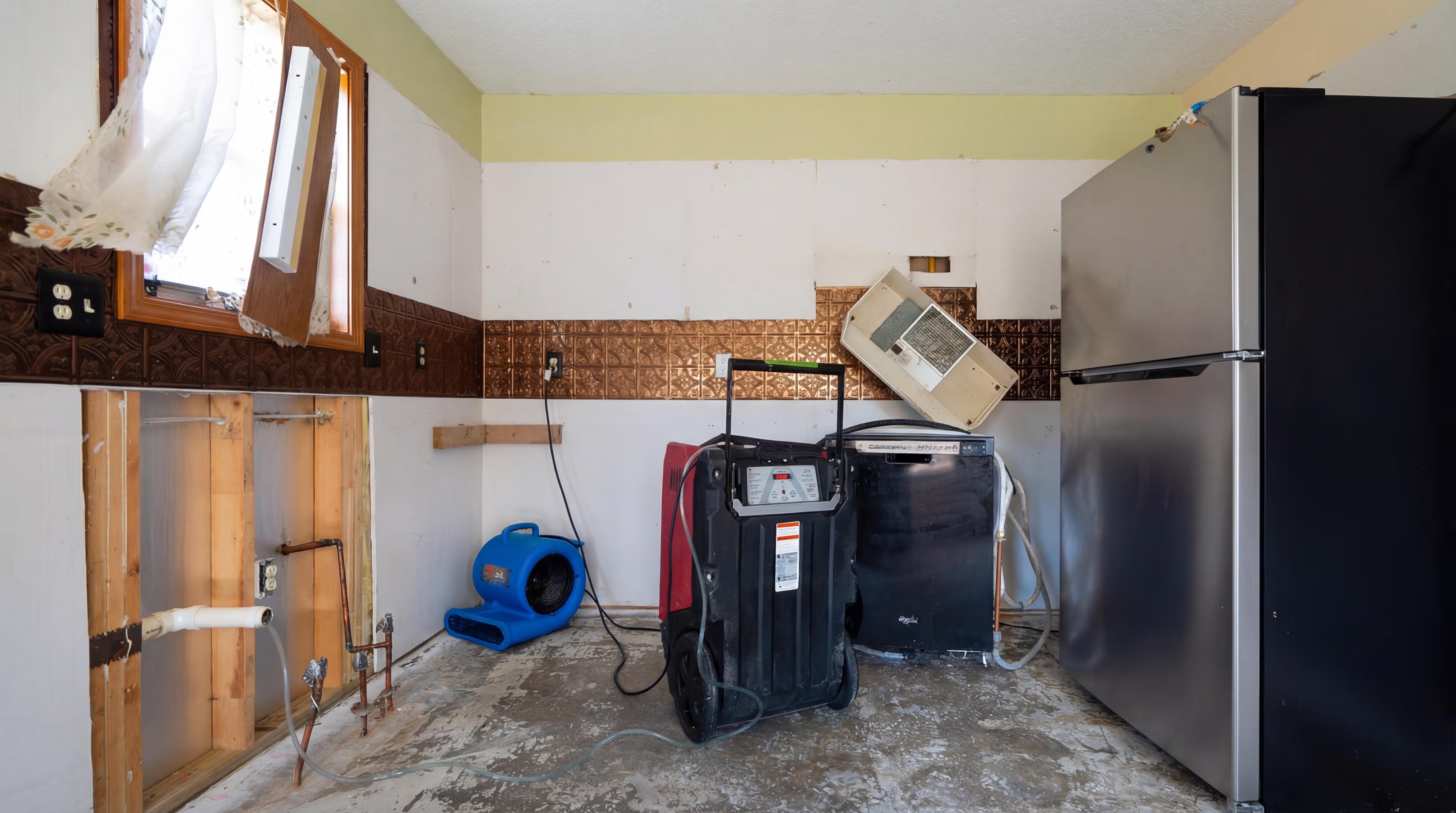
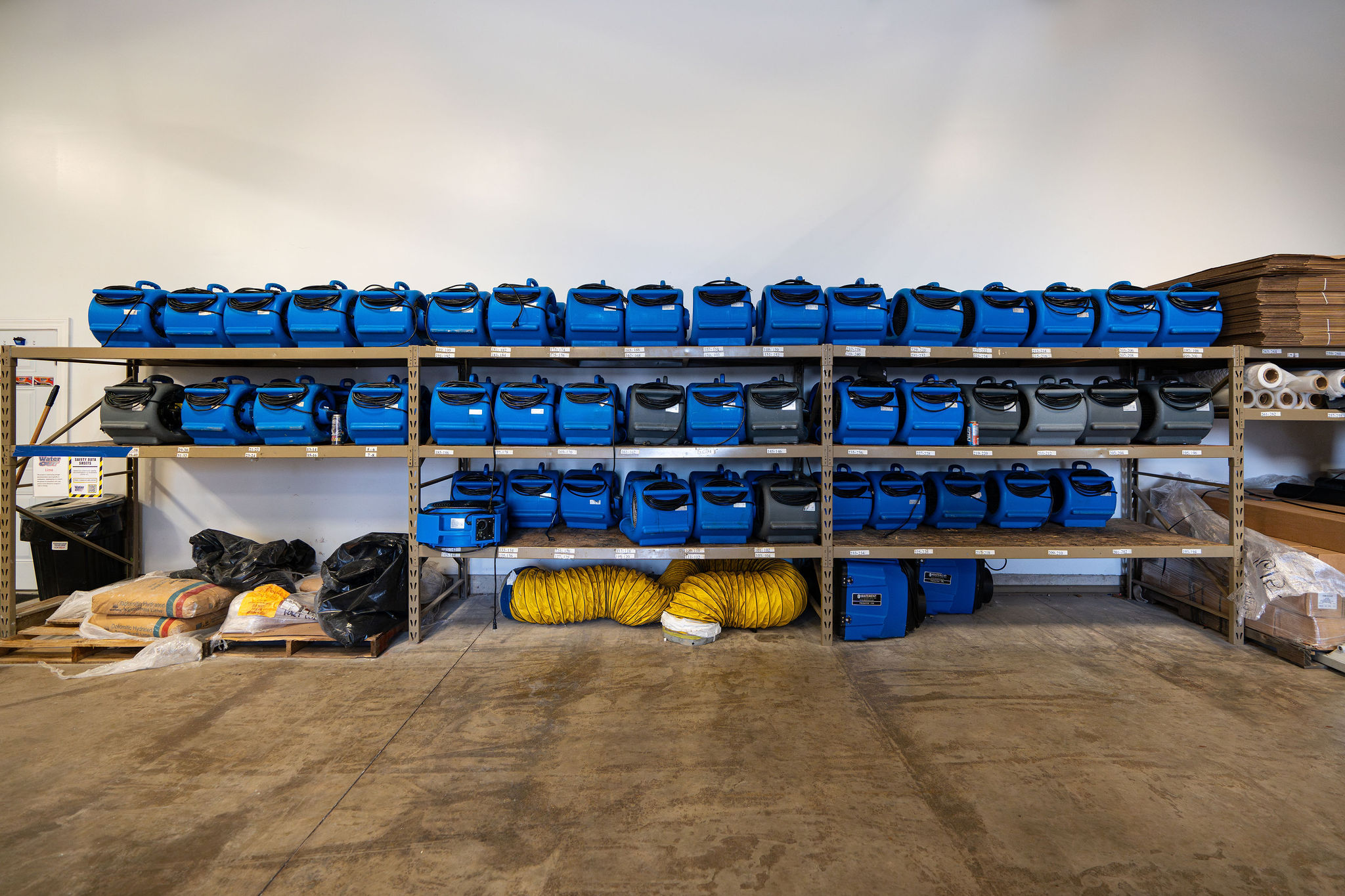
Equipment tracking monitors the location, usage, and movement of restoration equipment across job sites, vehicles, and storage facilities. For most restoration contractors, this means keeping tabs on high-value mitigation equipment like air movers, dehumidifiers, air scrubbers, moisture meters, and extraction tools as they move between emergency calls, active projects, and company warehouses.
The goal is straightforward: know where your equipment is, who has it, which job site it's on, and when it's returned. The challenge is making it happen consistently across multiple crews and dozens of active jobs.
Why Tracking Matters in Restoration Operations
Equipment loss happens more often than most business owners realize until they start tracking it.
I spoke with Ben Justesen, from DocuSketch, who spent years running a restoration company before joining the team. He shared a story that illustrates how common this issue is. One day, a customer walked into his office carrying an air mover. The job had been completed a year or two earlier, and the customer had just discovered the equipment in their crawlspace. Ben's immediate thought was about all the other jobs where equipment might still be sitting, unaccounted for and costing the business money.
That single air mover represented money lost, but more importantly, it revealed a systemic problem affecting the operation.
The costs extend beyond simple replacement. Restoration equipment isn't cheap—air movers run $300-500 each, dehumidifiers can cost $2,000-5,000, and an infrared camera might be $5,000-10,000. When you're running multiple crews across dozens of jobs, those losses add up.
Lost billing opportunities
Without complete documentation of equipment placement, your billing becomes guesswork. If you can't prove three dehumidifiers were on a job for five days, you might only bill for two, or for three days instead of five. Over the course of a year, these gaps in documentation can represent significant revenue loss in unbilled equipment usage. Every missing piece of information is money you've earned but can't collect because you lack the records to justify the charge.
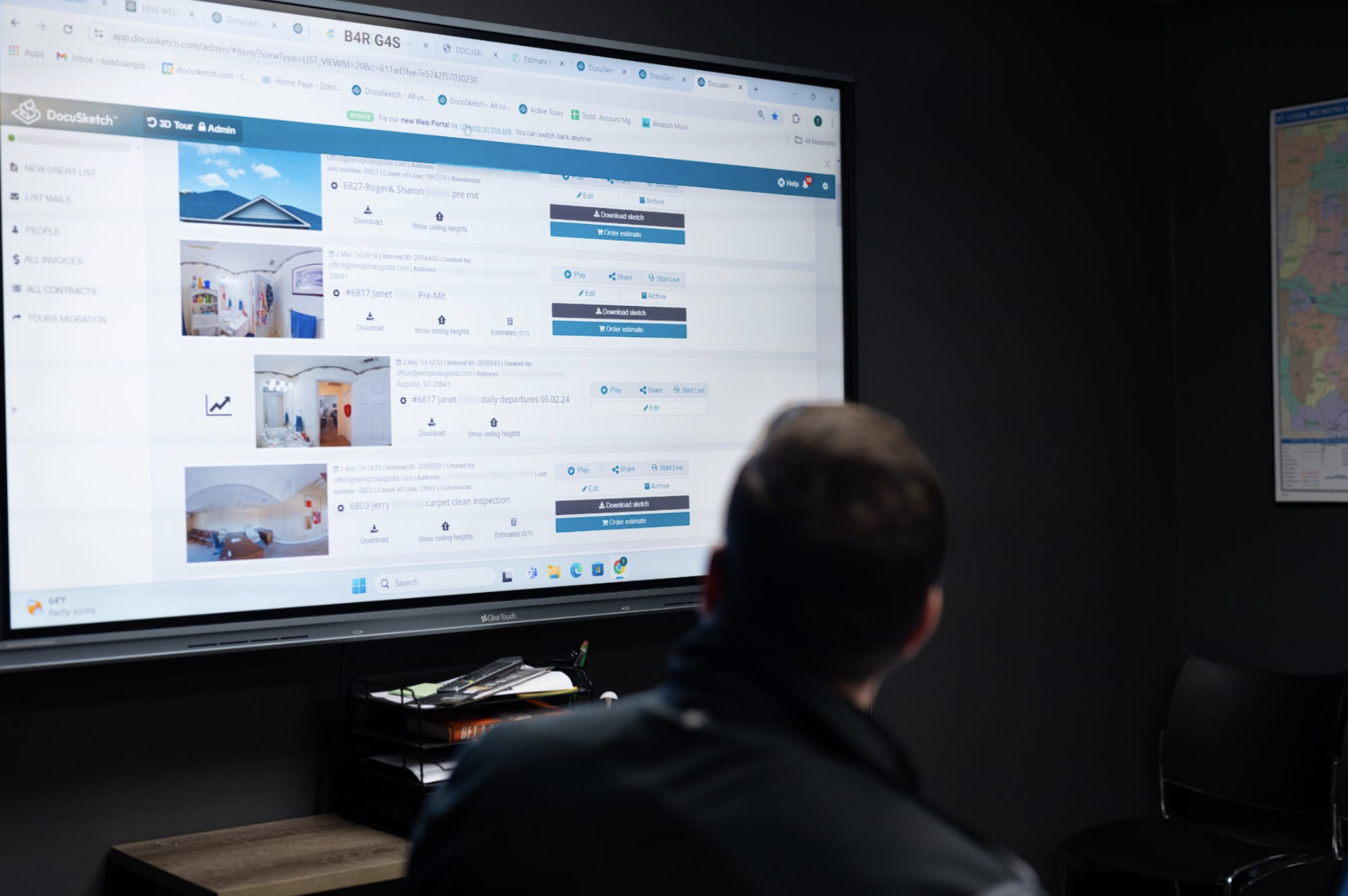
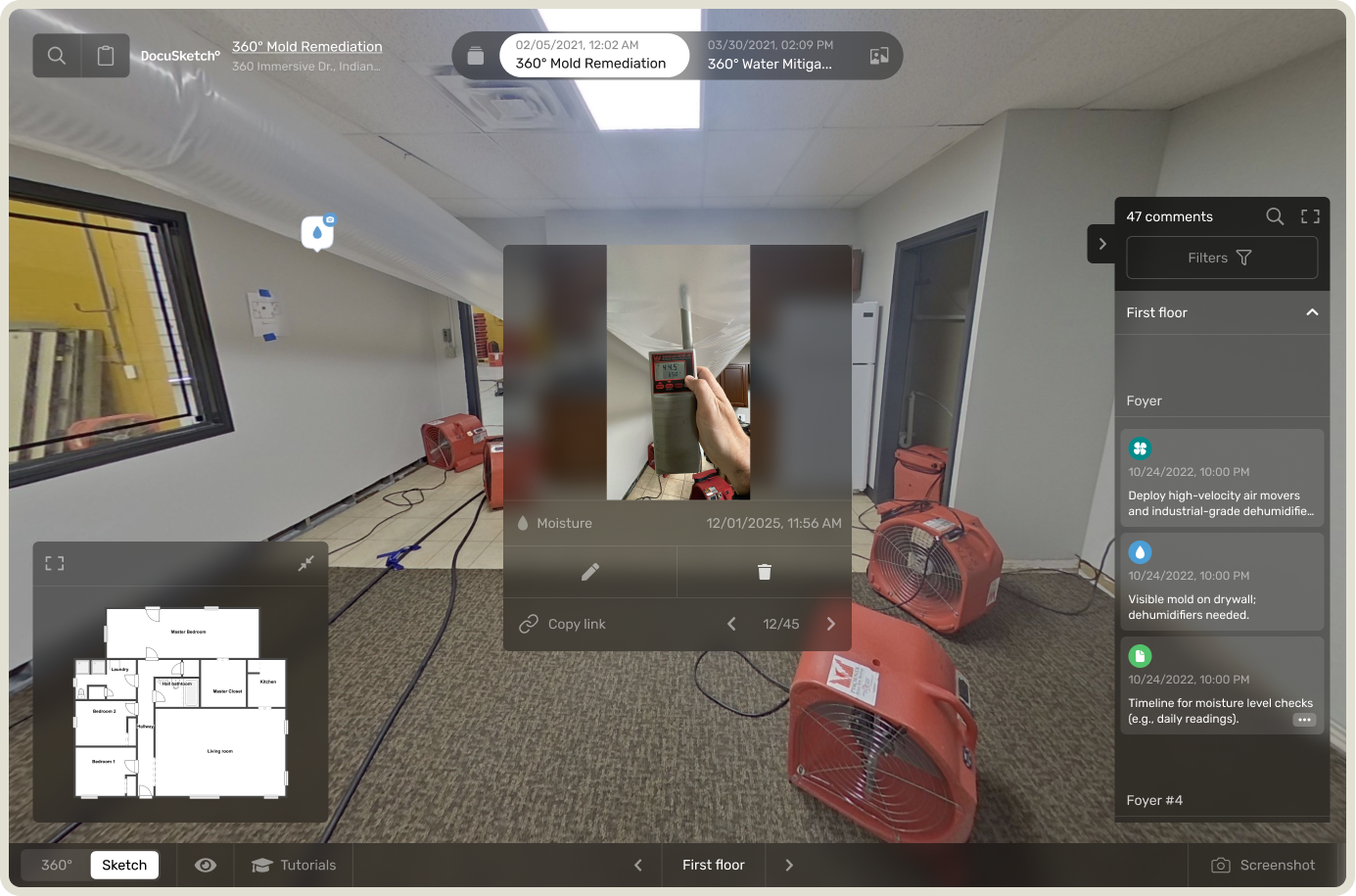
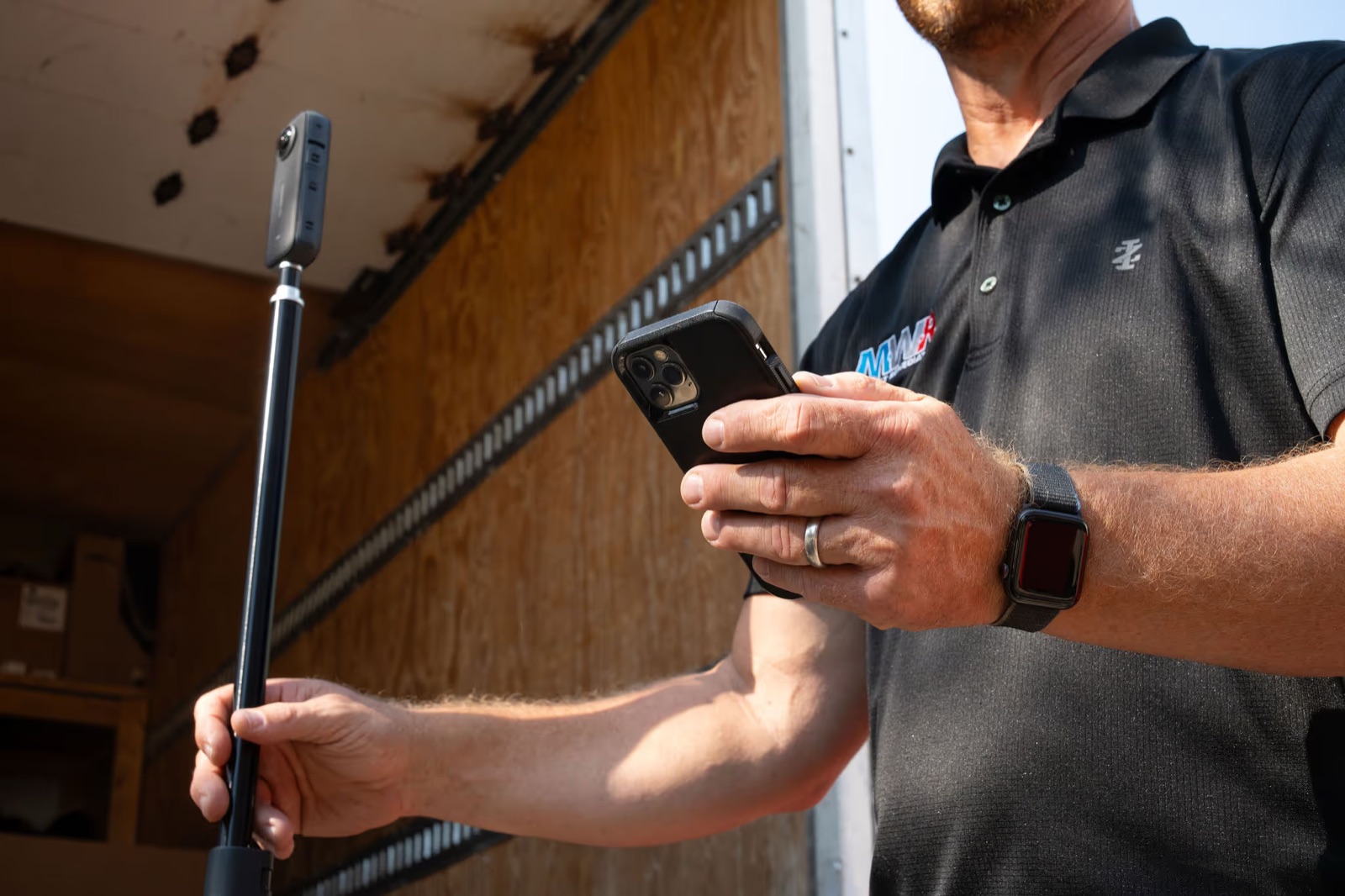
This is where visual documentation makes a difference. DocuSketch's 360° camera captures equipment placement during site visits, creating visual proof that supports billing. When adjusters question equipment usage, you have timestamped visual records showing exactly what was deployed.
Customer disputes
Ben shared an example from his company that shows how equipment tracking intersects with customer relationships. His team had completed a job and had proper documentation of all the work performed. However, they'd left some equipment at the property. When payment became an issue, the customer used the forgotten equipment as leverage in the dispute.
In this case, forgotten equipment gave a difficult customer additional negotiating power in a payment dispute. Even when you've done everything else right, equipment tracking failures can complicate resolution.
Crew accountability issues
Without tracking systems, determining responsibility for missing equipment becomes nearly impossible. Was the equipment never brought to the job site? Was it picked up by a different crew? Did it get moved to another job without being logged? Is it sitting in someone's truck? The lack of visibility doesn't just cost you equipment, it creates a culture where nobody can be held accountable because nobody knows what actually happened. This erodes team morale and makes it difficult to identify and fix systemic problems.
Maintenance and compliance gaps
Equipment tracking covers more than location. The same systems also track maintenance history and ensure compliance. When you don't know where equipment is, you can't maintain proper service schedules. Air scrubbers need filter changes. Dehumidifiers need cleaning. Moisture meters need calibration. Without tracking, equipment can go months or years without proper maintenance, leading to performance issues on jobs and potential safety concerns. For businesses working in environments with specific regulatory requirements, the inability to demonstrate proper equipment maintenance creates liability exposure that goes far beyond the cost of the equipment itself.
Core Tracking Systems for Restoration Businesses
Based on conversations with contractors, most successful tracking setups combine multiple approaches depending on what they're monitoring.
Equipment & Asset Tracking
The foundation is knowing where your physical assets are. Modern tracking typically uses one of these technologies:
QR codes or barcodes placed on equipment that technicians scan with their phones when picking up, placing, or returning items. Simple, low-cost, and effective when crews scan consistently.
RFID tags that can be read automatically at checkpoints or when entering vehicles. More expensive but requires less active participation from technicians.
GPS tracking devices attached to high-value equipment that continuously report location. Best for expensive assets like large dehumidifiers or trailers.
The key is integration with your job data. It's not enough to know a dehumidifier is somewhere in your service area. You need to know it's on a specific job, placed by a specific technician, and still running as of the last check.
DocuSketch's documentation platform integrates visual site records with job data, creating a single source of truth for equipment placement, damage assessment, and project progress. Technicians capture 360° site documentation during initial response, and that same visual data supports equipment tracking, billing, and adjuster communication throughout the job lifecycle.
Job & Project Management Tracking
Equipment tracking works best when integrated with job management. This means assigning equipment to job numbers, logging timestamps for placement and removal, connecting usage to billing and job costing, and creating alerts when equipment sits on completed jobs too long.
Vehicle & Technician Tracking
Fleet GPS serves multiple purposes beyond equipment management: route optimization, fuel cost management, technician accountability, and integration with dispatch. When combined with equipment tracking, you know which truck has which equipment and whether it's the right asset for the next call.
What Equipment Should Be Tracked?
Not every item needs the same level of tracking. Focus your efforts where the financial impact matters most.
High-value mitigation equipment: Air movers, dehumidifiers (especially large commercial units), air scrubbers and negative air machines, HEPA vacuums, hydroxyl generators and ozone machines. For guidance on proper equipment deployment, see IICRC air mover calculations.
Specialty and diagnostic tools: Moisture meters and hygrometers, thermal imaging cameras, borescopes, leak detection equipment.
Water extraction equipment: Truck-mount extraction systems, portable extractors, sump pumps and submersible pumps, wet vacuums.
Smaller tools and consumables: Most companies don't track every hand tool, but power tools, measuring devices, and high-value small equipment that's easy to misplace should be monitored.
How Does Equipment Tracking Work in Restoration?
The technology side is straightforward. Getting teams to actually use the system consistently is where most operations struggle.
Ben's company learned this lesson when they implemented Bluetooth-enabled tracking tags. The system seemed perfect—passive tracking that required no scanning. Field crews loved it initially because equipment was tracked automatically without adding to their workload.
But within weeks, the system failed. Despite the elegant technology, field teams stopped using it. The passive tracking created unexpected friction in daily workflows that made the system impractical for their operations. The system was abandoned. The lesson: technology doesn't matter if your people won't use it. Even solutions that look perfect on paper fail when they don't fit how teams actually work in the field.
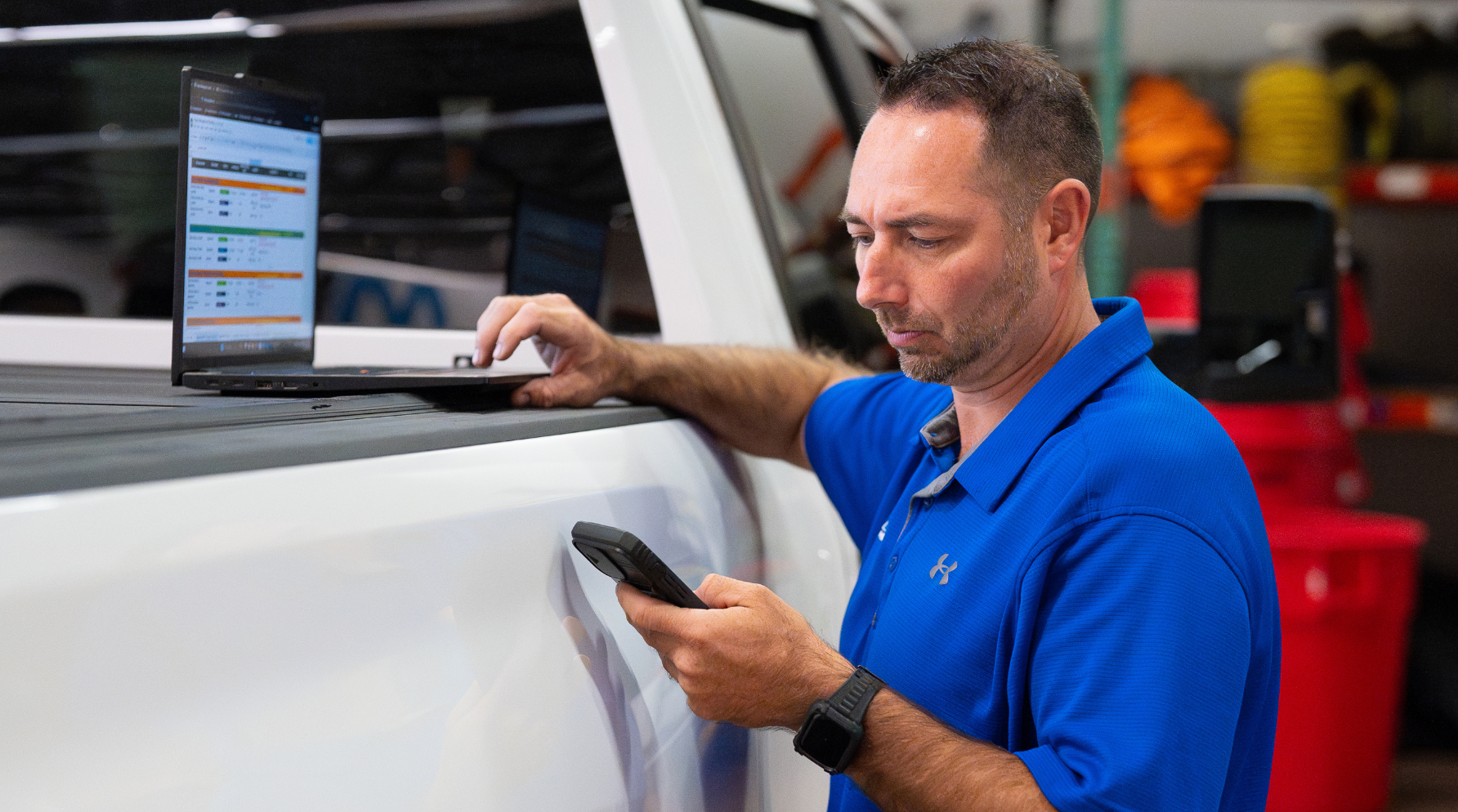
Most tracking systems today require active scanning, a technician scans a QR code or barcode at specific checkpoints: when loading into the truck, when placing on site, during daily checks, when picking up, and when returning to the warehouse.
But implementation requires specificity. You can't just tell technicians to "make sure you scan equipment." Who exactly is responsible? At what point in the workflow? Do they scan when equipment comes off the truck, or when it's placed? These details matter because ambiguity creates gaps. "Determine the person that's going to be doing it. Determine when they are on the project, when they're going to do that," Ben explained.
Your field team will often discover a better workflow through daily use. The key is building consistency around whatever process works for your operation.
The Real Reasons Equipment Gets Lost
According to Ben, not having a clear process is the number one problem. But even with processes in place, certain scenarios create predictable tracking breakdowns.
Busy periods create shortcuts
When claim volume spikes, whether from a local weather event or just seasonal demand, field crews shift into a different operational mode. The urgency to respond to the next emergency call overrides everything else. Ben observed this pattern repeatedly: "I do see when times get busy, people are in a hurry and the system gets skipped or they just forget something was there."
During normal operations, a technician might diligently scan every piece of equipment at each checkpoint. But when they're juggling CAT response work, fielding calls about new emergencies, and trying to close out jobs from last week, the tracking system becomes "one more thing" competing for their attention. The scanning gets skipped with the intention to catch up later, but later never comes. Equipment sits on completed jobs because nobody logged it in the system.
Different technicians, different jobs
One of the most common equipment loss scenarios happens when crew assignments shift mid-job. Ben described how this plays out. A technician responds to an initial call, sets up drying equipment throughout the property—including some units in less obvious locations like closets, crawl spaces, or upstairs rooms. Days later, when it's time to pick up the equipment, a different crew gets dispatched. They're told it should be a simple pickup, just collect the gear and move on.
But that second crew wasn't there for the initial setup. They walk through the property and collect the obvious equipment from the main level. Everything looks dry, so they assume they've got it all. They don't know about the dehumidifier behind the closed closet door or the air movers in the crawl space. "They go there and everything looks dry at this point. They don't know about equipment in a closet with the door closed, or in a crawl space, or that there was upstairs damage. They just see most of the damage on the main level," Ben explained.
Without a tracking system that both crews can reference, the knowledge transfer fails. Equipment gets left behind not because of negligence, but because of information gaps.
Hiring and accountability issues
The best tracking technology in the world can't compensate for team members who don't use it consistently. As Ben emphasized, you need to hire correctly from the start. If new technicians aren't trained properly on tracking procedures, or if accountability isn't built into the culture, the system fails regardless of its technical capabilities.
The human factor matters more than the technology. Equipment tracking requires buy-in, discipline, and consistent execution from every person who handles equipment. When those elements aren't present, no amount of sophisticated software will solve the problem.
Choosing the Right Equipment Tracking Solution
When evaluating tracking solutions, focus on what actually works in field operations, not what looks impressive in demos.
Features that matter:
- Ease of use. If the system requires multiple steps and logins, technicians won't use it. The system needs to be faster and easier than not using one.
- Mobile accessibility. Technicians work in the field, not at desks. The system needs to work on phones, ideally with offline capability for areas with poor connectivity.
- Integration with job management. Equipment tracking that doesn't connect to your job numbers and billing system creates extra work. The data needs to flow into existing workflows.
- Reporting capabilities. You need visibility into utilization rates, which items are on which jobs, maintenance schedules, and what's overdue for return.
READ MORE: Restoration management software: types, tools, and what to look for
Approaches to Equipment Tracking
Based on Ben's experience implementing different systems, there are three main approaches contractors use:
Passive tracking (RFID, Bluetooth, or similar technologies)
Passive systems use hubs or phones to automatically detect equipment through wireless connections. Equipment gets tagged, and tracking happens automatically when items pass checkpoints or come within range of a phone running the tracking app.
The advantage is convenience: technicians don't have to remember to scan anything. The tracking happens in the background, which saves significant time in the field.
The challenges are cost and practicality. Hub-based systems can be expensive to implement. Phone-based passive tracking is less expensive but drains batteries quickly due to constant Bluetooth and location tracking. There's also a privacy concern: if technicians forget to turn off tracking after work hours, the system continues monitoring their location and draining their battery. Some apps only track when open, but that requires remembering to close the app. Ben's experience with Bluetooth tracking illustrated these exact challenges.
Active scanning (barcodes or QR codes)
Scanning systems require technicians to manually scan each piece of equipment when loading trucks, placing on jobs, or returning to the warehouse. It's not passive, but it also doesn't require constant data entry in the field.
The advantage is cost and battery life. There's no need for expensive hubs, and location tracking typically only runs when using the app. The process is straightforward: scan the code, the system logs it.
The challenge is that it requires active participation. Technicians must remember to scan at each checkpoint. During busy periods, scanning can get skipped. It takes more time than passive tracking but less than manual methods.
Manual tracking (digital or paper forms)
Manual systems use spreadsheets, forms, or paper checklists where technicians log equipment by hand. Everything about the process is manual.
The advantage is minimal upfront cost. The challenge is time and accountability. It takes significantly more effort to log everything manually, and it's the easiest method to skip or forget during busy periods.
What every system needs:
Regardless of which approach you choose, Ben emphasized that effective tracking systems should include:
- Maintenance schedules based on equipment usage hours. Air scrubbers need filter changes, dehumidifiers need cleaning, and meters need calibration. Your tracking system should trigger these maintenance tasks automatically.
- Clear accountability trails showing who handled each piece of equipment and when. This creates ownership and makes it possible to identify patterns when equipment goes missing.
- Integration with your workflow. The system needs to fit how your team actually operates, not force them to adapt to complex new processes.
The right approach depends on your operation's size, budget, and how disciplined your team is about following processes. Some operations need the forcing function of passive tracking. Others do better with the simplicity and lower cost of scanning systems.
Where to start:
Most contractors should begin with active scanning unless they have the budget and volume to justify passive tracking infrastructure. Scanning systems offer the best balance of cost, functionality, and ease of implementation. Start by tracking your 5-10 highest-value items to learn what your team needs from the system. Once that's working consistently, expand to additional equipment categories. Manual tracking with spreadsheets can work for very small operations, but most contractors outgrow it quickly as they scale.
How Tracking Supports Insurance and Estimating Workflows
Equipment tracking provides value beyond preventing loss. The same data that helps you locate missing equipment also supports billing accuracy and claims documentation.
When you have timestamped proof of what equipment was placed on a job, for how long, and which readings were taken, you have documentation that supports your invoice. This matters for:
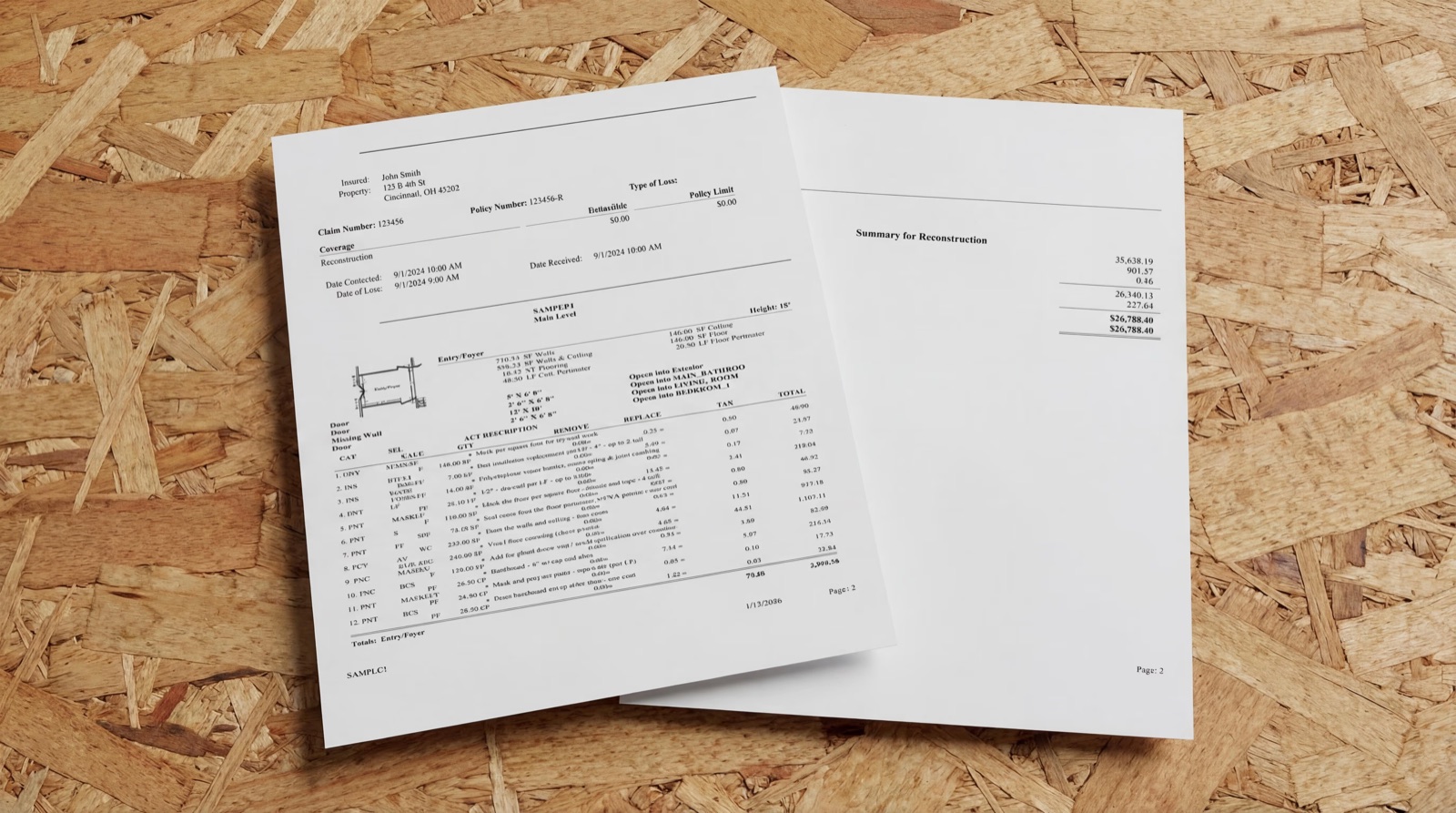
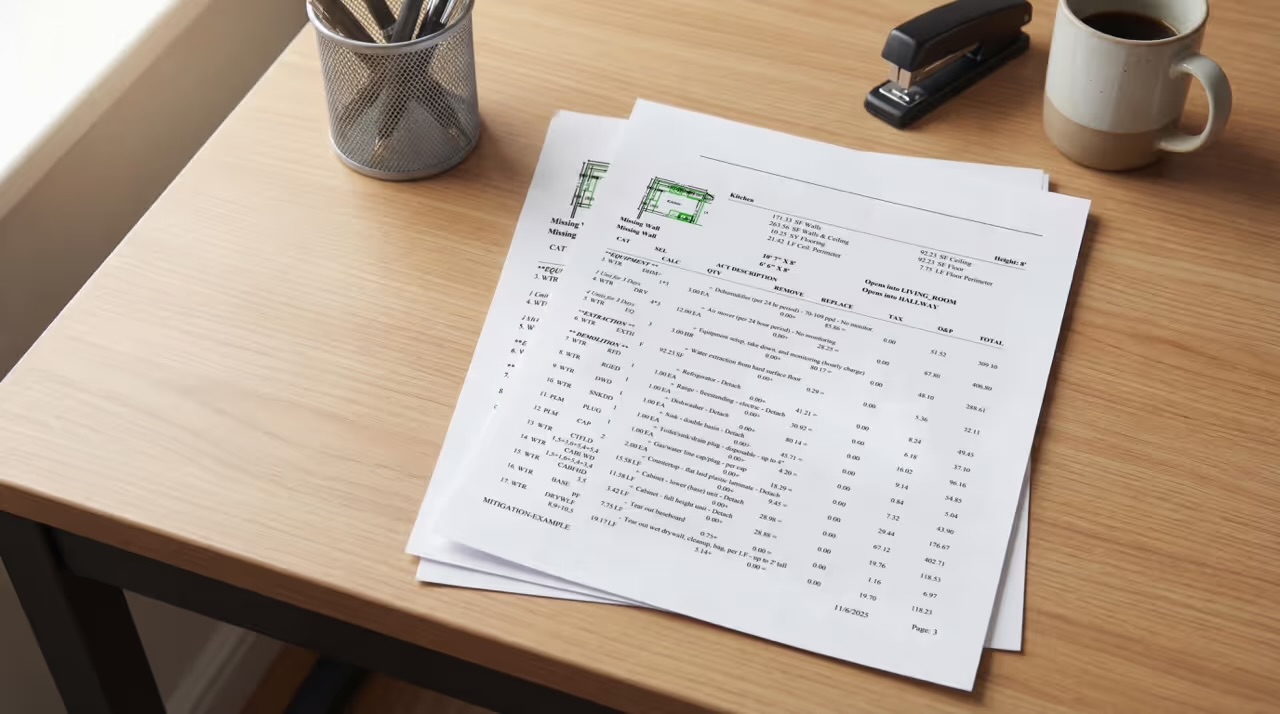
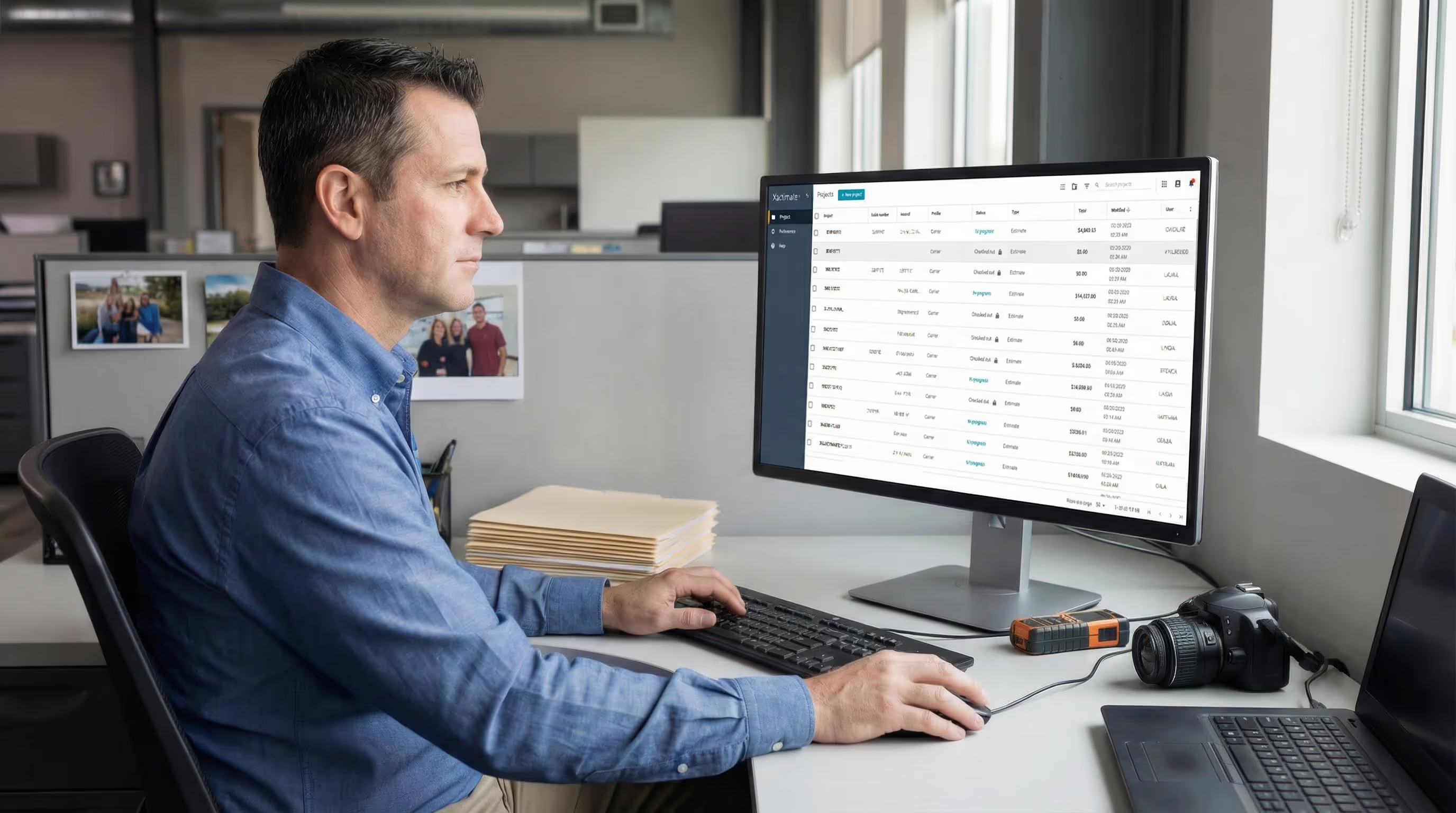
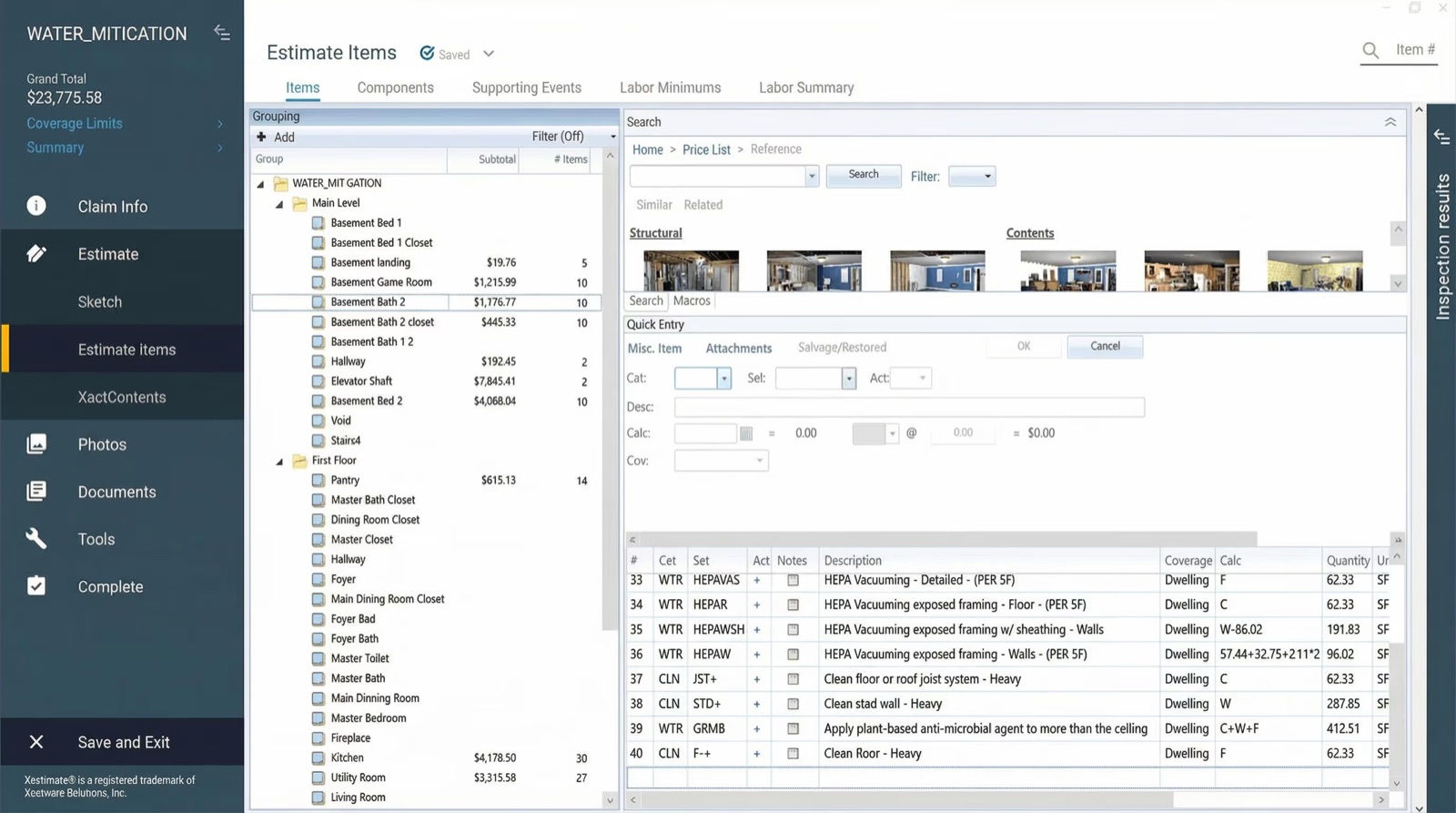
Xactimate estimating. You can justify every equipment line item because you have data to prove it. Three air movers for 72 hours. Two dehumidifiers for five days. All documented, all billable. DocuSketch Estimating combines visual site documentation with expert estimators to create accurate, carrier-approved estimates that include all equipment usage without requiring contractors to spend hours in Xactimate.
GO FURTHER: See how equipment usage appears in a full Xactimate estimate
Adjuster reviews. When adjusters question your scope, you have records showing the equipment was there, readings prove it was necessary, and moisture levels show when drying was complete.
Disputes and supplemental estimates. If a customer or carrier challenges your bill, you have a digital trail showing exactly what equipment was deployed, who placed it, and when it was removed.
The tracking system transforms equipment records from "trust me" to documented proof. For contractors working with TPAs that have specific documentation requirements, clean equipment records speed up approval and payment. For more on building a successful restoration business with proper systems, see how to start a restoration business and how to grow your restoration business.
Making It Work: Culture and Consistency
Technology alone doesn't solve equipment tracking. Buy-in from your team makes the difference.
Ben emphasized building systems that match your team's reality rather than imposing processes from the top down. "You may determine what you're going to do, but then your people in the field determine a better way," he said.
Listen to your technicians. If the process isn't working for them, they'll either ignore it or find workarounds. Involve them in the solution.
Build feedback loops. Create structured opportunities for field teams to share what's working and what's breaking down in the tracking process.
Make it about them. Frame equipment tracking as a tool that helps technicians succeed, not as management oversight. When they see it preventing them from getting blamed for someone else's mistakes, adoption improves.
Start simple. Don't try to track everything on day one. Pick your highest-loss items, get that working, then expand to additional equipment.
The Bottom Line
Equipment tracking comes down to three things: clear processes, simple technology, and consistent accountability.
You don't need the perfect system. You need a system your team will actually use. Make it specific. Make it easy. And make sure everyone understands why it matters.
That air mover someone finds in a crawlspace two years later isn't just a single piece of lost equipment. It's a symptom of missing systems and processes. Address the underlying issue, and you can reduce loss across your entire operation.
DocuSketch helps restoration contractors capture comprehensive visual records of every job site, including equipment placement, damage assessment, and drying progress. When integrated with your job management workflow, our documentation platform helps ensure nothing gets missed and everything gets billed properly.
A customer walks into your office with an air mover you didn't know was missing. It's been sitting in their crawlspace for two years since your crew finished the job. How many other pieces of equipment are out there, forgotten on completed jobs or lost somewhere between the warehouse and the field?
Equipment loss is one of those problems restoration contractors know exists but don't always track closely until it starts affecting the bottom line. In conversations with restoration business owners, equipment shrinkage comes up repeatedly as a source of frustration. The replacement costs matter, but what it reveals matters more: gaps in operations, incomplete billing processes, and accountability issues across crews.
What Is Equipment and Asset Tracking in Restoration?
Equipment tracking monitors the location, usage, and movement of restoration equipment across job sites, vehicles, and storage facilities. For most restoration contractors, this means keeping tabs on high-value mitigation equipment like air movers, dehumidifiers, air scrubbers, moisture meters, and extraction tools as they move between emergency calls, active projects, and company warehouses.
The goal is straightforward: know where your equipment is, who has it, which job site it's on, and when it's returned. The challenge is making it happen consistently across multiple crews and dozens of active jobs.
Why Tracking Matters in Restoration Operations
Equipment loss happens more often than most business owners realize until they start tracking it.
I spoke with Ben Justesen, from DocuSketch, who spent years running a restoration company before joining the team. He shared a story that illustrates how common this issue is. One day, a customer walked into his office carrying an air mover. The job had been completed a year or two earlier, and the customer had just discovered the equipment in their crawlspace. Ben's immediate thought was about all the other jobs where equipment might still be sitting, unaccounted for and costing the business money.
That single air mover represented money lost, but more importantly, it revealed a systemic problem affecting the operation.
The costs extend beyond simple replacement. Restoration equipment isn't cheap—air movers run $300-500 each, dehumidifiers can cost $2,000-5,000, and an infrared camera might be $5,000-10,000. When you're running multiple crews across dozens of jobs, those losses add up.
Lost billing opportunities
Without complete documentation of equipment placement, your billing becomes guesswork. If you can't prove three dehumidifiers were on a job for five days, you might only bill for two, or for three days instead of five. Over the course of a year, these gaps in documentation can represent significant revenue loss in unbilled equipment usage. Every missing piece of information is money you've earned but can't collect because you lack the records to justify the charge.
This is where visual documentation makes a difference. DocuSketch's 360° camera captures equipment placement during site visits, creating visual proof that supports billing. When adjusters question equipment usage, you have timestamped visual records showing exactly what was deployed.
Customer disputes
Ben shared an example from his company that shows how equipment tracking intersects with customer relationships. His team had completed a job and had proper documentation of all the work performed. However, they'd left some equipment at the property. When payment became an issue, the customer used the forgotten equipment as leverage in the dispute.
In this case, forgotten equipment gave a difficult customer additional negotiating power in a payment dispute. Even when you've done everything else right, equipment tracking failures can complicate resolution.
Crew accountability issues
Without tracking systems, determining responsibility for missing equipment becomes nearly impossible. Was the equipment never brought to the job site? Was it picked up by a different crew? Did it get moved to another job without being logged? Is it sitting in someone's truck? The lack of visibility doesn't just cost you equipment, it creates a culture where nobody can be held accountable because nobody knows what actually happened. This erodes team morale and makes it difficult to identify and fix systemic problems.
Maintenance and compliance gaps
Equipment tracking covers more than location. The same systems also track maintenance history and ensure compliance. When you don't know where equipment is, you can't maintain proper service schedules. Air scrubbers need filter changes. Dehumidifiers need cleaning. Moisture meters need calibration. Without tracking, equipment can go months or years without proper maintenance, leading to performance issues on jobs and potential safety concerns. For businesses working in environments with specific regulatory requirements, the inability to demonstrate proper equipment maintenance creates liability exposure that goes far beyond the cost of the equipment itself.
Core Tracking Systems for Restoration Businesses
Based on conversations with contractors, most successful tracking setups combine multiple approaches depending on what they're monitoring.
Equipment & Asset Tracking
The foundation is knowing where your physical assets are. Modern tracking typically uses one of these technologies:
QR codes or barcodes placed on equipment that technicians scan with their phones when picking up, placing, or returning items. Simple, low-cost, and effective when crews scan consistently.
RFID tags that can be read automatically at checkpoints or when entering vehicles. More expensive but requires less active participation from technicians.
GPS tracking devices attached to high-value equipment that continuously report location. Best for expensive assets like large dehumidifiers or trailers.
The key is integration with your job data. It's not enough to know a dehumidifier is somewhere in your service area. You need to know it's on a specific job, placed by a specific technician, and still running as of the last check.
DocuSketch's documentation platform integrates visual site records with job data, creating a single source of truth for equipment placement, damage assessment, and project progress. Technicians capture 360° site documentation during initial response, and that same visual data supports equipment tracking, billing, and adjuster communication throughout the job lifecycle.
Job & Project Management Tracking
Equipment tracking works best when integrated with job management. This means assigning equipment to job numbers, logging timestamps for placement and removal, connecting usage to billing and job costing, and creating alerts when equipment sits on completed jobs too long.
Vehicle & Technician Tracking
Fleet GPS serves multiple purposes beyond equipment management: route optimization, fuel cost management, technician accountability, and integration with dispatch. When combined with equipment tracking, you know which truck has which equipment and whether it's the right asset for the next call.
What Equipment Should Be Tracked?
Not every item needs the same level of tracking. Focus your efforts where the financial impact matters most.
High-value mitigation equipment: Air movers, dehumidifiers (especially large commercial units), air scrubbers and negative air machines, HEPA vacuums, hydroxyl generators and ozone machines. For guidance on proper equipment deployment, see IICRC air mover calculations.
Specialty and diagnostic tools: Moisture meters and hygrometers, thermal imaging cameras, borescopes, leak detection equipment.
Water extraction equipment: Truck-mount extraction systems, portable extractors, sump pumps and submersible pumps, wet vacuums.
Smaller tools and consumables: Most companies don't track every hand tool, but power tools, measuring devices, and high-value small equipment that's easy to misplace should be monitored.
How Does Equipment Tracking Work in Restoration?
The technology side is straightforward. Getting teams to actually use the system consistently is where most operations struggle.
Ben's company learned this lesson when they implemented Bluetooth-enabled tracking tags. The system seemed perfect—passive tracking that required no scanning. Field crews loved it initially because equipment was tracked automatically without adding to their workload.
But within weeks, the system failed. Despite the elegant technology, field teams stopped using it. The passive tracking created unexpected friction in daily workflows that made the system impractical for their operations. The system was abandoned. The lesson: technology doesn't matter if your people won't use it. Even solutions that look perfect on paper fail when they don't fit how teams actually work in the field.
Most tracking systems today require active scanning, a technician scans a QR code or barcode at specific checkpoints: when loading into the truck, when placing on site, during daily checks, when picking up, and when returning to the warehouse.
But implementation requires specificity. You can't just tell technicians to "make sure you scan equipment." Who exactly is responsible? At what point in the workflow? Do they scan when equipment comes off the truck, or when it's placed? These details matter because ambiguity creates gaps. "Determine the person that's going to be doing it. Determine when they are on the project, when they're going to do that," Ben explained.
Your field team will often discover a better workflow through daily use. The key is building consistency around whatever process works for your operation.
The Real Reasons Equipment Gets Lost
According to Ben, not having a clear process is the number one problem. But even with processes in place, certain scenarios create predictable tracking breakdowns.
Busy periods create shortcuts
When claim volume spikes, whether from a local weather event or just seasonal demand, field crews shift into a different operational mode. The urgency to respond to the next emergency call overrides everything else. Ben observed this pattern repeatedly: "I do see when times get busy, people are in a hurry and the system gets skipped or they just forget something was there."
During normal operations, a technician might diligently scan every piece of equipment at each checkpoint. But when they're juggling CAT response work, fielding calls about new emergencies, and trying to close out jobs from last week, the tracking system becomes "one more thing" competing for their attention. The scanning gets skipped with the intention to catch up later, but later never comes. Equipment sits on completed jobs because nobody logged it in the system.
Different technicians, different jobs
One of the most common equipment loss scenarios happens when crew assignments shift mid-job. Ben described how this plays out. A technician responds to an initial call, sets up drying equipment throughout the property—including some units in less obvious locations like closets, crawl spaces, or upstairs rooms. Days later, when it's time to pick up the equipment, a different crew gets dispatched. They're told it should be a simple pickup, just collect the gear and move on.
But that second crew wasn't there for the initial setup. They walk through the property and collect the obvious equipment from the main level. Everything looks dry, so they assume they've got it all. They don't know about the dehumidifier behind the closed closet door or the air movers in the crawl space. "They go there and everything looks dry at this point. They don't know about equipment in a closet with the door closed, or in a crawl space, or that there was upstairs damage. They just see most of the damage on the main level," Ben explained.
Without a tracking system that both crews can reference, the knowledge transfer fails. Equipment gets left behind not because of negligence, but because of information gaps.
Hiring and accountability issues
The best tracking technology in the world can't compensate for team members who don't use it consistently. As Ben emphasized, you need to hire correctly from the start. If new technicians aren't trained properly on tracking procedures, or if accountability isn't built into the culture, the system fails regardless of its technical capabilities.
The human factor matters more than the technology. Equipment tracking requires buy-in, discipline, and consistent execution from every person who handles equipment. When those elements aren't present, no amount of sophisticated software will solve the problem.
Choosing the Right Equipment Tracking Solution
When evaluating tracking solutions, focus on what actually works in field operations, not what looks impressive in demos.
Features that matter:
- Ease of use. If the system requires multiple steps and logins, technicians won't use it. The system needs to be faster and easier than not using one.
- Mobile accessibility. Technicians work in the field, not at desks. The system needs to work on phones, ideally with offline capability for areas with poor connectivity.
- Integration with job management. Equipment tracking that doesn't connect to your job numbers and billing system creates extra work. The data needs to flow into existing workflows.
- Reporting capabilities. You need visibility into utilization rates, which items are on which jobs, maintenance schedules, and what's overdue for return.
READ MORE: Restoration management software: types, tools, and what to look for
Approaches to Equipment Tracking
Based on Ben's experience implementing different systems, there are three main approaches contractors use:
Passive tracking (RFID, Bluetooth, or similar technologies)
Passive systems use hubs or phones to automatically detect equipment through wireless connections. Equipment gets tagged, and tracking happens automatically when items pass checkpoints or come within range of a phone running the tracking app.
The advantage is convenience: technicians don't have to remember to scan anything. The tracking happens in the background, which saves significant time in the field.
The challenges are cost and practicality. Hub-based systems can be expensive to implement. Phone-based passive tracking is less expensive but drains batteries quickly due to constant Bluetooth and location tracking. There's also a privacy concern: if technicians forget to turn off tracking after work hours, the system continues monitoring their location and draining their battery. Some apps only track when open, but that requires remembering to close the app. Ben's experience with Bluetooth tracking illustrated these exact challenges.
Active scanning (barcodes or QR codes)
Scanning systems require technicians to manually scan each piece of equipment when loading trucks, placing on jobs, or returning to the warehouse. It's not passive, but it also doesn't require constant data entry in the field.
The advantage is cost and battery life. There's no need for expensive hubs, and location tracking typically only runs when using the app. The process is straightforward: scan the code, the system logs it.
The challenge is that it requires active participation. Technicians must remember to scan at each checkpoint. During busy periods, scanning can get skipped. It takes more time than passive tracking but less than manual methods.
Manual tracking (digital or paper forms)
Manual systems use spreadsheets, forms, or paper checklists where technicians log equipment by hand. Everything about the process is manual.
The advantage is minimal upfront cost. The challenge is time and accountability. It takes significantly more effort to log everything manually, and it's the easiest method to skip or forget during busy periods.
What every system needs:
Regardless of which approach you choose, Ben emphasized that effective tracking systems should include:
- Maintenance schedules based on equipment usage hours. Air scrubbers need filter changes, dehumidifiers need cleaning, and meters need calibration. Your tracking system should trigger these maintenance tasks automatically.
- Clear accountability trails showing who handled each piece of equipment and when. This creates ownership and makes it possible to identify patterns when equipment goes missing.
- Integration with your workflow. The system needs to fit how your team actually operates, not force them to adapt to complex new processes.
The right approach depends on your operation's size, budget, and how disciplined your team is about following processes. Some operations need the forcing function of passive tracking. Others do better with the simplicity and lower cost of scanning systems.
Where to start:
Most contractors should begin with active scanning unless they have the budget and volume to justify passive tracking infrastructure. Scanning systems offer the best balance of cost, functionality, and ease of implementation. Start by tracking your 5-10 highest-value items to learn what your team needs from the system. Once that's working consistently, expand to additional equipment categories. Manual tracking with spreadsheets can work for very small operations, but most contractors outgrow it quickly as they scale.
How Tracking Supports Insurance and Estimating Workflows
Equipment tracking provides value beyond preventing loss. The same data that helps you locate missing equipment also supports billing accuracy and claims documentation.
When you have timestamped proof of what equipment was placed on a job, for how long, and which readings were taken, you have documentation that supports your invoice. This matters for:
Xactimate estimating. You can justify every equipment line item because you have data to prove it. Three air movers for 72 hours. Two dehumidifiers for five days. All documented, all billable. DocuSketch Estimating combines visual site documentation with expert estimators to create accurate, carrier-approved estimates that include all equipment usage without requiring contractors to spend hours in Xactimate.
GO FURTHER: See how equipment usage appears in a full Xactimate estimate
Adjuster reviews. When adjusters question your scope, you have records showing the equipment was there, readings prove it was necessary, and moisture levels show when drying was complete.
Disputes and supplemental estimates. If a customer or carrier challenges your bill, you have a digital trail showing exactly what equipment was deployed, who placed it, and when it was removed.
The tracking system transforms equipment records from "trust me" to documented proof. For contractors working with TPAs that have specific documentation requirements, clean equipment records speed up approval and payment. For more on building a successful restoration business with proper systems, see how to start a restoration business and how to grow your restoration business.
Making It Work: Culture and Consistency
Technology alone doesn't solve equipment tracking. Buy-in from your team makes the difference.
Ben emphasized building systems that match your team's reality rather than imposing processes from the top down. "You may determine what you're going to do, but then your people in the field determine a better way," he said.
Listen to your technicians. If the process isn't working for them, they'll either ignore it or find workarounds. Involve them in the solution.
Build feedback loops. Create structured opportunities for field teams to share what's working and what's breaking down in the tracking process.
Make it about them. Frame equipment tracking as a tool that helps technicians succeed, not as management oversight. When they see it preventing them from getting blamed for someone else's mistakes, adoption improves.
Start simple. Don't try to track everything on day one. Pick your highest-loss items, get that working, then expand to additional equipment.
The Bottom Line
Equipment tracking comes down to three things: clear processes, simple technology, and consistent accountability.
You don't need the perfect system. You need a system your team will actually use. Make it specific. Make it easy. And make sure everyone understands why it matters.
That air mover someone finds in a crawlspace two years later isn't just a single piece of lost equipment. It's a symptom of missing systems and processes. Address the underlying issue, and you can reduce loss across your entire operation.
DocuSketch helps restoration contractors capture comprehensive visual records of every job site, including equipment placement, damage assessment, and drying progress. When integrated with your job management workflow, our documentation platform helps ensure nothing gets missed and everything gets billed properly.

Related Articles