How to Measure & Report on Pay-Per-Click (PPC) Restoration Marketing


5 min read
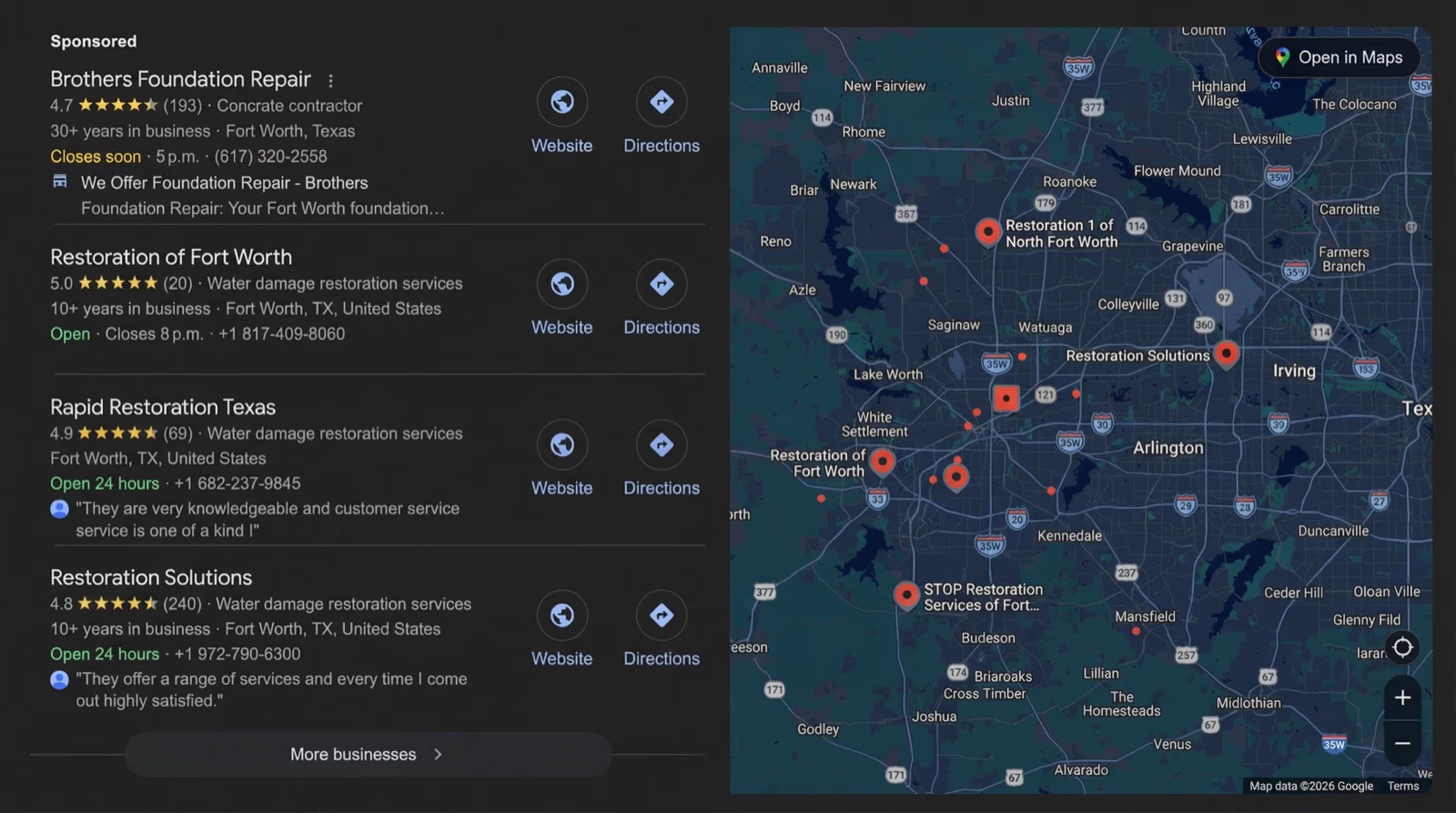
If you're in the restoration business, you already know the drill: when a homeowner's basement is filling with water at midnight, they've got their phone out, typing in a search for help this second.
That kind of urgency is precisely what makes paid digital advertising, better known as Pay-Per-Click (PPC), one of the smartest ways for restoration companies to grab emergency demand as it happens.
So what is PPC? As the name suggests, it's a type of online advertising where you build an ad, but rather than shelling out a fixed rate to keep it running, you're only charged when someone actually clicks it and lands on your website or dials your number. On platforms like Google, you bid on particular search terms, which means when a panicked homeowner types "water damage restoration near me," your ad can show up right at the top. You're not paying for eyeballs on the ad. You're paying for the click itself.
What follows is about how to track, report and optimize your PPC efforts. If you’re looking to get your PPC marketing set up from scratch, check out our guide here.
Stop Optimizing for Clicks: Look For The PPC Numbers That Tell You If Your Ads Are Working
PPC generates a lot of data. For restoration businesses, the numbers that tend to matter most are the ones that connect ad spend directly to actual revenue, not just traffic or clicks that don’t lead anywhere.
Here are a few metrics to keep in mind:
Cost per qualified call: Not just how much you paid per click, but how much you paid per call from someone who needed your services.
Booking rate: Of the qualified calls you receive, how many turn into booked inspections? If your booking rate is low, the issue may be in your customer service flow or your intake process, not your ads.
Cost per booked job: The acquisition cost for a paying customer. To find this amount, divide your total ad spend by the number of jobs booked directly from PPC during the same period.
Estimate approval rate: What percentage of jobs you inspect and estimate convert into booked work and signed contracts? This connects your marketing directly to your sales process.
Set Up Conversion Tracking Properly
Conversion tracking is how Google Ads knows when someone who clicked on your ad not only wanted your services, but they took further action, like calling you or submitting a form.
You can set this up yourself in your Google Ads account by manually adding conversion actions. Click “create”, select a category (e.g,. purchase or lead), give the action a clear, descriptive name (newsletter signup), configure your tag and install it via Google Tag Manager. You can either do this yourself or find an expert who can set it up for you. This is what Google Analytics requires to tie these (potential) customer actions back to your traffic sources.
Customer actions worth tracking can look like the following:
Call tracking: lets you attribute calls to specific keywords and ads, so you know which parts of your campaign are generating leads, and which are underperforming. Use a dedicated call tracking number in your ads (not your main business number) to keep this data clean.
Form tracking: captures leads who submit a query via your contact form. Make sure you're filtering out spam submissions, which can inflate lead counts and make campaigns look like they’re performing better than they are. Skewed data doesn’t help you know what’s working and what’s not.
Offline conversion imports: are more advanced, but powerful. They let you tell Google when a PPC lead turned into a booked job, so the system can optimize for revenue, not just clicks. This is worth setting up once your campaigns are stable as it requires more of an operational lift.
Building a Reporting Rhythm: What to Check, and When
Tracking the right numbers doesn't help much if you're only looking at them once a quarter, or worse, only when something feels off. Restoration PPC moves quickly — the wrong keyword can burn through budget on irrelevant clicks in a matter of days — so your reporting schedule should match that pace. The reason for this is that PPC dynamics specific to our industry make it less forgiving than PPC in a lot of other industries. For example, keyword searches are unstable because the industry is event-driven. Search behavior around water damage isn’t steady demand, but rather spikes during weather events and freeze/thaw cycles. A keyword that worked wonderfully one week can suddenly run dry the next.
Here’s what you should be checking, by cadence:
Weekly:
- Spend
- Cost per qualified call
- Lead volume by campaign
This is your early warning system. If cost per call spikes or lead volume drops, you want to know within days, not at the end of the month.
Monthly:
- Booking rate
- Cost per booked job
- Full pass through your Search Terms report to update negative keywords
This is also the right cadence for reviewing which keywords, ad groups, or service areas are pulling their weight and which aren't.
Note: Negative keywords are words or phrases that are excluded from Google Ads or online campaigns, but that might be used in irrelevant, low-intent, and non-commercial searches. For example, “how-to”, “DIY”, “tips”, “cheap” or “free”. Including them in your search term parameters tells search engines not to display your ads when those specific words are part of a user's search query, preventing wasted ad spend.
Quarterly:
- Estimate approval rate
- ROAS by channel (Search Ads vs. Local Service Ads)
- ROAS by service category (water damage, fire/smoke damage, mold remediation, biohazard/trauma cleanup, etc.).
These numbers move more slowly and are more meaningful when you're not reacting to a single unusual week.
Weekly reporting protects your budget, monthly reporting improves your targeting, and quarterly reporting shows you whether your advertising and marketing initiatives are turning a profit.
Attribution: Why the Numbers Don't Always Add Up Evenly
One of the more frustrating realities of PPC reporting in restoration is that attribution is rarely as clean as "this ad produced this job" line item.
Someone might click a Search Ad, not call, then search again a week later and call from a Local Service Ad (LSA). Someone else might see your ad, call your main line directly instead of the tracking number, and never show up in your reports at all, even though the ad is what prompted the call.
A few things help keep this manageable:
- Don't rely on last-click attribution alone. Last-click attribution is a model that gives 100% of the credit for a conversion to the final touchpoint a customer interacted with before converting, ignoring all earlier steps in their journey. If a customer interacted with more than one of your ads before booking, giving 100% of the credit to the final click can make one channel look stronger than it is and another look weaker.
- Reconcile your ad platform's reported leads against your actual booked jobs on a monthly basis. Some drift is normal. A large, consistent gap usually indicates a tracking issue, not a marketing problem.
- Ask new customers how they found you, whether through a survey or informally, to check their responses against what your dashboards show. This won't replace proper tracking, but it catches blind spots, especially phone calls to untracked numbers.
The goal is attribution accurate enough to make good budget decisions.
Reading LSA Reports Differently Than Search Ads Reports
Local Service Ads and standard Search Ads report on different things, and treating their numbers the same way is a common mistake.
Search Ads reporting centers on clicks, click-through rate, and cost per click, as well as your conversion actions on top of that. LSA reporting centers on leads directly, since you're paying per lead rather than per click. That means your LSA dashboard already reflects something closer to cost per qualified call (if you're actively disputing leads that don't meet your criteria).
An LSA lead count that looks strong on paper can be misleading if a meaningful share of those leads are outside your service area, wrong service type, or spam. Reviewing and disputing bad leads is what keeps your LSA reporting accurate enough to compare against your Search Ads performance.
Turning Reports Into Decisions
The value of reporting is in the decisions it pushes you toward. Here’s what to do when:
Your cost per qualified call rises without a change in lead quality: Revisit your keyword match types and negative keyword list before assuming you need to raise Google bids. Often, the issue is irrelevant traffic creeping back in, not increased competition.
Your booking rate is low but cost per call is healthy: The ads are doing their job. Look at call answering speed, intake scripting, and after-hours coverage before touching the campaign itself.
Your estimate approval rate is low: This usually points to what happens after the call, not the marketing. Documentation quality, estimate turnaround time, and how clearly the process is explained to the customer all play a role. Learn more about how to improve your approval rate here.
One service area or service line consistently outperforms another: Consider shifting budget toward it, but make sure the difference comes down to demand and conversion, not simply which area has had a campaign running longer and more data collected.
The goal isn't to optimize every number at once. Identify which number is constraining growth, and put your attention there.
A Few Warning Signs To Watch For
Some patterns are worth flagging before they quietly drain a budget:
- A negative keyword list that hasn't been updated in more than a month
- Lead volume that's climbing while booking rate is falling
- A widening gap between reported leads and actual booked jobs, month over month
- LSA leads that are rarely disputed, even though some clearly don't match your service area or type
- Only reviewing reporting when a decision-maker asks for it, rather than an ingrained habit
None of these are catastrophic on their own, but left unaddressed, they add up. A negative keyword list that goes stale for a quarter can quietly waste as much budget as a poorly targeted ad.
Reporting Is Where PPC Becomes a System
Our guide on restoration PPC marketing covered how to set up search-friendly campaigns that reach the right market at the right time. Reporting tells you whether that setup is working, and where to adjust when it isn't.
Flashy ads won’t be what gets you the most out of PPC over time. What will get you the most out of it is making reporting a regular routine, not a one-time setup task. Use what the numbers show you to make real decisions about keywords, phone intake, estimating speed, and where your budget is best allocated.
Start with the metrics. Build the rhythm around them. Let the reports tell you what to fix next.
If you're in the restoration business, you already know the drill: when a homeowner's basement is filling with water at midnight, they've got their phone out, typing in a search for help this second.
That kind of urgency is precisely what makes paid digital advertising, better known as Pay-Per-Click (PPC), one of the smartest ways for restoration companies to grab emergency demand as it happens.
So what is PPC? As the name suggests, it's a type of online advertising where you build an ad, but rather than shelling out a fixed rate to keep it running, you're only charged when someone actually clicks it and lands on your website or dials your number. On platforms like Google, you bid on particular search terms, which means when a panicked homeowner types "water damage restoration near me," your ad can show up right at the top. You're not paying for eyeballs on the ad. You're paying for the click itself.
What follows is about how to track, report and optimize your PPC efforts. If you’re looking to get your PPC marketing set up from scratch, check out our guide here.
Stop Optimizing for Clicks: Look For The PPC Numbers That Tell You If Your Ads Are Working
PPC generates a lot of data. For restoration businesses, the numbers that tend to matter most are the ones that connect ad spend directly to actual revenue, not just traffic or clicks that don’t lead anywhere.
Here are a few metrics to keep in mind:
Cost per qualified call: Not just how much you paid per click, but how much you paid per call from someone who needed your services.
Booking rate: Of the qualified calls you receive, how many turn into booked inspections? If your booking rate is low, the issue may be in your customer service flow or your intake process, not your ads.
Cost per booked job: The acquisition cost for a paying customer. To find this amount, divide your total ad spend by the number of jobs booked directly from PPC during the same period.
Estimate approval rate: What percentage of jobs you inspect and estimate convert into booked work and signed contracts? This connects your marketing directly to your sales process.
Set Up Conversion Tracking Properly
Conversion tracking is how Google Ads knows when someone who clicked on your ad not only wanted your services, but they took further action, like calling you or submitting a form.
You can set this up yourself in your Google Ads account by manually adding conversion actions. Click “create”, select a category (e.g,. purchase or lead), give the action a clear, descriptive name (newsletter signup), configure your tag and install it via Google Tag Manager. You can either do this yourself or find an expert who can set it up for you. This is what Google Analytics requires to tie these (potential) customer actions back to your traffic sources.
Customer actions worth tracking can look like the following:
Call tracking: lets you attribute calls to specific keywords and ads, so you know which parts of your campaign are generating leads, and which are underperforming. Use a dedicated call tracking number in your ads (not your main business number) to keep this data clean.
Form tracking: captures leads who submit a query via your contact form. Make sure you're filtering out spam submissions, which can inflate lead counts and make campaigns look like they’re performing better than they are. Skewed data doesn’t help you know what’s working and what’s not.
Offline conversion imports: are more advanced, but powerful. They let you tell Google when a PPC lead turned into a booked job, so the system can optimize for revenue, not just clicks. This is worth setting up once your campaigns are stable as it requires more of an operational lift.
Building a Reporting Rhythm: What to Check, and When
Tracking the right numbers doesn't help much if you're only looking at them once a quarter, or worse, only when something feels off. Restoration PPC moves quickly — the wrong keyword can burn through budget on irrelevant clicks in a matter of days — so your reporting schedule should match that pace. The reason for this is that PPC dynamics specific to our industry make it less forgiving than PPC in a lot of other industries. For example, keyword searches are unstable because the industry is event-driven. Search behavior around water damage isn’t steady demand, but rather spikes during weather events and freeze/thaw cycles. A keyword that worked wonderfully one week can suddenly run dry the next.
Here’s what you should be checking, by cadence:
Weekly:
- Spend
- Cost per qualified call
- Lead volume by campaign
This is your early warning system. If cost per call spikes or lead volume drops, you want to know within days, not at the end of the month.
Monthly:
- Booking rate
- Cost per booked job
- Full pass through your Search Terms report to update negative keywords
This is also the right cadence for reviewing which keywords, ad groups, or service areas are pulling their weight and which aren't.
Note: Negative keywords are words or phrases that are excluded from Google Ads or online campaigns, but that might be used in irrelevant, low-intent, and non-commercial searches. For example, “how-to”, “DIY”, “tips”, “cheap” or “free”. Including them in your search term parameters tells search engines not to display your ads when those specific words are part of a user's search query, preventing wasted ad spend.
Quarterly:
- Estimate approval rate
- ROAS by channel (Search Ads vs. Local Service Ads)
- ROAS by service category (water damage, fire/smoke damage, mold remediation, biohazard/trauma cleanup, etc.).
These numbers move more slowly and are more meaningful when you're not reacting to a single unusual week.
Weekly reporting protects your budget, monthly reporting improves your targeting, and quarterly reporting shows you whether your advertising and marketing initiatives are turning a profit.
Attribution: Why the Numbers Don't Always Add Up Evenly
One of the more frustrating realities of PPC reporting in restoration is that attribution is rarely as clean as "this ad produced this job" line item.
Someone might click a Search Ad, not call, then search again a week later and call from a Local Service Ad (LSA). Someone else might see your ad, call your main line directly instead of the tracking number, and never show up in your reports at all, even though the ad is what prompted the call.
A few things help keep this manageable:
- Don't rely on last-click attribution alone. Last-click attribution is a model that gives 100% of the credit for a conversion to the final touchpoint a customer interacted with before converting, ignoring all earlier steps in their journey. If a customer interacted with more than one of your ads before booking, giving 100% of the credit to the final click can make one channel look stronger than it is and another look weaker.
- Reconcile your ad platform's reported leads against your actual booked jobs on a monthly basis. Some drift is normal. A large, consistent gap usually indicates a tracking issue, not a marketing problem.
- Ask new customers how they found you, whether through a survey or informally, to check their responses against what your dashboards show. This won't replace proper tracking, but it catches blind spots, especially phone calls to untracked numbers.
The goal is attribution accurate enough to make good budget decisions.
Reading LSA Reports Differently Than Search Ads Reports
Local Service Ads and standard Search Ads report on different things, and treating their numbers the same way is a common mistake.
Search Ads reporting centers on clicks, click-through rate, and cost per click, as well as your conversion actions on top of that. LSA reporting centers on leads directly, since you're paying per lead rather than per click. That means your LSA dashboard already reflects something closer to cost per qualified call (if you're actively disputing leads that don't meet your criteria).
An LSA lead count that looks strong on paper can be misleading if a meaningful share of those leads are outside your service area, wrong service type, or spam. Reviewing and disputing bad leads is what keeps your LSA reporting accurate enough to compare against your Search Ads performance.
Turning Reports Into Decisions
The value of reporting is in the decisions it pushes you toward. Here’s what to do when:
Your cost per qualified call rises without a change in lead quality: Revisit your keyword match types and negative keyword list before assuming you need to raise Google bids. Often, the issue is irrelevant traffic creeping back in, not increased competition.
Your booking rate is low but cost per call is healthy: The ads are doing their job. Look at call answering speed, intake scripting, and after-hours coverage before touching the campaign itself.
Your estimate approval rate is low: This usually points to what happens after the call, not the marketing. Documentation quality, estimate turnaround time, and how clearly the process is explained to the customer all play a role. Learn more about how to improve your approval rate here.
One service area or service line consistently outperforms another: Consider shifting budget toward it, but make sure the difference comes down to demand and conversion, not simply which area has had a campaign running longer and more data collected.
The goal isn't to optimize every number at once. Identify which number is constraining growth, and put your attention there.
A Few Warning Signs To Watch For
Some patterns are worth flagging before they quietly drain a budget:
- A negative keyword list that hasn't been updated in more than a month
- Lead volume that's climbing while booking rate is falling
- A widening gap between reported leads and actual booked jobs, month over month
- LSA leads that are rarely disputed, even though some clearly don't match your service area or type
- Only reviewing reporting when a decision-maker asks for it, rather than an ingrained habit
None of these are catastrophic on their own, but left unaddressed, they add up. A negative keyword list that goes stale for a quarter can quietly waste as much budget as a poorly targeted ad.
Reporting Is Where PPC Becomes a System
Our guide on restoration PPC marketing covered how to set up search-friendly campaigns that reach the right market at the right time. Reporting tells you whether that setup is working, and where to adjust when it isn't.
Flashy ads won’t be what gets you the most out of PPC over time. What will get you the most out of it is making reporting a regular routine, not a one-time setup task. Use what the numbers show you to make real decisions about keywords, phone intake, estimating speed, and where your budget is best allocated.
Start with the metrics. Build the rhythm around them. Let the reports tell you what to fix next.

Related Articles








%20(1).jpg)