Restoration Sales Tools: The Essential Stack to Close Faster, Reduce Admin Work, and Grow Profitably

5 min read
Running a restoration business means managing a sales process unlike almost any other industry. You're responding to emergencies, coordinating with insurance carriers, documenting losses, writing estimates, and chasing approvals—often all at once.
Every delay in that chain costs you jobs, cash flow, or both. The good news is that most of those delays are fixable with the right tools.
Why "Sales Tools" Matter More in Restoration Than Most Industries
Most people think of sales as persuasion: making a compelling pitch, following up with leads, closing the deal. In restoration, that's only part of it.
Restoration sales runs on speed, documentation, and a clean handoff from the job site to the insurance carrier. The contractor who responds fastest, documents the loss most clearly, and delivers a well-supported estimate first is generally the contractor who wins the job. The "sales process" in this industry starts the moment a lead comes in and doesn't end until the authorization is signed and work is scheduled.
When that process has gaps (slow lead response, inconsistent documentation, estimate delays, missing follow-ups), revenue leaks out at every stage. Homeowners call someone else. Estimates get stuck in revision loops. Payments take months instead of weeks. The average restoration company in the United States currently waits upward of two to three months to collect on a completed water damage claim. That's a workflow problem, and the right tools solve it.
This guide breaks down the core sales tools for restoration by the way a restoration job actually moves, from first call to signed authorization, so you can identify where your process is strongest, where it's leaking, and what to add or fix. If you want a broader look at how to build a profitable sales strategy alongside the right tools, our guide to increasing restoration company sales is a good starting point.
The Restoration Sales Stack: From First Call to Signed Authorization
1. Lead Intake and Speed-to-Lead Tools
The first minutes after a lead comes in are disproportionately important in restoration. Water damage doesn't wait. Fire damage doesn't wait. The homeowner calling three contractors at once is likely to schedule with whoever responds first, and field data backs this up: the faster you can get a homeowner a quote, the stronger your chance of winning the job. Wait too long, and they've moved on.
The tools that help here are focused on capturing inbound leads without gaps and routing them to the right person immediately, even after hours.
Call tracking and recording gives you visibility into where leads are coming from, which campaigns are working, and what's being said during initial conversations. It also creates accountability: if a tech takes a call and doesn't follow up, there's a record. Look for a platform that records calls and ties every lead back to the campaign or source that produced it.
Web forms and live chat make sure leads that come in outside of business hours don't disappear into an inbox. Route inquiries to an on-call team member with email forwarding or trigger an automated acknowledgment so the homeowner knows you're on it.
After-hours answering services and triage tools are particularly valuable in emergency mitigation, where calls come in at 2 a.m. after a pipe bursts. A number of answering services now specialize in restoration and emergency trades. The ones worth considering are trade-fluent: agents who understand mitigation language, can tell a burst pipe from a routine inquiry, and will dispatch your on-call crew directly based on your protocol.
For a deeper look at how to build a lead generation system worth supporting with these tools, see our article on how to get water damage leads.
2. CRM and Pipeline Management
A CRM (customer relationship management software) is where all of your lead activity lives in one place. It tracks who called, what they need, where they are in the sales process, and when someone last followed up. Without one, leads can fall through the cracks. With one, your sales process becomes repeatable and measurable.
In restoration, many companies may still manage leads through a combination of texts, calls, and whoever remembered to write something down. That approach works at low volume. When you're handling 20-plus jobs and multiple inbound leads a week, it can break.
In restoration, CRM functionality usually lives inside a restoration-specific job management platform rather than a standalone sales tool. DocuSketch expert Todd Sangid recommends platforms built for the industry, such as PSA, Dash, and JobSight to handle lead tracking. Our guide to restoration management software breaks down how to choose between them.
3. Scheduling and Dispatch Tools
Once a lead is qualified, getting someone on-site quickly is a competitive differentiator. Route planning and dispatch visibility (knowing which technician is closest and available) can be the difference between being on-site in two hours versus six.
In restoration, scheduling and dispatch typically live inside the same job management platform that runs the rest of the operation, so treat this as a feature to evaluate when choosing that platform. The features that matter most for restoration sales are a booking interface that shows real-time availability, automated confirmation and reminder messages to reduce no-shows, and a dispatch view that helps you route efficiently.
Automated reminders reduce the no-show rate on inspection appointments, which is a real cost. A tech driving to a property where no one answers wastes time that could close another job.
4. Inspection, Documentation, and Sketching Tools: Where Deals Are Won or Lost
This is the part of the restoration sales process that can be underestimated, and it's where the most revenue is either captured or left on the table.
If your documentation isn't thorough, your estimate doesn't hold up. If your estimate doesn't hold up, you spend weeks in revision cycles with the adjuster before anyone gets paid. Scope disputes between contractors and carriers are among the most common reasons payments are delayed. The way to avoid scope disputes is to document the loss in a way that makes the scope undeniable.
Traditional photo documentation can have inconsistency problems. Take seven technicians into the same room and ask each to photograph it. You'll get seven different sets of photos, and at least a few of them will have missed a corner, the ceiling, or a key detail. That inconsistency creates gaps in documentation that adjusters push back on. It also means the quality of your estimate depends heavily on who happened to go out to the job, which isn't a scalable business model.
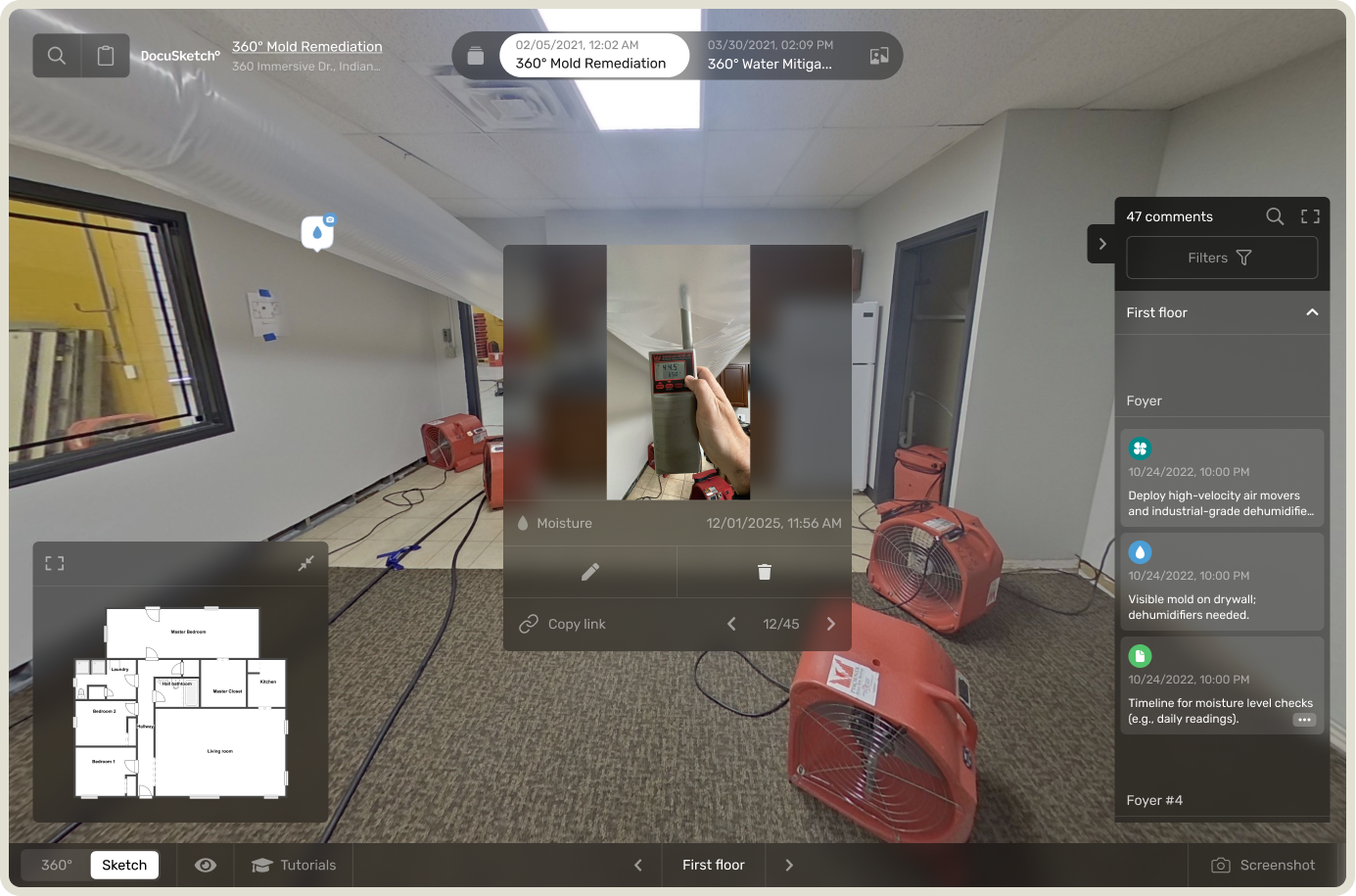
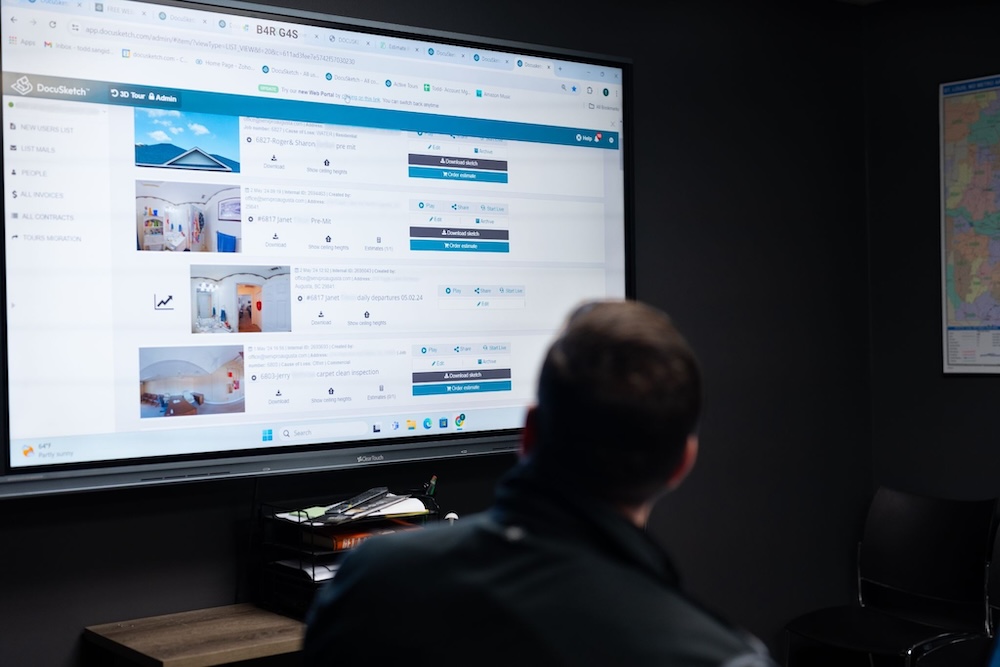
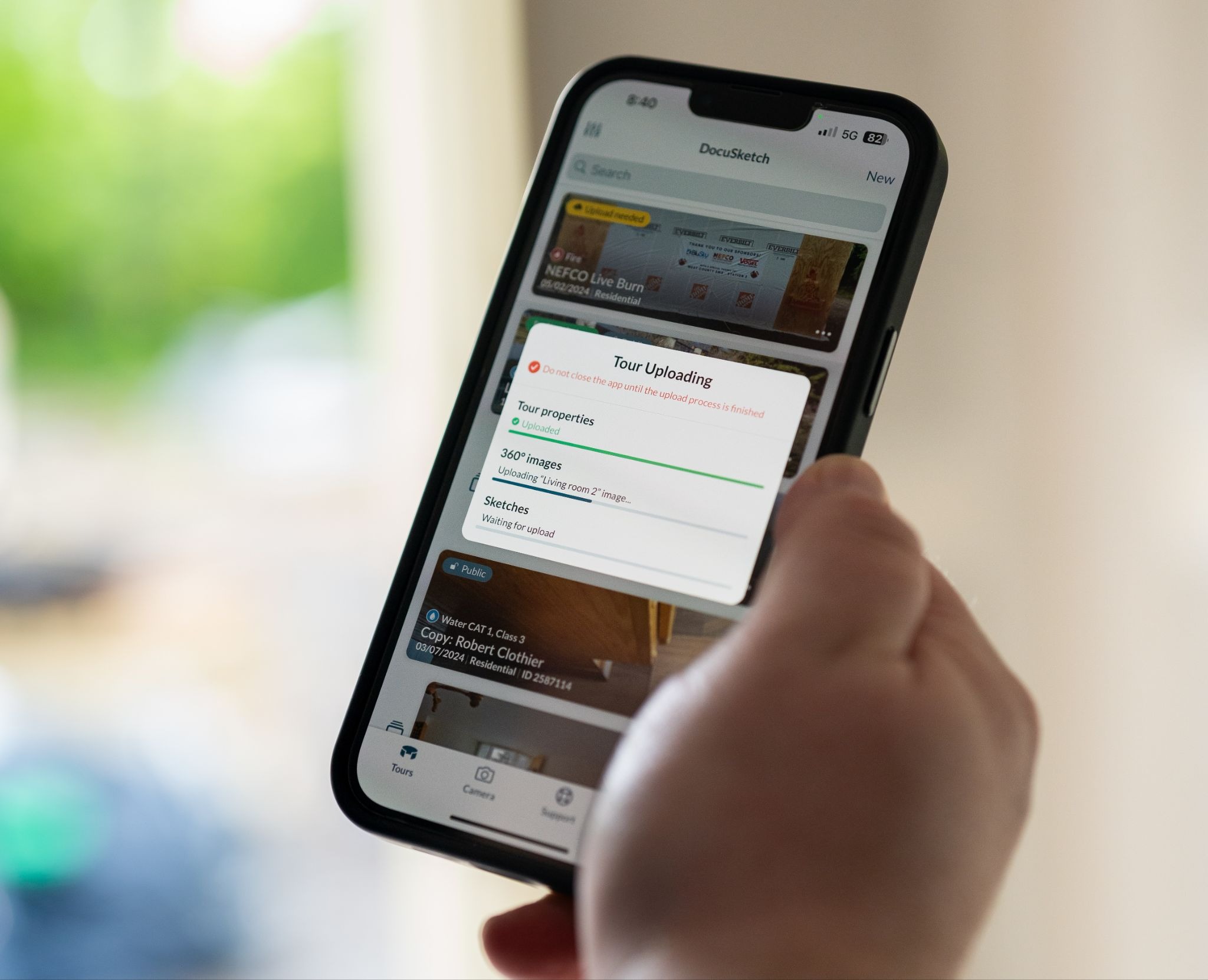
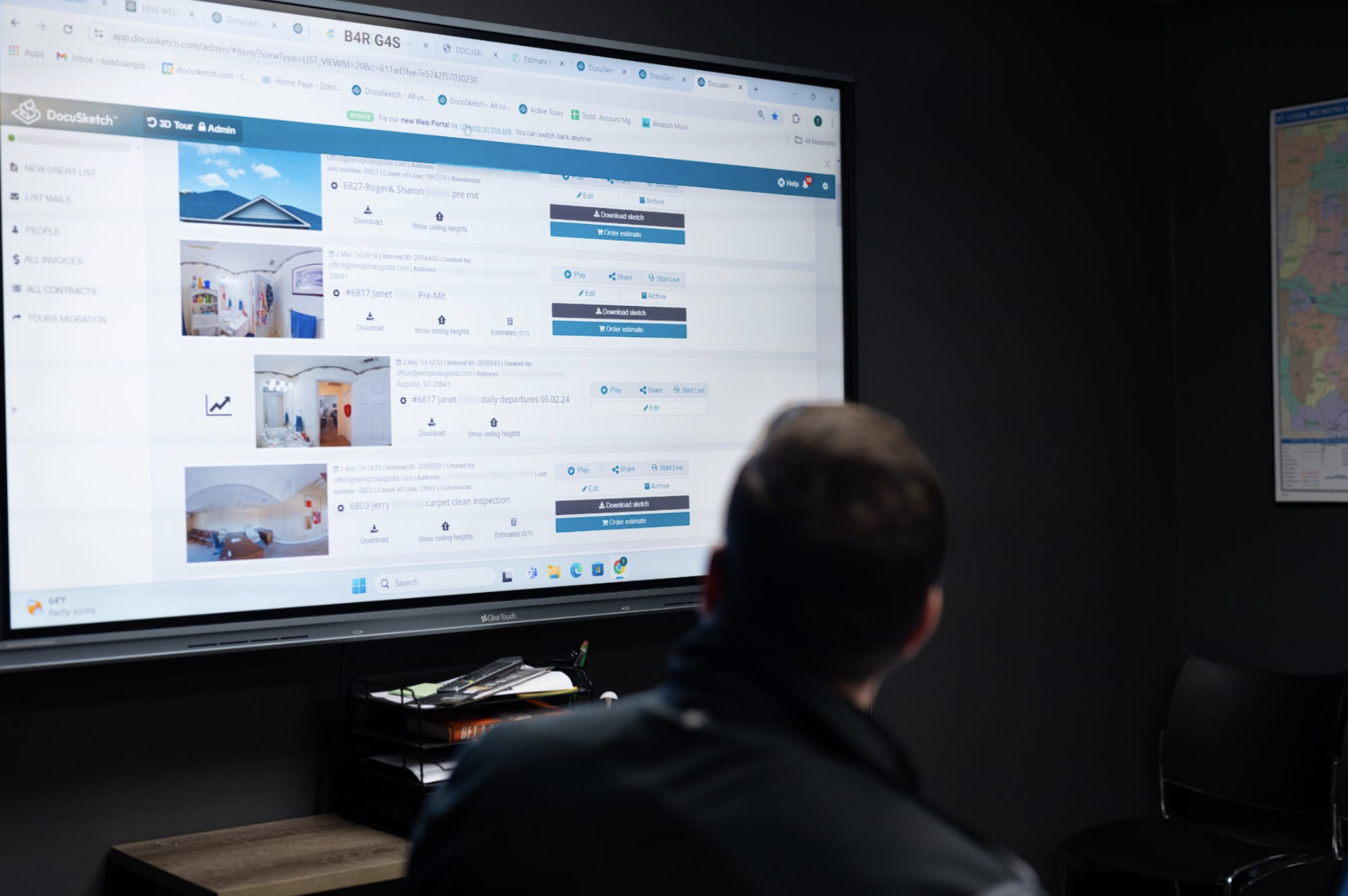
360° documentation solves this. The DocuSketch DS1 camera captures a complete visual record of any room in under 20 seconds, creating an immersive tour that anyone (a desk adjuster in another state, an independent adjuster reviewing the claim weeks later) can walk through and verify. Nothing gets missed. The documentation is consistent across every technician and every job.
That completeness matters in two ways that directly affect sales outcomes. First, it removes the "we need more photos" or "we need to verify this line item" delays that push estimate approval out by weeks. Second, it supports every line item in the estimate with visual evidence, which means fewer disputes and faster payment.
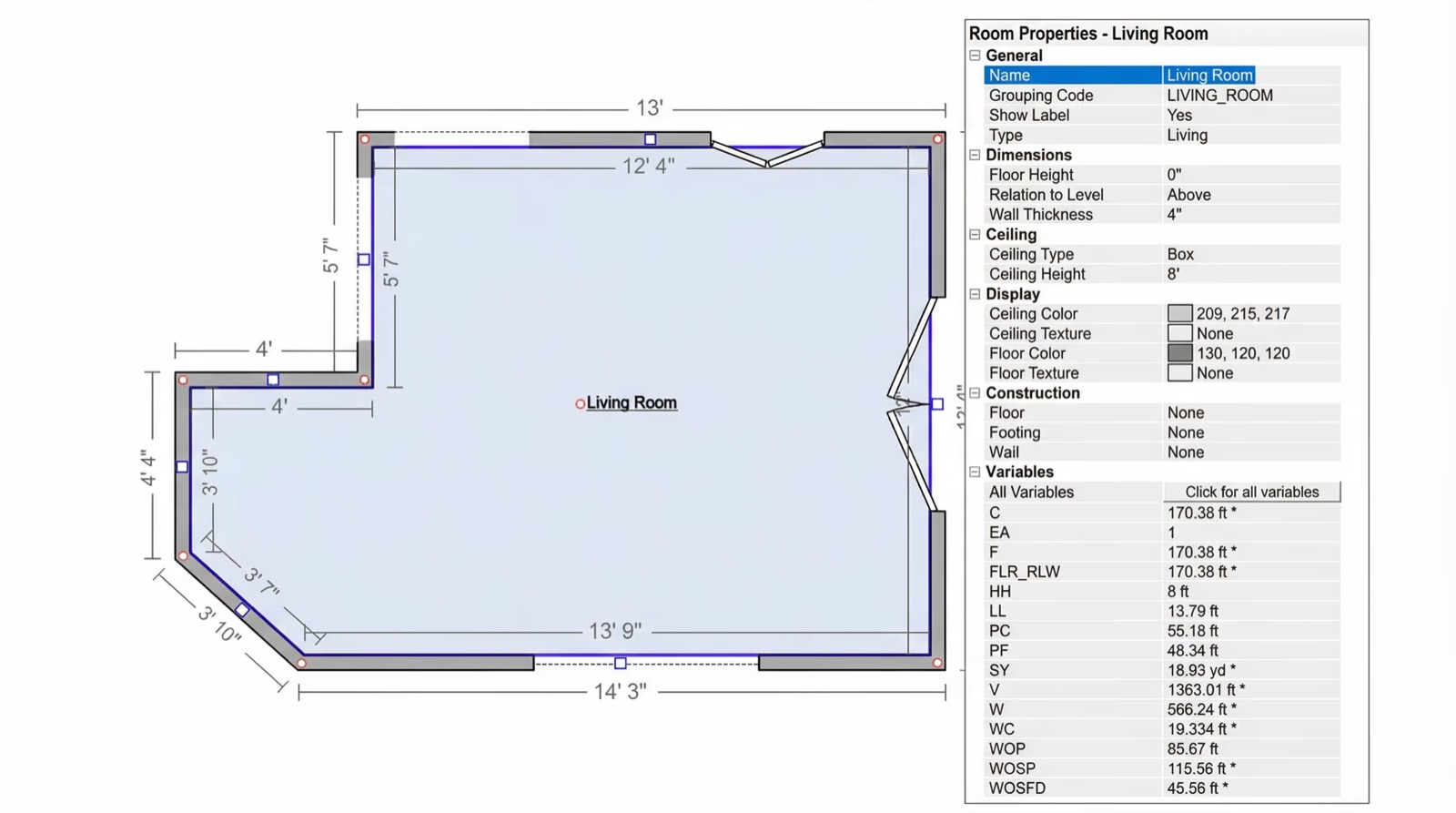
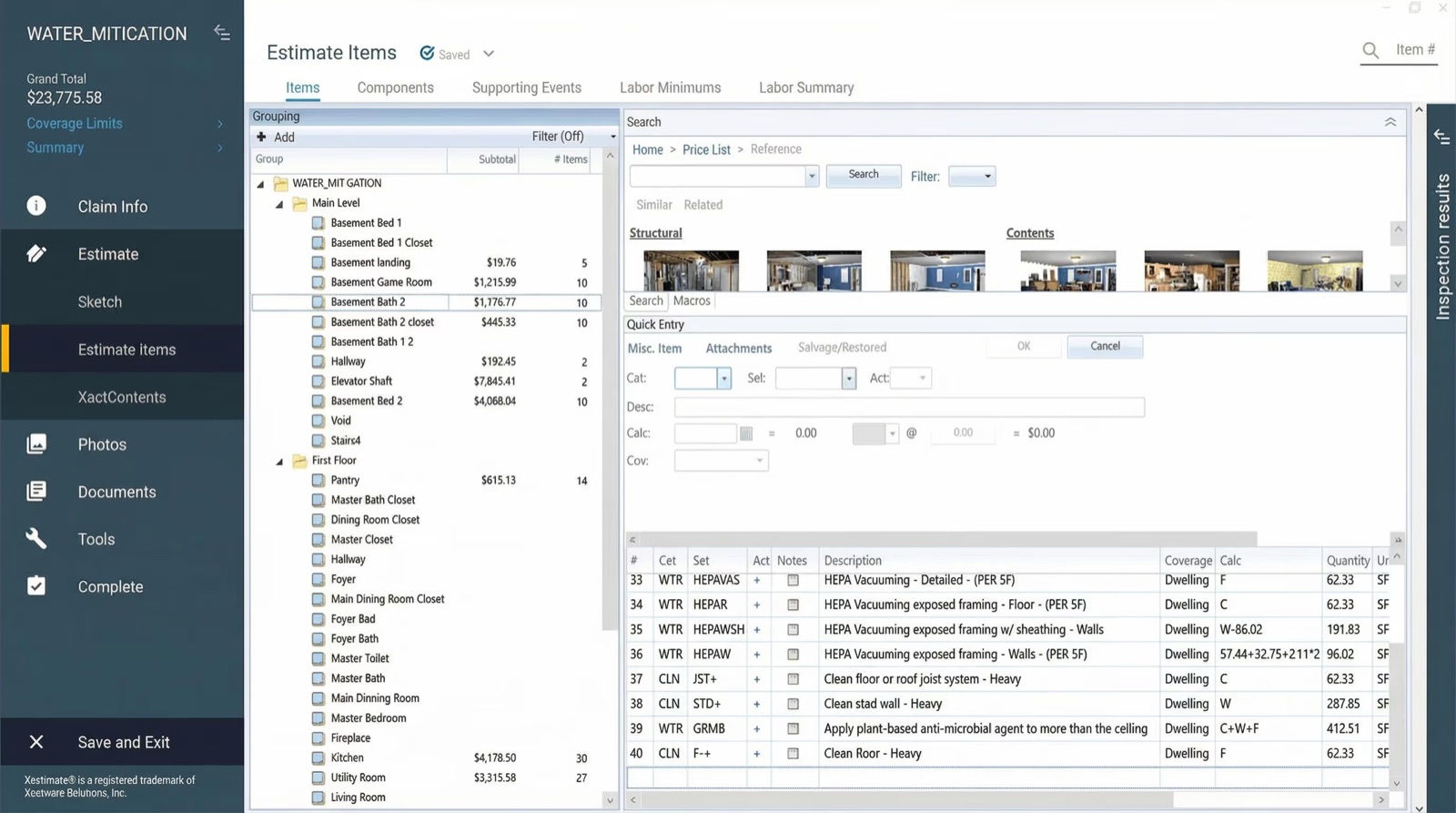
On the sketching side, the bottleneck in most restoration companies is the time it takes to get a floor plan sketch into Xactimate, the industry-standard estimating software used by the majority of carriers in North America. With a documented 360° tour, a complex job can be turned into a Xactimate-ready ESX sketch file by DocuSketch's professional sketching team and delivered directly into Xactimate without manual measurement entry.
Less time sketching means more estimates out the door. More estimates out the door means more jobs closing.
Learn about how pre-loss documentation can be a key sales tool for your restoration business ➔
5. Estimating and Scope Tools That Support Faster Approval
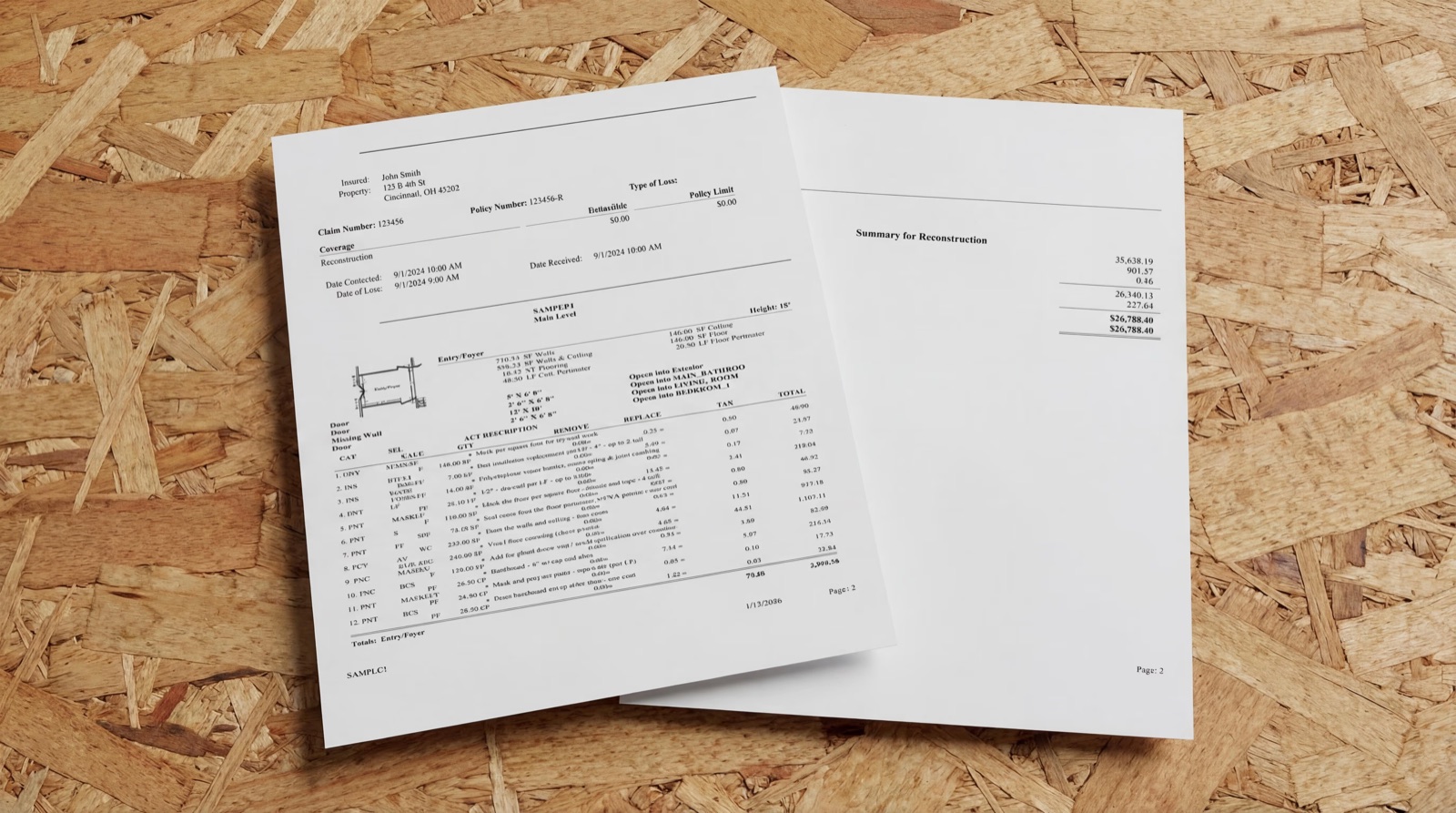
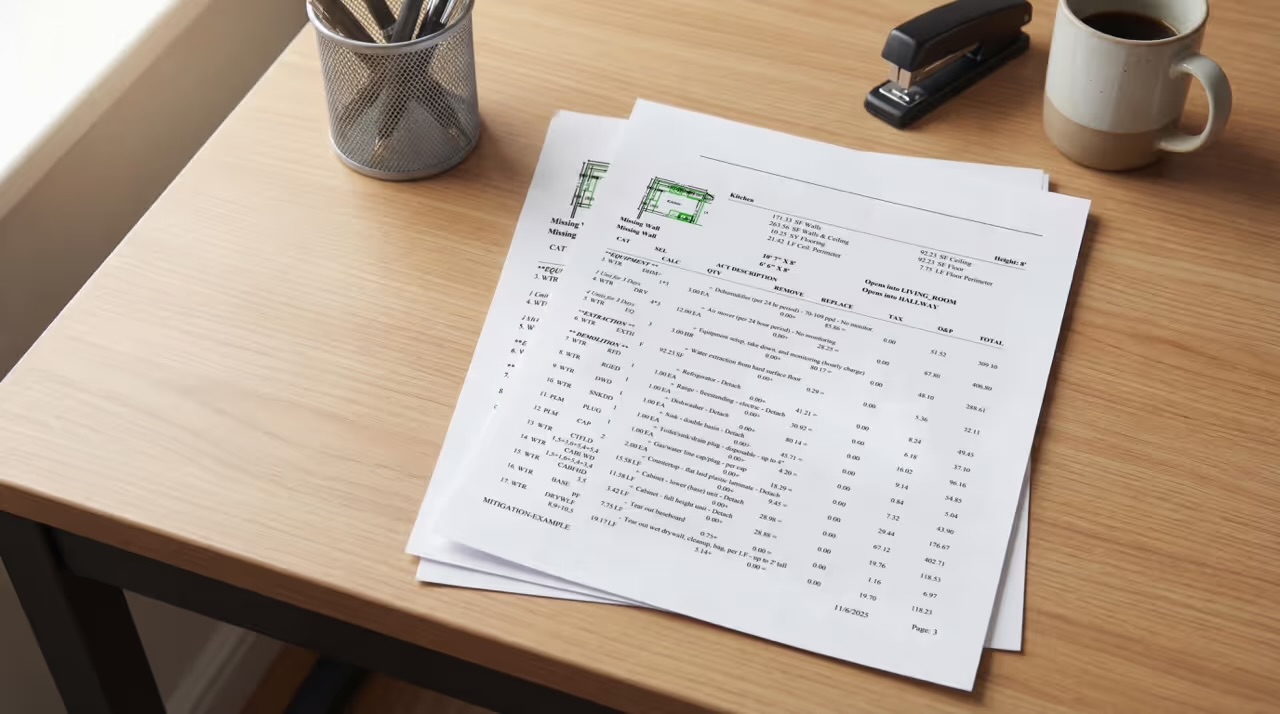
The estimate is where your documentation becomes revenue. An estimate that's accurate, well-supported, and formatted to carrier requirements gets approved. One that's missing line items, inconsistently formatted, or lacking supporting documentation gets kicked back.
Tools that help here include:
- Standardized scope templates that reduce variability between your estimators
- QA checks against carrier-specific requirements
- Documentation packaging that makes it easy for adjusters to review everything they need without multiple rounds of back-and-forth
For companies that want to take the estimating bottleneck off their team's plate entirely, outsourced estimating services have become a practical option. In many cases, building estimates eats up productive hours spent at a computer instead of on revenue-generating activities. DocuSketch Estimating can turn around a complete, carrier-compliant estimate while teams work on other tasks.
Faster estimates can have a direct impact on sales. Homeowners who receive an estimate quickly are more likely to sign. Carriers that receive well-packaged, QA'd estimates have less reason to delay approval. DocuSketch research has shown that with proper documentation and a strong estimate, payment cycles can come in as fast as 8.5 days, compared to 22 days.
6. Proposal, eSignature, and Payment Tools That Remove Friction
The gap between estimate approval and signed authorization is one of the riskier stages in the restoration sales process. In most trades, a homeowner who approves a quote is ready to move. In restoration, they're often still in crisis mode—stressed, potentially displaced, coordinating with their carrier, and fielding input from family members who weren't part of the original conversation. That window is when competitors make their move, when second thoughts creep in, and when the work of getting to "yes" can quietly unravel.
Contractors who treat authorization as a formality lose jobs they already won. The ones who close consistently treat it as its own stage of the sales process with its own tools.
Digital authorization and eSignature removes the most common delay in that stage: scheduling a second in-person visit just to get a signature. When a homeowner can review and sign from their phone the same evening the estimate is approved, the momentum from the conversation carries through. Most restoration job management platforms already include eSignature natively, so check what your current system offers before paying for a standalone tool.
Homeowner-facing scope summaries solve a different problem. An approved Xactimate estimate is written for an adjuster. A homeowner reading it sees line item codes, unit prices, and terminology that doesn't tell them what's actually happening to their home. When they don't understand the scope, they ask questions, and every question is a reason to slow down or reconsider. A one-page plain-language summary of what's being done, in what order, and why, written separately from the estimate, gives homeowners the confidence to sign. It also reduces the "let me ask my spouse / contractor friend / public adjuster" delay that pushes authorizations out by days.
Deductible and payment friction is worth addressing directly, particularly on reconstruction jobs. Some homeowners are surprised by the size of their deductible when the work is ready to begin, and that surprise can stall authorization even after a carrier approves the estimate. Payment tools that offer flexible options (credit card, ACH, and financing where applicable) turn a potential objection into a solved problem before it becomes one. Offering financing can be something to consider if it feels right for your business. It may be a way to stand out at exactly the moment a competitor offering the same scope at the same price doesn't.
Quick Wins: How to Improve Your Restoration Sales Process in the Next 30 Days
If you're looking at this list and feeling like the gaps are everywhere, start with what moves the needle fastest.
Audit your speed-to-lead first. Pull your last 30 inquiries and calculate how long it took to respond to each one. If the average is over four hours, it may be worth inquiring into a dedicated after-hours answering service or an automated response system.
Standardize your documentation process. If different technicians are producing different quality documentation on the same type of job, you're creating downstream estimate problems every week. A consistent 360° capture process removes technician-to-technician variability and gives your estimating team something defensible to work from every time.
Look at your estimate revision rate. If adjusters are consistently pushing back on the same types of line items, that's a pattern a QA review process can catch before estimates go out, not after. Getting an outside set of eyes on estimates before submission is one of the fastest ways to shorten approval cycles.
Start With Your Biggest Constraint
The restoration companies pulling ahead right now are the ones treating their sales process as a system rather than a series of individual decisions.
The ones that close sales faster and get paid sooner have covered each stage of their workflow (lead intake, documentation, estimating, authorization, and tracking) with intentional tools that optimize their team’s time.
The right tools make that system faster, more consistent, and more profitable without requiring you to add headcount to every function.
Running a restoration business means managing a sales process unlike almost any other industry. You're responding to emergencies, coordinating with insurance carriers, documenting losses, writing estimates, and chasing approvals—often all at once.
Every delay in that chain costs you jobs, cash flow, or both. The good news is that most of those delays are fixable with the right tools.
Why "Sales Tools" Matter More in Restoration Than Most Industries
Most people think of sales as persuasion: making a compelling pitch, following up with leads, closing the deal. In restoration, that's only part of it.
Restoration sales runs on speed, documentation, and a clean handoff from the job site to the insurance carrier. The contractor who responds fastest, documents the loss most clearly, and delivers a well-supported estimate first is generally the contractor who wins the job. The "sales process" in this industry starts the moment a lead comes in and doesn't end until the authorization is signed and work is scheduled.
When that process has gaps (slow lead response, inconsistent documentation, estimate delays, missing follow-ups), revenue leaks out at every stage. Homeowners call someone else. Estimates get stuck in revision loops. Payments take months instead of weeks. The average restoration company in the United States currently waits upward of two to three months to collect on a completed water damage claim. That's a workflow problem, and the right tools solve it.
This guide breaks down the core sales tools for restoration by the way a restoration job actually moves, from first call to signed authorization, so you can identify where your process is strongest, where it's leaking, and what to add or fix. If you want a broader look at how to build a profitable sales strategy alongside the right tools, our guide to increasing restoration company sales is a good starting point.
The Restoration Sales Stack: From First Call to Signed Authorization
1. Lead Intake and Speed-to-Lead Tools
The first minutes after a lead comes in are disproportionately important in restoration. Water damage doesn't wait. Fire damage doesn't wait. The homeowner calling three contractors at once is likely to schedule with whoever responds first, and field data backs this up: the faster you can get a homeowner a quote, the stronger your chance of winning the job. Wait too long, and they've moved on.
The tools that help here are focused on capturing inbound leads without gaps and routing them to the right person immediately, even after hours.
Call tracking and recording gives you visibility into where leads are coming from, which campaigns are working, and what's being said during initial conversations. It also creates accountability: if a tech takes a call and doesn't follow up, there's a record. Look for a platform that records calls and ties every lead back to the campaign or source that produced it.
Web forms and live chat make sure leads that come in outside of business hours don't disappear into an inbox. Route inquiries to an on-call team member with email forwarding or trigger an automated acknowledgment so the homeowner knows you're on it.
After-hours answering services and triage tools are particularly valuable in emergency mitigation, where calls come in at 2 a.m. after a pipe bursts. A number of answering services now specialize in restoration and emergency trades. The ones worth considering are trade-fluent: agents who understand mitigation language, can tell a burst pipe from a routine inquiry, and will dispatch your on-call crew directly based on your protocol.
For a deeper look at how to build a lead generation system worth supporting with these tools, see our article on how to get water damage leads.
2. CRM and Pipeline Management
A CRM (customer relationship management software) is where all of your lead activity lives in one place. It tracks who called, what they need, where they are in the sales process, and when someone last followed up. Without one, leads can fall through the cracks. With one, your sales process becomes repeatable and measurable.
In restoration, many companies may still manage leads through a combination of texts, calls, and whoever remembered to write something down. That approach works at low volume. When you're handling 20-plus jobs and multiple inbound leads a week, it can break.
In restoration, CRM functionality usually lives inside a restoration-specific job management platform rather than a standalone sales tool. DocuSketch expert Todd Sangid recommends platforms built for the industry, such as PSA, Dash, and JobSight to handle lead tracking. Our guide to restoration management software breaks down how to choose between them.
3. Scheduling and Dispatch Tools
Once a lead is qualified, getting someone on-site quickly is a competitive differentiator. Route planning and dispatch visibility (knowing which technician is closest and available) can be the difference between being on-site in two hours versus six.
In restoration, scheduling and dispatch typically live inside the same job management platform that runs the rest of the operation, so treat this as a feature to evaluate when choosing that platform. The features that matter most for restoration sales are a booking interface that shows real-time availability, automated confirmation and reminder messages to reduce no-shows, and a dispatch view that helps you route efficiently.
Automated reminders reduce the no-show rate on inspection appointments, which is a real cost. A tech driving to a property where no one answers wastes time that could close another job.
4. Inspection, Documentation, and Sketching Tools: Where Deals Are Won or Lost
This is the part of the restoration sales process that can be underestimated, and it's where the most revenue is either captured or left on the table.
If your documentation isn't thorough, your estimate doesn't hold up. If your estimate doesn't hold up, you spend weeks in revision cycles with the adjuster before anyone gets paid. Scope disputes between contractors and carriers are among the most common reasons payments are delayed. The way to avoid scope disputes is to document the loss in a way that makes the scope undeniable.
Traditional photo documentation can have inconsistency problems. Take seven technicians into the same room and ask each to photograph it. You'll get seven different sets of photos, and at least a few of them will have missed a corner, the ceiling, or a key detail. That inconsistency creates gaps in documentation that adjusters push back on. It also means the quality of your estimate depends heavily on who happened to go out to the job, which isn't a scalable business model.
360° documentation solves this. The DocuSketch DS1 camera captures a complete visual record of any room in under 20 seconds, creating an immersive tour that anyone (a desk adjuster in another state, an independent adjuster reviewing the claim weeks later) can walk through and verify. Nothing gets missed. The documentation is consistent across every technician and every job.
That completeness matters in two ways that directly affect sales outcomes. First, it removes the "we need more photos" or "we need to verify this line item" delays that push estimate approval out by weeks. Second, it supports every line item in the estimate with visual evidence, which means fewer disputes and faster payment.
On the sketching side, the bottleneck in most restoration companies is the time it takes to get a floor plan sketch into Xactimate, the industry-standard estimating software used by the majority of carriers in North America. With a documented 360° tour, a complex job can be turned into a Xactimate-ready ESX sketch file by DocuSketch's professional sketching team and delivered directly into Xactimate without manual measurement entry.
Less time sketching means more estimates out the door. More estimates out the door means more jobs closing.
Learn about how pre-loss documentation can be a key sales tool for your restoration business ➔
5. Estimating and Scope Tools That Support Faster Approval
The estimate is where your documentation becomes revenue. An estimate that's accurate, well-supported, and formatted to carrier requirements gets approved. One that's missing line items, inconsistently formatted, or lacking supporting documentation gets kicked back.
Tools that help here include:
- Standardized scope templates that reduce variability between your estimators
- QA checks against carrier-specific requirements
- Documentation packaging that makes it easy for adjusters to review everything they need without multiple rounds of back-and-forth
For companies that want to take the estimating bottleneck off their team's plate entirely, outsourced estimating services have become a practical option. In many cases, building estimates eats up productive hours spent at a computer instead of on revenue-generating activities. DocuSketch Estimating can turn around a complete, carrier-compliant estimate while teams work on other tasks.
Faster estimates can have a direct impact on sales. Homeowners who receive an estimate quickly are more likely to sign. Carriers that receive well-packaged, QA'd estimates have less reason to delay approval. DocuSketch research has shown that with proper documentation and a strong estimate, payment cycles can come in as fast as 8.5 days, compared to 22 days.
6. Proposal, eSignature, and Payment Tools That Remove Friction
The gap between estimate approval and signed authorization is one of the riskier stages in the restoration sales process. In most trades, a homeowner who approves a quote is ready to move. In restoration, they're often still in crisis mode—stressed, potentially displaced, coordinating with their carrier, and fielding input from family members who weren't part of the original conversation. That window is when competitors make their move, when second thoughts creep in, and when the work of getting to "yes" can quietly unravel.
Contractors who treat authorization as a formality lose jobs they already won. The ones who close consistently treat it as its own stage of the sales process with its own tools.
Digital authorization and eSignature removes the most common delay in that stage: scheduling a second in-person visit just to get a signature. When a homeowner can review and sign from their phone the same evening the estimate is approved, the momentum from the conversation carries through. Most restoration job management platforms already include eSignature natively, so check what your current system offers before paying for a standalone tool.
Homeowner-facing scope summaries solve a different problem. An approved Xactimate estimate is written for an adjuster. A homeowner reading it sees line item codes, unit prices, and terminology that doesn't tell them what's actually happening to their home. When they don't understand the scope, they ask questions, and every question is a reason to slow down or reconsider. A one-page plain-language summary of what's being done, in what order, and why, written separately from the estimate, gives homeowners the confidence to sign. It also reduces the "let me ask my spouse / contractor friend / public adjuster" delay that pushes authorizations out by days.
Deductible and payment friction is worth addressing directly, particularly on reconstruction jobs. Some homeowners are surprised by the size of their deductible when the work is ready to begin, and that surprise can stall authorization even after a carrier approves the estimate. Payment tools that offer flexible options (credit card, ACH, and financing where applicable) turn a potential objection into a solved problem before it becomes one. Offering financing can be something to consider if it feels right for your business. It may be a way to stand out at exactly the moment a competitor offering the same scope at the same price doesn't.
Quick Wins: How to Improve Your Restoration Sales Process in the Next 30 Days
If you're looking at this list and feeling like the gaps are everywhere, start with what moves the needle fastest.
Audit your speed-to-lead first. Pull your last 30 inquiries and calculate how long it took to respond to each one. If the average is over four hours, it may be worth inquiring into a dedicated after-hours answering service or an automated response system.
Standardize your documentation process. If different technicians are producing different quality documentation on the same type of job, you're creating downstream estimate problems every week. A consistent 360° capture process removes technician-to-technician variability and gives your estimating team something defensible to work from every time.
Look at your estimate revision rate. If adjusters are consistently pushing back on the same types of line items, that's a pattern a QA review process can catch before estimates go out, not after. Getting an outside set of eyes on estimates before submission is one of the fastest ways to shorten approval cycles.
Start With Your Biggest Constraint
The restoration companies pulling ahead right now are the ones treating their sales process as a system rather than a series of individual decisions.
The ones that close sales faster and get paid sooner have covered each stage of their workflow (lead intake, documentation, estimating, authorization, and tracking) with intentional tools that optimize their team’s time.
The right tools make that system faster, more consistent, and more profitable without requiring you to add headcount to every function.

Related Articles








%20(1).jpg)